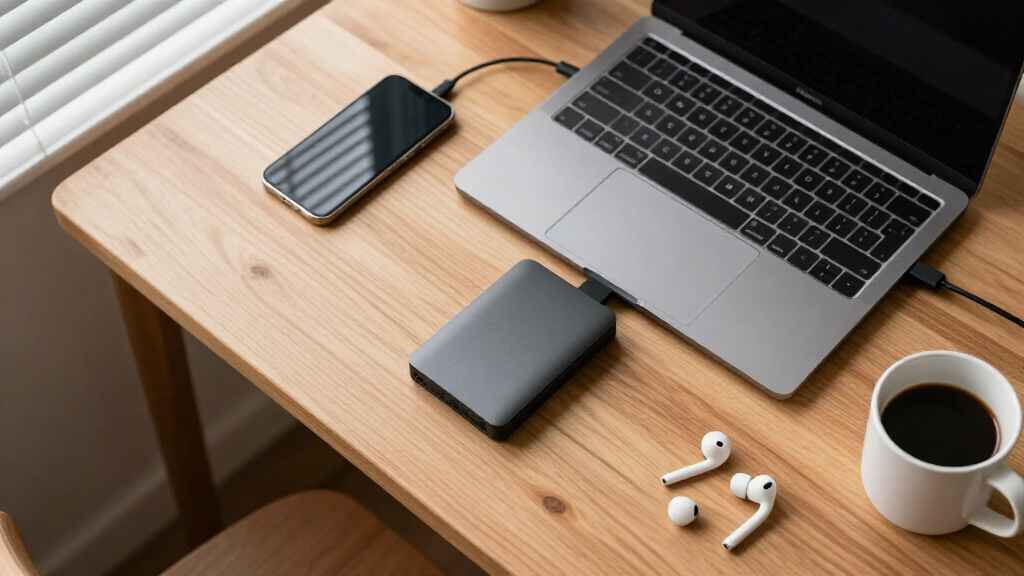

Portable external hard drives remain the cheapest way to carry terabytes of files, backups, and game libraries between devices, but the market splits sharply between big-brand 2–6TB workhorses and budget 500GB slim drives from lesser-known names. The Seagate Portable 5TB (STGX5000400) stands out as my best overall pick because it delivers the lowest cost per terabyte while staying bus-powered and console-friendly. For tight budgets, the UnionSine 1TB Ultra Slim offers surprising capacity in a pocketable shell, while the WD 2TB My Passport adds backup software and hardware encryption that bare-bones drives skip. The main tradeoff you’ll face: capacity and value from the large drives versus portability and price from the slim models — plus slower speeds across the board compared with SSDs. Read on for the full breakdown of all 14 drives.

Get the latest gadgets delivered free with Prime
- Fast, free delivery on millions of items
- Prime Video, Amazon Music and more included
- Member-only deals all year
Complete the kit



Key Takeaways
- Seagate‘s 4TB and 5TB Portable drives offered the best cost per terabyte in the entire lineup, making them the clear value leaders over WD’s Elements line at the same capacities.
- The 500GB generic-brand drives cost more per gigabyte than every name-brand option, so they only make sense when physical size and a sub-$30 price matter more than value.
- WD’s My Passport is the only drive here with bundled backup software and optional hardware encryption, which is why it outranks the nearly identical WD 2TB Elements despite a higher price.
- All 14 drives are spinning-disk HDDs limited to roughly 100–130 MB/s over USB 3.0, so paying more in this category buys capacity and features, not speed.
- Console compatibility is common but not universal — Seagate‘s drives are explicitly PS4/Xbox certified, while several budget 500GB models list older Xbox 360 support that name-brand drives omit.






| portable external hard drife | Interface | Capacity | Rotational Speed | Compatibility |
|---|---|---|---|---|
| WD 2TB Elements Portable Exter | USB 3.2 Gen 1 / USB 3.0 (5Gbps), USB 2.0 compatible | 2 TB | 5400 RPM | PC, Mac, desktop, laptop, gaming consoles |
| Seagate Portable 5TB External | USB 3.0 | 5 TB | — | PC, Mac, PS4, Xbox |
| Seagate Portable 4TB External | USB 3.0 | 4 TB | 7200 RPM | PC, Mac, Xbox, PS4 |
| 500GB External Hard Drive | USB 3.0 / USB 2.0 | 500 GB | 7200 RPM | Laptops, desktops, Xbox 360, Xbox One, TVs |
| 500GB USB 3.0 Portable Externa | USB 3.0 | 500 GB | 5400 RPM | Windows, macOS, ChromeOS, Linux, Xbox, PS4, select Android OTG |
| WD 6TB Elements Portable Exter | USB 3.2 Gen 1 (5Gbps) | 6TB | — | Windows, Mac |
| 500GB Portable External Hard D | USB 3.0 | 500GB | 5400 RPM | Windows, Mac, Linux, PS4, Xbox One, Xbox 360 |
| WD Elements 4TB Portable Exter | USB 3.2 Gen 1 / USB 3.0 | 4TB | — | PC, Mac, Laptop, Desktop |
| UnionSine 1TB Ultra Slim Porta | USB 3.0 | 1TB | 5400 rpm | PC, Mac, TV, PS4/PS5, Xbox 360/One/Series |
| Seagate Portable 2TB External | USB 3.0 | 2TB | 7200 RPM | — |
| UnionSine 500GB Ultra Slim Por | USB 3.0 (USB 2.0 compatible) | — | 5400 RPM | — |
| 500GB Portable External Hard D | USB 3.0 | — | 5400 RPM | — |
| WD 2TB My Passport Portable Ex | — | — | — | — |
| Maxone 500GB Ultra Slim Portab | USB 3.0 (USB 2.0 compatible) | — | — | — |
More Details on Our Top Picks
WD 2TB Elements Portable External Hard Drive
WD Elements 2TB earns the top spot because it balances capacity, price, and reliability better than anything else in this lineup. While the Seagate Portable 5TB offers more raw space, the Elements wins on brand track record and broad compatibility — it works with Windows, Mac, and gaming consoles straight out of the box with zero software fuss. The 5Gbps USB 3.2 Gen 1 interface handles photo and document backups without painful waiting, though buyers moving huge video libraries will feel the limits of spinning-disk speed compared with an SSD.
The real tradeoff is the plastic enclosure, which feels less rugged than the aluminum build on the 500GB USB 3.0 Portable Drive. For most people backing up everyday files, that compromise is easy to accept at this price.
Pros:- Trusted WD reliability with strong track record
- Plug-and-play on Windows, Mac, and consoles with no software
- Compact and lightweight for genuine pocket portability
- 5Gbps USB 3.2 Gen 1 interface for quick everyday transfers
Cons:- Plastic enclosure is less durable than metal alternatives
- HDD mechanics cap speeds well below SSD performance
Best for: Everyday users who want dependable 2TB of backup storage for photos, documents, and media without paying a premium
Not ideal for: Anyone who regularly moves multi-gigabyte video projects — the HDD speeds will feel slow versus an SSD
- Capacity:2 TB
- Interface:USB 3.2 Gen 1 / USB 3.0 (5Gbps), USB 2.0 compatible
- Rotational Speed:5400 RPM
- Form Factor:2.5-inch portable HDD
- Compatibility:PC, Mac, desktop, laptop, gaming consoles
- Setup:Plug and play, no software required
Our verdict“If you want a no-drama portable drive that just works for years of backups, this is the one to buy first.”
Seagate Portable 5TB External Hard Drive HDD
When sheer storage per dollar is the priority, the Seagate Portable 5TB is the clear capacity champion of this roundup. It holds two and a half times what the WD Elements 2TB offers, which matters for game libraries, video archives, and years of family photos. The bundled 1-Year Rescue Service adds a safety net none of the budget 500GB options provide — Seagate will attempt data recovery if the drive fails.
The compromises are familiar: it’s still a spinning HDD over USB 3.0, so large file transfers take patience. Like the Seagate 4TB, usable capacity comes in below the labeled figure after formatting. Console gamers should also plan ahead — newer consoles restrict what can run directly from external HDDs.
Pros:- 5TB of storage at an excellent cost per terabyte
- 1-Year Rescue Service covers professional data recovery
- Plug-and-play with PC, Mac, PS4, and Xbox
- Includes 18-inch USB 3.0 cable in the box
Cons:- HDD speeds are slow for large file transfers
- Formatted usable capacity falls short of 5TB
Best for: Media hoarders and console gamers who need to archive massive libraries without buying multiple drives
Not ideal for: Time-pressed creatives who constantly shuttle 4K video files — transfer speeds will test patience daily
- Capacity:5 TB
- Interface:USB 3.0
- Cable Length:18 inches
- Rescue Service:1-Year data recovery included
- Compatibility:PC, Mac, PS4, Xbox
- Color:Black
Our verdict“The most sensible pick when capacity matters more than speed and you want recovery coverage as a bonus.”
Seagate Portable 4TB External Hard Drive HDD
The Seagate Portable 4TB occupies a smart middle ground: enough space for a serious game library without the price jump to the 5TB model. Its 120 MB/s read speed and 7200 RPM spindle make it a touch quicker in practice than the 5400 RPM WD Elements 2TB, which shows up when installing games or copying large folders. Console support is the headline — Xbox and PlayStation both recognize it immediately, and the included Rescue Service protects saved captures and installs.
The friction points are minor but real: the 18-inch cable is awkwardly short for living-room console setups, and like every HDD here, it can’t match SSD load times. PS5 owners should treat it as cold storage for archived titles.
Pros:- 4TB fits dozens of modern games in a compact 2.5-inch body
- 7200 RPM / 120 MB/s read speed beats slower 5400 RPM rivals
- Plug-and-play on Xbox and PlayStation
- 1-Year Rescue data recovery service included
Cons:- Short 18-inch cable limits placement flexibility
- HDD load times lag well behind SSD options
Best for: Console gamers who want to store and transfer a large game library between machines
Not ideal for: Next-gen console owners expecting to play PS5 or Series X|S titles directly from the drive
- Capacity:4 TB
- Interface:USB 3.0
- Rotational Speed:7200 RPM
- Read Speed:120 MB/s
- Dimensions:4.61 x 3.15 x 0.79 inches
- Compatibility:PC, Mac, Xbox, PS4
- Warranty:1-Year Rescue Service
Our verdict“The best fit for gamers balancing a big library budget against a drive that still fits in a backpack pocket.”
500GB External Hard Drive, USB 3.0 and USB-C Storage Expansion Mobile HDD
What separates this 500GB drive from the crowded budget field is its silicone-protected shell, which absorbs the knocks of daily travel far better than the bare plastic of the WD Elements 2TB. At just 0.3 lb, it’s the lightest way to carry a useful amount of storage for schoolwork, documents, or a small game collection. The 7200 RPM spindle and 120 MB/s read speed put it on par with the pricier Seagate models for everyday responsiveness.
The catch is capacity and clarity: 500GB fills fast, and unlike the 500GB USB 3.0 Portable Drive with its included USB-C adapter, this one’s mixed interface documentation makes it unclear which cables you’ll need for modern laptops. PS5 and Series X|S games also can’t run from it.
Pros:- Silicone casing cushions everyday bumps and drops
- Featherlight at 0.3 lb for genuine pocket carry
- 7200 RPM / 120 MB/s performance matches pricier options
- Plug-and-play with consoles, laptops, and desktops
Cons:- 500GB fills quickly with games or media
- Inconsistent interface specs create connectivity uncertainty
Best for: Students and commuters who toss a drive into a backpack daily and need light impact protection on a tight budget
Not ideal for: Owners of newer laptops relying on USB-C only — connectivity details are inconsistent and adapters may be needed
- Capacity:500 GB
- Interface:USB 3.0 / USB 2.0
- Rotational Speed:7200 RPM
- Read Speed:120 MB/s
- Data Transfer Rate:5 Gbps
- Weight:0.3 lb
- Compatibility:Laptops, desktops, Xbox 360, Xbox One, TVs
Our verdict“A sensible budget choice for light-duty storage that gets tossed around, as long as 500GB covers your needs.”
500GB USB 3.0 Portable External Hard Drive
This 500GB drive solves the most common budget-drive frustration: modern laptop connectivity. The bundled USB-A to USB-C adapter means it plugs into a current MacBook or ultrabook out of the box, something the silicone-cased 500GB Mobile HDD leaves ambiguous. Its aluminum-alloy enclosure also looks and feels a class above the plastic shells on most entries here, and the activity indicator is a small but welcome touch during long transfers.
Tradeoffs are honest rather than dealbreaking: 5400 RPM speeds of 110 MB/s read / 90 MB/s write trail the Seagate drives, Mac users must reformat to exFAT before writing files, and Android users need to supply their own OTG adapter. Compared with the WD Elements, you sacrifice capacity for portability and build quality.
Pros:- Includes USB-C adapter for modern laptop connectivity
- Aluminum-alloy shell with activity indicator
- Broad OS support including Linux, ChromeOS, and PS4
- Bus-powered with no external power needed
Cons:- 5400 RPM speeds trail 7200 RPM rivals
- Mac users must reformat before writing files
- Android OTG cable not included
Best for: Students and professionals with USB-C laptops who want a sleek, affordable drive for documents and everyday backups
Not ideal for: Media collectors — 500GB vanishes quickly under large photo or video libraries
- Capacity:500 GB
- Interface:USB 3.0
- Rotational Speed:5400 RPM
- Read / Write Speed:110 MB/s / 90 MB/s
- Weight:0.36 lb
- Enclosure:Aluminum alloy, bus-powered
- Compatibility:Windows, macOS, ChromeOS, Linux, Xbox, PS4, select Android OTG
- Included:USB 3.0 Micro-B cable, USB-A to USB-C adapter
Our verdict“The best-equipped budget pick for USB-C laptops that value included accessories and a premium-feeling shell over raw capacity.”
WD 6TB Elements Portable External Hard Drive
When the goal is fitting an entire media library into a bag pocket, 6TB in a 2.5-inch shell is the ceiling most buyers will realistically reach without moving to desktop-class drives. The WD Elements 6TB delivers that capacity at a better price-per-gigabyte than the Seagate Portable 5TB, which is its closest rival here. Setup is genuinely simple: plug it in, and Windows or macOS recognizes it immediately, no drivers or bundled utilities standing in the way.
The tradeoff for that raw space is the absence of everything else. Unlike the WD My Passport line, there’s no backup software or hardware encryption, so this works best as a secondary archive rather than your only copy of irreplaceable files. Spinning-disk speeds also mean large game installs will feel sluggish compared to an SSD.
Pros:- 6TB is the largest capacity in a truly pocket-sized 2.5-inch form factor
- Best price-per-terabyte in this lineup
- Plug-and-play on both Windows and Mac
- SuperSpeed USB 3.2 Gen 1 keeps large file transfers reasonable
Cons:- No included backup software or documented hardware encryption
- HDD speeds bottleneck game loading and large video editing workflows
- Formatted usable capacity lands below the advertised 6TB
Best for: Media hoarders and photographers who need to archive years of photos, video projects, and music libraries in one drive
Not ideal for: Buyers who want set-and-forget backups or encryption — you’ll need to supply your own software
- Brand:WD
- Capacity:6TB
- Form Factor:2.5 inches
- Interface:USB 3.2 Gen 1 (5Gbps)
- Compatibility:Windows, Mac
- Setup:Plug and play
- Model:WDBHJS0060BBK-WESN
Our verdict“This pick makes the most sense for anyone whose priority is maximum portable capacity per dollar rather than speed or software features.”
500GB Portable External Hard Drive, USB 3.0 Slim HDD (Silver)
This silver 500GB drive carves out a niche as the cheapest way to offload aging consoles. It works with the PS4, Xbox One, and even the Xbox 360 — a compatibility claim most modern drives don’t bother making. Compared with the Maxone 500GB and other budget 500GB options in this roundup, the advantage is breadth: it covers legacy consoles, Linux, Windows, and Mac (after reformatting to exFAT).
The limitations are real, though. That 500GB shrinks fast once a console takes its cut, holding only a handful of modern games. And while it connects to a PS5 or Xbox Series X|S, current-gen titles can’t run from it — you’d need the UnionSine 1TB for more headroom, or an SSD for actual next-gen play. Mac users also face a reformatting step out of the box.
Pros:- Works with Xbox 360, Xbox One, PS4, Windows, Mac, and Linux
- Very low cost of entry for extra storage
- Slim 2.5-inch design at just 0.35 lbs
- USB 3.0 transfer speeds up to 133 MB/s read
Cons:- 500GB fills up quickly with modern game sizes
- Requires exFAT reformatting before Mac use
- Usable capacity appears lower than advertised once formatted
Best for: Owners of older consoles or spare laptops who want cheap, extra storage for media and legacy games
Not ideal for: Current-gen console players — PS5 and Xbox Series X|S games cannot run directly from this drive
- Capacity:500GB
- Interface:USB 3.0
- Read Speed:Up to 110-133 MB/s
- Write Speed:Up to 103 MB/s
- Form Factor:2.5 inches
- Weight:0.35 lbs
- Rotational Speed:5400 RPM
- Compatibility:Windows, Mac, Linux, PS4, Xbox One, Xbox 360
- Warranty:1 year
Our verdict“A sensible budget buy for legacy consoles and light laptop storage, but current-gen gamers should look elsewhere.”
WD Elements 4TB Portable External Hard Drive
The 4TB Elements sits at the sweet spot of this entire roundup: enough space for serious backups, at a price noticeably below the WD 6TB Elements, and with a longer track record than most budget rivals. Compared with the Seagate Portable 4TB, it offers similar capacity and speeds, but WD’s Elements line has earned a reputation for reliability that generic brands like UnionSine or Maxone can’t match.
It’s a deliberately bare-bones product, and that’s the tradeoff. There’s no backup software in the box — unlike WD’s own My Passport — so backups are strictly drag-and-drop or via third-party tools. You’ll also need a genuine USB 3.0 port on an older machine to get the full 5Gbps transfer rate; plugged into USB 2.0, moving 4TB of data becomes an overnight job.
Pros:- 4TB capacity balances space and affordability better than any other pick here
- Proven WD reliability record in the Elements family
- Plug-and-play on both PC and Mac
- USB 3.2 Gen 1 support for 5Gbps transfers
Cons:- No bundled backup software or accessories
- Full speeds require a USB 3.0/3.2 port on the host machine
- HDD performance lags SSDs for frequent large transfers
Best for: Students and home users who want dependable, high-capacity storage for documents, photos, and media without paying a premium
Not ideal for: Users who want automated backup schedules or encryption built in — the My Passport line covers that better
- Brand:WD
- Capacity:4TB
- Form Factor:2.5 inches
- Interface:USB 3.2 Gen 1 / USB 3.0
- Data Transfer Rate:5 Gbps
- Compatibility:PC, Mac, Laptop, Desktop
- Setup:Plug and play
Our verdict“The safest middle-ground purchase in this lineup for buyers who value capacity, brand reliability, and price in equal measure.”
UnionSine 1TB Ultra Slim Portable External Hard Drive
Where most drives in this roundup are merely portable, the UnionSine 1TB is genuinely pocket-sized, with a striped non-slip shell that doubles as a heat-dissipation layer. The quiet-running JMicron controller makes it a better fit for quiet environments — dorm rooms, libraries, living-room media setups — than the busier Seagate Portable 2TB. Its three-year warranty also beats the one-year coverage typical of budget brands like Maxone, which signals real confidence from a lesser-known maker.
The compromises come down to scale and speed. At 5400 rpm, it trails the Seagate 2TB’s 7200 rpm spindle in raw responsiveness, and 1TB disappears quickly if you’re archiving game libraries or 4K footage. Console compatibility is broad — including PS5 and Xbox Series — but again only for storing and playing last-gen titles.
Pros:- Ultra-slim, lightweight design that genuinely fits in a pocket
- Three-year warranty — the longest in this batch
- Noise-free operation with aluminum heat dissipation
- Read speeds up to 125 MB/s over USB 3.0
Cons:- 5400 rpm spindle is slower than the Seagate 2TB’s 7200 rpm
- Only 1TB capacity limits archival use
- Less-established brand with a shorter reliability track record than WD or Seagate
Best for: Students and commuters who carry their drive daily and want something slim, silent, and cheap to replace
Not ideal for: Media collectors and gamers with large libraries — 1TB fills up fast and 5400 rpm feels slow for big transfers
- Capacity:1TB
- Interface:USB 3.0
- Form Factor:2.5 inches
- Rotational Speed:5400 rpm
- Read Speed:Up to 125 MB/s
- Write Speed:Up to 103 MB/s
- Compatibility:PC, Mac, TV, PS4/PS5, Xbox 360/One/Series
- Warranty:3 years
Our verdict“Ideal as a slim everyday carry drive for documents and light media, provided you don’t need room to grow.”
Seagate Portable 2TB External Hard Drive (STGX2000400)
For someone buying their first external drive, friction is the enemy — and this Seagate minimizes it. It’s recognized automatically on Windows and Mac with zero software, and backups are literally drag-and-drop. The 7200 rpm spindle gives it a responsiveness edge over the 5400 rpm UnionSine 1TB and the 500GB budget picks, which matters when moving large video files.
Its 2TB capacity hits a comfortable middle ground — double the space of the WD 2TB My Passport alternatives at a lower cost, though without that drive’s backup software and password protection. PS4 owners get a bonus: it’s a plug-and-play game-storage upgrade. The main caveat is one every HDD buyer shares: as a mechanical drive, it will never match an SSD for speed, and formatted capacity comes in under the stated 2TB.
Pros:- Truly zero-setup, drag-and-drop operation on Windows and Mac
- 7200 rpm drive outpaces the 5400 rpm budget picks
- 2TB capacity fits a real game or photo library without overpaying
- 18-inch USB 3.0 cable included in the box
Cons:- HDD speeds are far slower than any portable SSD
- No encryption or backup software, unlike the WD My Passport
- Formatted usable capacity falls below the advertised 2TB
Best for: First-time external drive buyers and PS4 owners who want simple, dependable storage without learning backup software
Not ideal for: Speed-focused users editing video or running demanding games — an SSD serves them far better
- Capacity:2TB
- Interface:USB 3.0
- Read Speed:120 MB/s
- Rotational Speed:7200 RPM
- Compatible Devices:PC, Mac, Laptop, PS4
- Cable:18-inch USB 3.0 (included)
- Setup:Plug and play
Our verdict“The easiest entry point into external storage — buy it, plug it in, drag files over, and you’re done.”
UnionSine 500GB Ultra Slim Portable External Hard Drive HDD – USB 3.0
This UnionSine model stands out for one thing its 500GB rivals mostly can’t match: verified support across the full PlayStation and Xbox lineup, including the PS5 and Xbox Series X|S. Compared with the similar Maxone 500GB, which leans Windows-first, this drive is the safer bet for console owners who want to offload older games or expand save storage without compatibility guesswork. The heat-dissipating striped casing keeps the 5400 RPM drive running quietly during long sessions, and a three-year warranty doubles the coverage of the generic 500GB option at the same capacity. The tradeoff is raw pace — at 125 MB/s read, it trails any SSD, and next-gen titles will still need to live on the internal drive. For a cheap, quiet, pocketable console accessory, this pick makes the most sense.
Pros:- Confirmed compatibility across PS4/PS5 and Xbox One through Series X|S
- Quiet operation with heat-dissipating anti-slip casing
- Three-year manufacturer warranty beats the 1-year coverage on generic 500GB drives
- Ultra-slim pocket-friendly design with plug-and-play setup
Cons:- 500GB fills up fast with modern game installs
- HDD speeds are noticeably slower than SSD alternatives
Best for: Console gamers who need cheap extra storage for last-gen games and media on PS4/PS5 or Xbox
Not ideal for: Players who want to run PS5 or Xbox Series X|S games directly from the drive — the HDD speed can’t handle it
- Storage Capacity:500 GB
- Interface:USB 3.0 (USB 2.0 compatible)
- Read Speed:Up to 125 MB/s
- Write Speed:Up to 103 MB/s
- Rotational Speed:5400 RPM
- Form Factor:2.5 inches
- Compatible Consoles:PS4, PS5, Xbox 360, Xbox One, Xbox Series S/X
- Warranty:3 years
Our verdict“If you want a dependable, quiet budget drive that works with every major console out of the box, this is the 500GB pick to buy.”
500GB Portable External Hard Drive, USB 3.0 Ultra Slim HDD for PC, Mac, Laptop, PS4, Xbox One, Xbox 360
This is the lowest-commitment entry point in the roundup for someone who just needs a scratch drive. At 0.35 lbs and true plug-and-play on Windows, it does the basics without fuss, but the one-year warranty is the shortest here — half the coverage of the UnionSine 500GB — and that gap tells you where the cost savings come from. Transfer speeds of 110-133 MB/s read are on par with the Maxone and UnionSine drives, so day-to-day file copying feels the same. Where it stumbles is flexibility: Mac users must reformat to ExFAT before use, and next-gen console owners will find current titles won’t run from it. Compared with spending more on the WD 2TB My Passport, you give up capacity and all security features in exchange for the lowest possible price.
Pros:- Lowest-cost entry point in the 500GB class
- Featherlight 0.35 lb design is easy to toss in a bag
- Plug-and-play with Windows right out of the box
- Broad compatibility with PCs, laptops, and last-gen consoles
Cons:- Only a 1-year warranty versus 3 years on comparable models
- Mac use requires manual reformatting to ExFAT
- PS5 and Xbox Series X|S games cannot run from the drive
Best for: Students or first-time buyers who need a cheap, lightweight drive for documents and small backups
Not ideal for: Mac users who want zero setup, or anyone storing large media collections — 465GB formatted capacity disappears quickly
- Storage Capacity:500 GB (~465 GB formatted)
- Interface:USB 3.0
- Read Speed:110-133 MB/s
- Write Speed:Up to 103 MB/s
- Rotational Speed:5400 RPM
- Weight:0.35 lbs
- Form Factor:2.5 inches
- Warranty:1 year
Our verdict“Buy it only if price is the deciding factor and your storage needs are genuinely small; otherwise step up to a longer-warranty option.”
WD 2TB My Passport Portable External Hard Drive, Black – WDBYVG0020BBK-WESN
While the WD 2TB Elements covers the same capacity for less, the My Passport earns its higher price with password protection, hardware encryption, and ransomware defense — features no other drive in this roundup offers. That makes it the clear choice for anyone carrying tax documents, client files, or family photos that would be painful to lose or expose. The aluminum enclosure feels sturdier than the plastic shells on the budget 500GB drives, and the 3-year limited warranty matches the best coverage here. The catch: the bundled backup software requires download, installation, and registration before those security tools actually protect anything, so buyers who just drag-and-drop files are paying for features they’ll never activate. At 2TB, it also quadruples the capacity of the UnionSine or Maxone picks while staying pocket-portable, giving it room for real system backups rather than overflow storage.
Pros:- Hardware encryption and password protection are unique in this lineup
- 2TB capacity handles full system and media backups
- Included backup software with ransomware defense
- Premium aluminum enclosure with 3-year limited warranty
Cons:- Backup and security software requires download, installation, and possible registration
- Costs more per terabyte than the WD Elements at the same capacity
Best for: Professionals and students carrying sensitive files who need hardware encryption and automated backups
Not ideal for: Buyers who only want raw storage — the software setup adds friction and the WD Elements delivers similar capacity for less money
- Storage Capacity:2 TB
- Connectivity:USB 3.1 / USB 3.0
- Form Factor:2.5 inches
- Enclosure Material:Aluminum
- Security Features:Password protection, hardware encryption, ransomware defense
- Compatible Devices:Desktop, laptop, tablet, Microsoft Xbox 360
- Warranty:3-year limited
Our verdict“The only pick here that protects your files as well as it stores them — worth the premium if your data is sensitive.”
Maxone 500GB Ultra Slim Portable External Hard Drive, USB 3.0, Charcoal Grey
At just 0.4 inches thick with an aluminum enclosure, the Maxone is the most physically refined budget drive in this lineup — the generic 500GB plastic option feels like a toy by comparison, and the aluminum helps with heat dissipation and long-term durability. The 48-inch USB cable is a quiet win over the short tethers bundled with competitors, letting desktop users reach rear ports without an extension. Compared with the UnionSine 500GB, the Maxone gives up nothing in warranty (both carry three years) but its listed compatibility is Windows-centric, making it a gamble for console owners despite partial PS4 and Xbox One support. Real-world speeds land in the same 100+ MB/s range as every other 5400 RPM drive here, so the buying case rests entirely on build quality and the slim profile rather than performance.
Pros:- Slimmest design here at 0.4 inches with a durable aluminum shell
- Extra-long 48-inch USB cable suits desktop setups
- No external power supply needed — true bus-powered portability
- Three-year manufacturer warranty matches the UnionSine’s coverage
Cons:- Compatibility listings focus on Windows, leaving Mac and console support unofficial
- 500GB capacity is tight for anyone with a growing media library
Best for: Laptop users and road warriors who want the slimmest, best-built drive for documents and media on the go
Not ideal for: Console gamers or Mac users — compatibility is officially limited to Windows 7/8/10 with only partial console support
- Storage Capacity:500 GB
- Interface:USB 3.0 (USB 2.0 compatible)
- Data Transfer Rate:Up to 5 Gbit/s
- Thickness:0.4 inch
- Enclosure Material:Aluminum
- OS Compatibility:Windows 7/8/10
- Cable Length:48 inches (48.26 cm)
- Warranty:3 years
Our verdict“The best-built 500GB drive in the roundup for Windows laptop users, but console and Mac buyers should choose the UnionSine instead.”
How We Picked
I evaluated each drive against four buyer-relevant criteria: value per terabyte, build and brand reliability, portability, and versatility across devices. Value was the great equalizer — dividing price by capacity immediately separated the Seagate 4TB/5TB and WD Elements drives from the 500GB budget models, which cost two to three times more per gigabyte. Brand reliability mattered because a portable drive lives in bags and gets bumped; WD and Seagate have established track records, warranty coverage, and rescue services, while the generic 500GB drives carry shorter warranties and less accountability if a unit fails.
Versatility covered formatting flexibility, bus-powered operation without an external power brick, and explicit console support. Portability rewarded the ultra-slim UnionSine and Maxone drives, which are genuinely shirt-pocket sized rather than just bag-portable. The ranking logic is straightforward: high-capacity name-brand drives lead for most buyers, the My Passport earns its spot through software and encryption, and the budget slim drives fill niche roles where a low absolute price or minimal footprint outweighs raw value.
| portable external hard drife | Interface |
|---|---|
| WD 2TB Elements Portable Exter | USB 3.2 Gen 1 / USB 3.0 (5Gbps), USB 2.0 compatible |
| Seagate Portable 5TB External | USB 3.0 |
| Seagate Portable 4TB External | USB 3.0 |
| 500GB External Hard Drive | USB 3.0 / USB 2.0 |
| 500GB USB 3.0 Portable Externa | USB 3.0 |
| WD 6TB Elements Portable Exter | USB 3.2 Gen 1 (5Gbps) |
| 500GB Portable External Hard D | USB 3.0 |
| WD Elements 4TB Portable Exter | USB 3.2 Gen 1 / USB 3.0 |
| UnionSine 1TB Ultra Slim Porta | USB 3.0 |
| Seagate Portable 2TB External | USB 3.0 |
| UnionSine 500GB Ultra Slim Por | USB 3.0 (USB 2.0 compatible) |
| 500GB Portable External Hard D | USB 3.0 |
| WD 2TB My Passport Portable Ex | — |
| Maxone 500GB Ultra Slim Portab | USB 3.0 (USB 2.0 compatible) |
Factors to Consider When Choosing Portable External Hard Drives
Before settling on one of the 14 drives above, it helps to understand the broader patterns in this category — where the real costs hide, when paying more actually gets you something, and the mistakes that catch out first-time buyers.Cost Per Terabyte Beats Sticker Price
The single most common mistake in this category is buying a small drive because it looks cheap. A 500GB drive at $30 costs roughly $60 per terabyte, while a 4TB drive at $90 costs under $25 per terabyte — you pay a steep premium for the smaller capacity. Unless you genuinely need a tiny drive for occasional file transfers, stepping up to 2TB or more almost always doubles or triples your storage for a modest price increase. The pattern holds across every brand in this roundup, not just the budget names. My advice: buy at least one size larger than your current need, because drives fill up faster than anyone expects, and upgrading later means buying a whole second device. The exception is when you need several cheap drives to separate work, personal, and travel data — then small drives have a legitimate organizational role.
HDD vs. SSD: Know What You’re Buying
Every drive in this roundup is a spinning-disk hard drive, and that shapes what you should expect. Mechanical drives top out around 100–130 MB/s over USB 3.0, which is fine for backups, media libraries, and documents, but noticeably slow for launching games or editing video directly off the drive. External SSDs cost four to six times more per terabyte but run five to ten times faster with no moving parts. The mistake to avoid is buying a portable HDD and then being disappointed by load times — if you plan to run games or work with large video files actively, budget for an SSD instead. Where HDDs still win decisively is cold storage: archiving photos, system images, and media collections that you access occasionally. Matching the technology to the workload matters more than any brand choice in this lineup.
Drive Size vs. Physical Size
Capacity affects physical dimensions more than most buyers realize. Higher-capacity spinning drives typically use taller 2.5-inch enclosures to fit additional platters, so a 5TB drive is noticeably chunkier than a 500GB slim model. If your drive lives in a laptop bag and travels daily, the ultra-slim options earn their keep despite weaker value. If it mostly sits on a desk doing scheduled backups, the larger high-capacity drives are the smarter buy. There’s also a durability angle: slimmer drives have less internal clearance, and while all portable HDDs are vulnerable to drops, the tradeoff between pocketability and ruggedness is real. Decide honestly how often the drive will move before choosing between the form factors represented in this roundup.
Formatting and Cross-Device Compatibility
Nearly every drive here ships formatted for Windows (NTFS), which means Mac users face an immediate reformat — and reformatting erases the drive, so do it before loading data. Consoles add another wrinkle: PS4 and Xbox both require their own formatting processes, and a drive formatted for a console generally can’t be read by a computer without reformatting again. If you plan to share one drive between devices, exFAT is the most flexible format, though it lacks some of the journaling protections of NTFS or APFS. Buyers who bounce between PC, Mac, and consoles should either budget for separate drives per ecosystem or accept the reformatting hassle. This is also where console-certified drives like Seagate’s earn their keep — the setup path is documented and supported rather than improvised.
Backup Software and Data Protection
Most drives in this category ship as blank storage — the backup workflow is entirely up to you. Only a few models bundle actual backup utilities, and fewer still offer hardware encryption, which matters if the drive holds sensitive files and travels. If you’re backing up irreplaceable personal data, plan for the software layer regardless: Windows File History, macOS Time Machine, or a third-party tool all work fine with these drives. A common and costly mistake is treating a single portable drive as a complete backup strategy — a lost or dropped bag takes out both your laptop and its companion drive. The safest approach combines a portable drive for local backups with cloud storage or a second drive kept elsewhere. Budget for the whole system, not just the disk.
Warranty, Brand Support, and Failure Reality
All hard drives fail eventually — the question is what happens when yours does. Name-brand drives from WD and Seagate typically carry two-year warranties with established RMA processes, and Seagate in particular offers data recovery services on some lines. Generic-brand drives often carry one-year warranties with slower, less predictable support, which is the hidden cost behind their lower prices. None of this guarantees a specific drive will last longer; individual unit variance is high across all brands. What the warranty buys you is replacement hardware and, occasionally, recovery assistance — not your data back. That’s why the capacity decision and the backup-strategy decision should be made together, with the brand warranty treated as a safety net rather than a data insurance policy.
Frequently Asked Questions
Is a 500GB portable hard drive enough, or should I spend more for 2TB+?
For most buyers, 500GB is a false economy. These small drives cost two to three times more per gigabyte than the 4TB and 5TB options in this roundup, so stepping up to 2TB usually adds only $15–25 to the price while quadrupling capacity. A 500GB drive makes sense only if you need the ultra-slim form factor, want a cheap separate drive for a specific console, or genuinely transfer just documents and occasional photos. Keep in mind that a single modern game can consume 50–150GB, and one 4K video project can fill half a 500GB drive on its own. Unless your storage needs are truly minimal and permanent, the larger name-brand drives are the smarter purchase.
Can I use one of these drives with both a PC and a PS4 or Xbox?
Yes, but not simultaneously — the console will require you to format the drive for its own use, which erases everything on it and makes it unreadable by your computer until reformatted again. If you want game storage on a PS4 or Xbox, dedicate a drive to that console and don’t plan on swapping back and forth. Drives explicitly listed as console-compatible, like the Seagate Portable line, simply mean the capacity and USB interface meet console requirements; the formatting process is the same either way. If sharing files between a PC and Mac is your goal instead, reformat the drive to exFAT before loading any data, since the default Windows NTFS format is read-only on macOS. Plan your ecosystems before you buy, because one drive rarely serves all masters well.
Why are these drives so much slower than external SSDs, and does it matter?
Every drive in this roundup uses a mechanical spinning platter, which caps real-world transfer speeds at roughly 100–130 MB/s regardless of the USB 3.0 connection, while external SSDs routinely hit 500–1000 MB/s. Whether that matters depends entirely on your workload: for scheduled backups, photo archives, and media libraries, HDD speeds are perfectly adequate and the price-per-terabyte advantage is enormous. For actively running games, editing video directly off the drive, or moving 100GB+ files regularly, the speed difference becomes genuinely painful and an SSD justifies its higher cost. A practical middle path many buyers take is a large HDD for archive storage paired with a smaller SSD for active work. Don’t pay extra inside the HDD category expecting speed gains — every option here performs within the same mechanical envelope.
What’s the real difference between WD Elements and WD My Passport?
The hardware inside is nearly identical — same capacities, same USB interface, same roughly comparable speeds — so the premium for the My Passport buys software and security rather than performance. My Passport includes WD’s bundled backup utility with scheduled automatic backups, plus optional 256-bit hardware encryption to protect the contents if the drive is lost or stolen. Elements is a blank slate: no software, no encryption, just plug-and-play storage, which some buyers actually prefer for maximum simplicity and cross-platform flexibility. If the drive will hold sensitive documents or you want set-and-forget backups without installing third-party tools, the My Passport premium is worth it. If you’ll use Time Machine, File History, or your own backup scheme, save the money and choose Elements.
Are generic-brand drives like UnionSine, Maxone, and the unbranded 500GB models safe to trust?
They generally use standard laptop-class hard disks inside, so the mechanical hardware is often comparable to name-brand drives — the differences lie in warranty length, support quality, and quality control consistency. Generic brands typically offer one-year warranties with slower replacement processes, versus two years and established RMA systems from WD and Seagate. For non-critical storage — ferrying files between computers, extra console space, media you also keep elsewhere — the savings are reasonable and the risk is manageable. For your only copy of irreplaceable data, no brand at this price point should be trusted alone; redundancy matters more than the label on the enclosure. My take: generic drives fill a legitimate niche for cheap secondary storage, but your primary backup drive deserves a name brand with real support behind it.
Conclusion
The right choice among these 14 drives comes down to what you’re carrying and how you work. For best overall, the Seagate Portable 5TB delivers unmatched capacity per dollar, console compatibility, and a proven brand behind it — the safest default for most buyers. The best value pick is the WD Elements 4TB (or Seagate’s 4TB equivalent), which hits the sweet spot of price, capacity, and reliability. For buyers who want software and security rather than raw capacity, the WD 2TB My Passport is the only drive here with bundled backups and hardware encryption, making it ideal for professionals carrying sensitive files. Beginners should start with the WD 2TB Elements — it’s plug-and-play, forgiving of mistakes, and backed by real support. For specific needs: choose the UnionSine 1TB Ultra Slim when pocketability with usable capacity matters most, and grab a Maxone or generic 500GB slim drive only when a rock-bottom price or a dedicated console scratch drive is the goal. Whatever you pick, remember that capacity is cheap to buy upfront and expensive to run out of — size up once and back up twice.
Halloween Picks
halloween
As an affiliate, we earn on qualifying purchases.