Even after adjusting your office chair, discomfort can persist because ergonomic tweaks alone aren’t enough. Small changes like seat height or tilt may overlook issues with support, posture, or positioning. Using accessories like lumbar cushions, footrests, or monitor stands can fill in support gaps and improve your posture. Understanding ergonomic principles and practicing awareness of your body are key. Keep exploring to discover how combining these strategies can help you stay comfortable throughout your workday.

Get the latest gadgets delivered free with Prime
- Fast, free delivery on millions of items
- Prime Video, Amazon Music and more included
- Member-only deals all year
Key Takeaways
- Small chair adjustments may not address underlying ergonomic issues or poor posture habits.
- Persistent discomfort can result from gaps in support that adjustments alone can’t fill.
- Ergonomic accessories like lumbar cushions or footrests can provide targeted relief.
- Proper monitor height and body positioning are essential for comfort beyond seat adjustments.
- Awareness of ergonomic principles and body mechanics helps maintain long-term posture health.
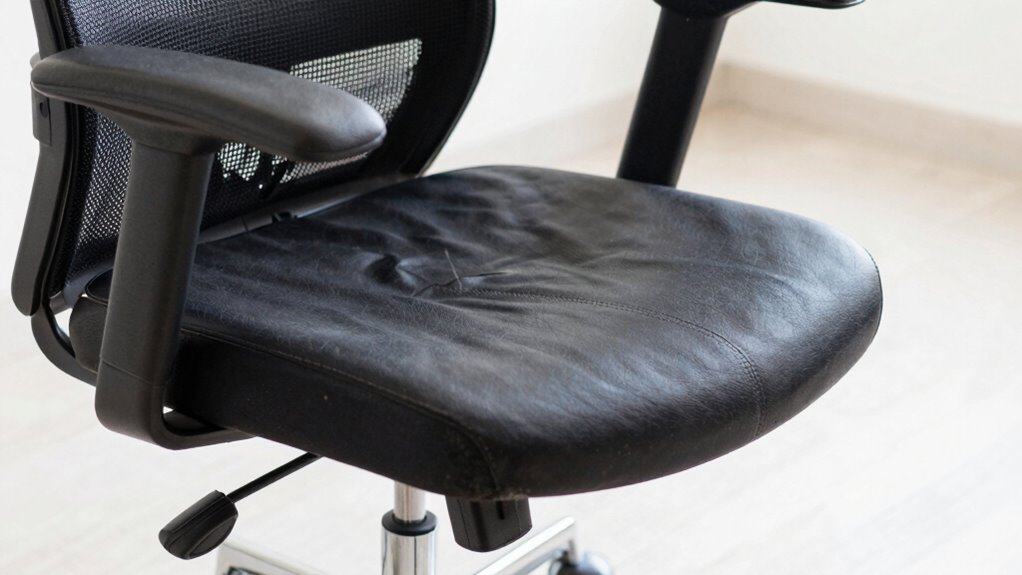
Even after adjusting your office chair, you might still experience discomfort or pain. It’s frustrating, especially when you’ve taken the time to set everything just right. The truth is, ergonomic adjustments alone aren’t always enough. To truly improve your comfort, you need to look beyond your chair and consider other factors, like incorporating ergonomic accessories and developing posture awareness. These small but impactful changes can make a significant difference in how your body feels during the workday.
Ergonomic accessories, such as lumbar support cushions, footrests, or adjustable monitor stands, can help fill in the gaps that your chair adjustments might miss. For example, if your lower back still aches despite a well-positioned chair, a lumbar support cushion can provide targeted support and promote natural spinal alignment. Footrests help reduce pressure on your legs and improve circulation, especially if your feet don’t rest flat on the floor comfortably. Adjustable monitor stands or risers ensure your screen is at eye level, preventing neck strain and encouraging better posture. These accessories are designed to complement your chair’s features and address specific discomforts that might not be fixed just by adjusting the seat height or tilt. Additionally, understanding ergonomic principles can help you make more informed adjustments and choices for a healthier workspace. Being aware of how body mechanics influence comfort can guide you in making effective ergonomic modifications. Furthermore, practicing intentional posture awareness throughout the day can help reinforce good habits and prevent the development of chronic discomfort. Recognizing the importance of workplace ergonomics can help you create a more comfortable and sustainable work environment. Incorporating ergonomic accessories into your setup can be a simple yet effective step toward better comfort and long-term health.
ergonomic lumbar support cushion
As an affiliate, we earn on qualifying purchases.
As an affiliate, we earn on qualifying purchases.
Frequently Asked Questions
Can a Poor Desk Setup Cause Chair Discomfort?
Yes, a poor desk setup can cause chair discomfort. If your desk ergonomics aren’t right, you might strain your neck, shoulders, or back, leading to discomfort even with a well-adjusted chair. To improve, focus on posture correction by adjusting your desk height and monitor position. Ensuring your workspace promotes proper alignment helps reduce pain and enhances comfort, making your chair adjustments more effective overall.
How Often Should I Replace My Office Chair?
You should replace your office chair every 5 to 8 years, especially if it no longer supports good posture correction. Over time, chair material like foam or fabric can wear out, causing discomfort and poor support. If your chair becomes squeaky, loses its shape, or causes persistent pain despite adjustments, it’s time for a new one to maintain comfort and ergonomic benefits. Regular replacement helps prevent long-term posture issues.
Does Sitting Posture Affect Chair Comfort?
Sitting posture is like a foundation—if it’s off, everything feels unstable. Your posture directly impacts how comfortable your chair feels, especially with lumbar support and chair material. When you slouch or lean forward, even the best chair can become uncomfortable. Maintaining a straight, supported posture helps your lumbar support work effectively and prevents pain, making your chair feel more comfortable and supportive throughout the day.
Are Ergonomic Accessories Necessary for Comfort?
Yes, ergonomic accessories are often necessary for enhanced comfort. They provide ergonomic benefits like better support and improved posture, reducing discomfort during long hours of sitting. When choosing accessories, make sure they’re compatible with your chair to maximize their effectiveness. Properly matched ergonomic tools, such as lumbar supports or footrests, can make a significant difference in alleviating pain and maintaining a healthy sitting posture, even after adjusting your office chair.
Can Health Issues Cause Persistent Chair Pain?
Yes, health issues like chronic fatigue and musculoskeletal strain can cause persistent chair pain. If you’re dealing with ongoing discomfort even after adjusting your chair, your underlying health might be contributing. These conditions can make your muscles and joints more sensitive or prone to pain, regardless of ergonomic setup. You should consult a healthcare professional to address any health issues, as they could be the real cause behind your continued discomfort.
adjustable footrest for office chair
As an affiliate, we earn on qualifying purchases.
As an affiliate, we earn on qualifying purchases.
Conclusion
Even after adjusting your office chair, discomfort can linger like an uninvited guest overstaying their welcome. Think of your body as a finely-tuned instrument—if one string is out of tune, the melody suffers. Sometimes, no matter how you tweak the settings, underlying issues like poor posture or insufficient support remain. So, listen closely to your body’s whispers, and remember, finding true comfort is a journey, not just a quick adjustment.
monitor stand riser for ergonomic setup
As an affiliate, we earn on qualifying purchases.
As an affiliate, we earn on qualifying purchases.
ergonomic office chair accessories
As an affiliate, we earn on qualifying purchases.
As an affiliate, we earn on qualifying purchases.
Halloween Picks
halloween
As an affiliate, we earn on qualifying purchases.