

To declutter your digital life without feeling overwhelmed, focus on small, manageable changes. Set aside just 10 minutes daily for email organization, creating simple folders and filters. Limit social media checks and turn off unnecessary notifications. Replace mindless scrolling with healthier activities like walking or reading. Avoid drastic overhauls—progress gradually, and you’ll find that your digital space feels calmer and more under control. Keep going, and you’ll discover more ways to make digital living easier.
Key Takeaways
- Focus on small, manageable daily or weekly decluttering tasks rather than large overhauls.
- Use automatic filters and folders to organize emails, reducing manual effort.
- Limit social media checks and notifications to designated times to prevent overwhelm.
- Replace radical changes with consistent, intentional digital habits that fit into daily routines.
- Prioritize progress over perfection to make sustainable, stress-free improvements.
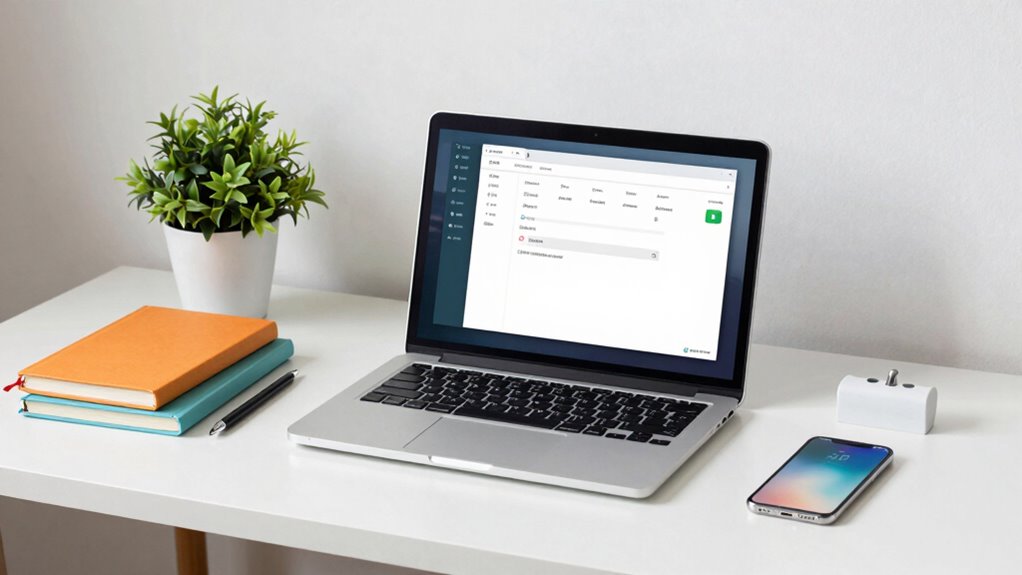
Have you ever felt overwhelmed by the endless digital clutter in your life? It’s easy to get caught in a cycle where your inbox is overflowing, notifications constantly ping, and your social media feeds feel more like a chore than a source of connection. Tackling this chaos can seem intimidating, but the key is approaching it with a method that feels manageable rather than extreme. The Digital Declutter Method is all about small, intentional steps that gradually restore your control over your digital space.
Start with email organization. Instead of trying to clear out thousands of unread messages all at once, set aside just ten minutes a day to focus on it. Create folders or labels to categorize emails—like “Important,” “Read Later,” or “Newsletters.” Use filters to automatically sort incoming messages, so your inbox doesn’t become unwieldy again. Unsubscribe from emails you no longer read or find useful. This not only reduces clutter but also minimizes the mental load that comes with constant notifications. Over time, these small adjustments can make your inbox feel manageable rather than overwhelming. Research indicates that a cluttered digital environment can increase stress and decrease productivity, making these small steps even more valuable.
Organize your inbox with folders, filters, and regular unsubscribing for a calmer, more manageable digital space.
A social media detox doesn’t have to mean quitting cold turkey. Instead, think of it as a reset for your mental health. Start by identifying which platforms drain your energy or distract you from what truly matters. Limit your usage by setting specific times for checking social media—perhaps 15 minutes in the morning and evening. Turn off non-essential notifications to prevent constant interruptions. Consider unfollowing or muting accounts that don’t add value or bring positivity into your life. Replacing mindless scrolling with more mindful activities, like reading or walking, helps you regain time and mental clarity without feeling deprived. Being mindful of your digital environment can significantly improve your overall well-being. Understanding the content formats that resonate with you can help you curate a more fulfilling digital experience. Additionally, awareness of how financial regulations affect your retirement investments can guide smarter, more secure asset allocations.
The idea isn’t to eliminate your digital life but to craft a more intentional one. Small, consistent actions—like organizing your emails, scheduling social media breaks, and reducing unnecessary notifications—add up. These steps help you reclaim time, reduce stress, and foster a healthier relationship with technology. Additionally, being aware of the technology you engage with can help you make more conscious choices about your digital habits. Remember, the goal isn’t perfection but progress. You don’t need to overhaul everything in a day; instead, focus on making sustainable changes that fit into your daily routine. Over time, these tweaks will make your digital environment feel less chaotic and more aligned with your priorities. The Digital Declutter Method isn’t about feeling overwhelmed or restricted; it’s about empowering you to take control, one step at a time.
email organization folders and filters
As an affiliate, we earn on qualifying purchases.
As an affiliate, we earn on qualifying purchases.
Frequently Asked Questions
How Often Should I Perform a Digital Declutter?
You should perform a digital declutter every few months to stay organized. Regularly review your email organization and delete unnecessary messages, keeping your inbox manageable. Also, check your cloud storage to delete outdated files or duplicates. This routine helps prevent digital clutter from piling up, making it easier to find important information quickly and reducing stress. Staying consistent with these small efforts keeps your digital life streamlined and efficient.
Can the Method Be Applied to Social Media Accounts?
Ever wonder if you can declutter your social media accounts? Absolutely. You can apply this method for a social media detox, trimming your friend lists, deleting inactive accounts, and organizing your content. It’s an effective way to safeguard your online privacy, reducing the digital footprint you leave behind. Regularly cleaning your social media ensures you stay in control, making your online presence more intentional and less overwhelming.
What Tools Are Recommended for Digital Decluttering?
You should use tools like cloud synchronization services—such as Google Drive, Dropbox, or OneDrive—to streamline your digital clutter. These tools help you back up files securely and access them across devices. Pair them with file organization apps like Evernote or Notion to categorize and tidy your digital space effortlessly. Combining cloud sync with smart organization makes decluttering manageable without feeling overwhelming, keeping your digital life clean and accessible.
How Do I Handle Sentimental Digital Files?
When handling sentimental digital files, you should prioritize memory preservation while managing sentimental attachments. Start by creating a dedicated folder for these files, then review and select only the most meaningful items. Consider backing them up on external drives or cloud storage to prevent loss. Don’t feel pressured to keep everything—trust your instincts, and focus on preserving what truly holds emotional value. This way, you honor your attachments without cluttering your digital space.
Is This Method Suitable for Large Digital Storage?
Yes, this method suits large digital storage. You can tailor your decluttering frequency to manage your digital storage capacity effectively, preventing overwhelm. By systematically sorting, deleting, and organizing files, you keep your digital space streamlined and manageable. Regularly revisiting your files guarantees your storage stays optimized without feeling overwhelming. This approach makes handling large digital storage feel achievable, empowering you to maintain a clutter-free digital environment long-term.

Telling the Story: The Convergence of Print, Broadcast and Online Media
- Condition: Used Book in Good Condition
As an affiliate, we earn on qualifying purchases.
As an affiliate, we earn on qualifying purchases.
Conclusion
By embracing this digital declutter method, you’ll transform your chaotic digital world into a serene sanctuary so pristine, it’s like stepping into a zen garden after a storm. Say goodbye to the endless scrolls and overflowing inboxes—your digital life will become as effortless as breathing. This isn’t just decluttering; it’s a revolution that will free your mind, boost your focus, and make your digital space so pristine, even the neatest librarian would be envious.

9 Checklist To Declutter Digital Clutter: Save Time and Be More Productive Everyday
As an affiliate, we earn on qualifying purchases.
As an affiliate, we earn on qualifying purchases.

Unsubscribe: How to Kill Email Anxiety, Avoid Distractions and Get REAL Work Done
As an affiliate, we earn on qualifying purchases.
As an affiliate, we earn on qualifying purchases.