The Google TV Streamer 4K is my best overall pick for its roomy storage and broad Google TV discovery tools, while the Roku Ultra stands out for a straightforward interface and the Amazon Fire TV Cube for hands-free control and stronger connectivity. Choosing among 4K streaming devices is less about the resolution label—many options offer 4K—and more about platform preference, responsiveness, remote features, and whether you want a compact stick or a more capable box. Budget sticks can cover core streaming needs, while premium players can add speed, storage, and better control options. Compatibility with your TV and home network also shapes what you will actually gain. Read on for the full comparison, selection criteria, and advice for matching a device to your setup.

Get the latest gadgets delivered free with Prime
- Fast, free delivery on millions of items
- Prime Video, Amazon Music and more included
- Member-only deals all year
Complete the kit



Key Takeaways
- The Google TV Streamer 4K leads the general-purpose picks: its 32 GB of storage and Google TV interface make it a stronger fit for app-heavy households than basic streaming sticks.
- Roku and Fire TV serve different interface preferences: Roku Ultra models favor a simpler streaming-first experience, while Fire TV devices make more sense for households already using Alexa and Amazon services.
- Form factor is a real tradeoff: sticks such as the Roku Streaming Stick Plus tuck behind a TV, while box-style players such as the Google TV Streamer and NVIDIA Shield TV Pro offer room for more connections and features.
- Premium hardware is for specific needs, not 4K alone: the Fire TV Cube and NVIDIA Shield TV Pro are easier to justify when hands-free control, advanced playback, or broader media use matters.
- The lineup includes overlapping and older configurations: Roku Ultra entries and Google TV Streamer color variants share core identities, so buyers should compare the exact model and included remote rather than assume each listing is a distinct upgrade.
| Google TV Streamer 4K with Voice Remote, 32 GB, Hazel |  | Best for Google TV and Dolby Vision | Video output: 3840 × 2160 | HDR: Dolby Vision | Storage: 32 GB | VIEW LATEST PRICE | See Our Full Breakdown |
| Amazon Fire TV Stick 4K Select with Alexa Voice Remote |  | Best Compact Pick | Output resolution: 2160p, 1080p, and 720p up to 60 fps | HDR and video formats: HDR10, HDR10+, HLG, H.265, H.264, VP9, AV1 | Processor: Quad-core 1.7 GHz | VIEW LATEST PRICE | See Our Full Breakdown |
| Amazon Fire TV Cube (3rd Gen) 4K Streaming Media Player with Alexa, Wi-Fi 6E |  | Best Hands-Free Control | Video: Up to 2160p at 60 fps; Dolby Vision, HDR10, HDR10+, HLG | Audio: Dolby Atmos, 7.1 surround sound, 2-channel stereo, HDMI pass-through up to 5.1 | Processor: Octa-core: 4 × 2.2 GHz and 4 × 2.0 GHz | VIEW LATEST PRICE | See Our Full Breakdown |
| Amazon Fire TV Stick 4K Max (2nd Gen) with Alexa Voice Remote |  | Best Fire TV Stick Upgrade | Supported resolution: 2160p, 1080p, and 720p up to 60 fps | HDR and audio: Dolby Vision, HDR10+, Dolby Atmos, 7.1 surround sound, stereo, HDMI audio pass-through up to 5.1 | Processor: Quad-core 2.0 GHz | VIEW LATEST PRICE | See Our Full Breakdown |
| onn Android TV 4K UHD Streaming Device with Voice Remote and HDMI Cable |  | Best Simple Google Assistant Setup | Resolution: 4K UHD, 3840 × 2160 pixels | Operating system: Android TV | Connectivity: HDMI, Wi-Fi | VIEW LATEST PRICE | See Our Full Breakdown |
| Roku Ultra 4K Streaming Player with Voice Remote Pro |  | Best for a Convenient Roku Setup | Resolution: 4K (3840 × 2160 pixels) | Video formats: HDR10, HDR10+, Dolby Vision | Audio: Dolby Atmos | VIEW LATEST PRICE | See Our Full Breakdown |
| NVIDIA Shield TV Pro 4K HDR Streaming Media Player |  | Best for Upscaling and Media Servers | Processor: NVIDIA Tegra X1+ | Memory: 3 GB RAM | Storage: 16 GB | VIEW LATEST PRICE | See Our Full Breakdown |
| Amazon Fire TV Stick 4K Streaming Device with Alexa+ Voice Remote |  | Best Compact Fire TV Pick | Resolution: 4K | HDR: HDR10+ | Wi-Fi: Wi-Fi 6 | VIEW LATEST PRICE | See Our Full Breakdown |
| Roku Ultra 4K Streaming Device with Dolby Vision, Dolby Atmos, Bluetooth, and Voice Remote |  | Best for Wired Roku Streaming | Resolution: 4K (3840 × 2160 pixels) | Video codecs: H.264/AVC, H.265/HEVC | Video format: Dolby Vision | VIEW LATEST PRICE | See Our Full Breakdown |
| TiVo Stream 4K Streaming Media Player |  | Best for Cross-App Discovery | Resolution: 4K | HDR: Dolby Vision | Audio: Dolby Atmos | VIEW LATEST PRICE | See Our Full Breakdown |
| Google TV Streamer (4K), 32 GB, Porcelain |  | Best for Google TV and Smart Home Integration | Maximum video output: 3840 × 2160 | Video support: Up to 4K HDR with Dolby Vision | Storage: 32 GB | VIEW LATEST PRICE | See Our Full Breakdown |
| Roku Streaming Stick+ and Ultra (2020 Edition) Bundle |  | Best for a Multi-Room Roku Setup | Resolution: 4K UHD, up to 60 fps | HDR formats: HDR10, Dolby Vision | Audio: Dolby Atmos; DTS Digital Surround pass-through over HDMI | VIEW LATEST PRICE | See Our Full Breakdown |
| Roku Streaming Stick Plus 4K HDR10+ Streaming Device with Voice Remote |  | Best Compact 4K Stick | Resolution: 4K | HDR: HDR10+ | Connectivity: Wi-Fi, Bluetooth | VIEW LATEST PRICE | See Our Full Breakdown |
| Amazon Fire TV Stick 4K Plus with Wi-Fi 6 and Alexa Voice Remote |  | Best for Wi-Fi 6 and Cloud Gaming | Maximum resolution: 2160p at up to 60 fps | Video formats: Dolby Vision, HDR 10, HDR10+, HLG | Audio support: Dolby Atmos, 7.1 surround sound, 2-channel stereo, HDMI audio passthrough up to 5.1 | VIEW LATEST PRICE | See Our Full Breakdown |
| 4K streaming device | Connectivity | Storage | Resolution |
|---|---|---|---|
| Google TV Streamer 4K with Voi | Ethernet, Wi-Fi | 32 GB | — |
| Amazon Fire TV Stick 4K Select | — | 8 GB | — |
| Amazon Fire TV Cube | — | — | — |
| Amazon Fire TV Stick 4K Max | — | 16 GB | — |
| onn Android TV 4K UHD Streamin | HDMI, Wi-Fi | 8 GB | 4K UHD, 3840 × 2160 pixels |
| Roku Ultra 4K Streaming Player | Wi-Fi 6, Ethernet, Bluetooth, HDMI, USB | — | 4K (3840 × 2160 pixels) |
| NVIDIA Shield TV Pro 4K HDR St | Gigabit Ethernet, dual-band AC Wi-Fi, Bluetooth 5.0 | 16 GB | — |
| Amazon Fire TV Stick 4K Stream | — | — | 4K |
| Roku Ultra 4K Streaming Device | Bluetooth, USB, HDMI, Wi-Fi, Ethernet | — | 4K (3840 × 2160 pixels) |
| TiVo Stream 4K Streaming Media | Wi-Fi | 8 GB | 4K |
| Google TV Streamer | Ethernet, Wi-Fi | 32 GB | — |
| Roku Streaming Stick+ and Ultr | HDMI, USB, Ethernet, Bluetooth | — | 4K UHD, up to 60 fps |
| Roku Streaming Stick Plus 4K H | Wi-Fi, Bluetooth | — | 4K |
| Amazon Fire TV Stick 4K Plus w | — | 8 GB | — |
More Details on Our Top Picks
Google TV Streamer 4K with Voice Remote, 32 GB, Hazel
I’d choose the Google TV Streamer 4K for a household that wants recommendations, watchlists, and smart-home controls gathered in one place. Its Dolby Vision support gives compatible 4K TVs a path to that HDR format, while Ethernet can provide a wired alternative when Wi-Fi is unreliable. Compared with the onn Android TV 4K UHD Streaming Device, it offers more storage and adds Ethernet; the onn is the simpler pick if an included HDMI cable matters more. The tradeoff is that this streamer requires an HDMI 2.1 cable sold separately, and Dolby Vision depends on compatible content and equipment. I’d skip it if you want a plug-in stick or need everything for setup included in the box.
Pros:- Supports up to 4K HDR with Dolby Vision
- 32 GB of storage and 4 GB of RAM
- Ethernet and Wi-Fi connectivity
- Voice search, personalized recommendations, and smart-home control
Cons:- HDMI 2.1 cable is sold separately
- Dolby Vision playback depends on compatible TVs and content
Best for: Viewers invested in Google TV, Dolby Vision content, and smart-home controls who want Ethernet and room for more apps
Not ideal for: Buyers seeking the simplest low-accessory setup, since an HDMI 2.1 cable is required but not included
- Video output:3840 × 2160
- HDR:Dolby Vision
- Storage:32 GB
- RAM:4 GB
- Connectivity:Ethernet, Wi-Fi
- Voice features:Voice search and smart-home control
- Dimensions:6.4 × 3 × 1 inches
- Included components:Streamer, power adapter, 1.8 m power cable, quick start guide, voice remote, 2 AAA batteries
Our verdict“Choose this Google TV model if Dolby Vision, wired networking, and a larger app-storage allowance matter more than getting an HDMI cable in the box.”
Amazon Fire TV Stick 4K Select with Alexa Voice Remote
The Fire TV Stick 4K Select is the straightforward choice for someone who wants a small 4K device that hides behind the television and includes an Alexa remote. Its HDR10+, HLG, and 2160p support cover several common formats, while access to ad-supported programming and live TV gives viewers options beyond subscription apps. Compared with the Fire TV Stick 4K Max (2nd Gen), this Select model has less storage and does not list Wi-Fi 6E, so it makes more sense for basic streaming than for a fuller app or gaming setup. Cloud gaming through Xbox Game Pass and Luna is available, but requires subscriptions and a compatible controller. I’d pass if you want Dolby Vision or a long warranty: the listed warranty is 90 days.
Pros:- Supports 2160p video with HDR10+, HLG, and HDR10
- Compact stick design connects through HDMI
- Alexa remote can control power and volume on compatible devices
- Provides access to streaming apps, free ad-supported content, and live TV
Cons:- 8 GB of storage is less than the 16 GB on the Fire TV Stick 4K Max
- Cloud gaming requires separate subscriptions and a compatible controller
- Listed limited warranty is 90 days
Best for: Viewers who want a compact Fire TV device for 4K streaming, free ad-supported content, and Alexa voice search
Not ideal for: Buyers who want Dolby Vision, more app storage, Wi-Fi 6E, or an included cloud-gaming controller
- Output resolution:2160p, 1080p, and 720p up to 60 fps
- HDR and video formats:HDR10, HDR10+, HLG, H.265, H.264, VP9, AV1
- Processor:Quad-core 1.7 GHz
- Storage:8 GB
- Wi-Fi:Dual-band, dual-antenna MIMO; 802.11a/b/g/n/ac
- Bluetooth:Bluetooth 5.0 and Bluetooth Low Energy
- Ports:HDMI output; micro-USB for power
- Warranty:90-day limited warranty
Our verdict“Pick the 4K Select for compact, everyday Fire TV streaming, but choose the 4K Max if you want more storage and Wi-Fi 6E.”
Amazon Fire TV Cube (3rd Gen) 4K Streaming Media Player with Alexa, Wi-Fi 6E
I’d put the Fire TV Cube (3rd Gen) at the top for viewers who want streaming to work as part of a hands-free entertainment setup. Built-in microphones and speakers let Alexa respond without reaching for the remote, and the HDMI input and output give it more connection flexibility than the stick-style Fire TV options. Its octa-core processor, Wi-Fi 6E, Dolby Vision, and Dolby Atmos make it the most feature-rich Fire TV pick here, though those capabilities only help when the TV, network, and content support them. Compared with the Fire TV Stick 4K Max, the Cube adds hands-free control and an HDMI input, but it takes up space on a shelf and weighs more than a stick. Wi-Fi 6E also requires a compatible router, 6 GHz band, and WPA3.
Pros:- Built-in Alexa microphones and speakers enable hands-free control
- Supports 4K at up to 60 fps with Dolby Vision and other HDR formats
- Dolby Atmos support for compatible content and audio equipment
- HDMI input and output, plus a microphone-off button
Cons:- Larger and heavier than the Fire TV Stick 4K Max
- Wi-Fi 6E requires a compatible router, 6 GHz band, and WPA3
- Advanced video and audio formats depend on compatible equipment and services
Best for: Fire TV households that want hands-free Alexa, HDMI connections for other devices, and support for advanced HDR and audio formats
Not ideal for: Buyers who need a discreet, low-profile device or cannot use Wi-Fi 6E and hands-free voice features
- Video:Up to 2160p at 60 fps; Dolby Vision, HDR10, HDR10+, HLG
- Audio:Dolby Atmos, 7.1 surround sound, 2-channel stereo, HDMI pass-through up to 5.1
- Processor:Octa-core: 4 × 2.2 GHz and 4 × 2.0 GHz
- Storage and memory:16 GB storage, 2 GB memory
- Wi-Fi:Tri-band Wi-Fi 6E; supports 802.11a/b/g/n/ac/ax
- Ports:HDMI 2.1 input and output, IR extender, USB-A 2.0, 10/100 Mbps Ethernet, power
- Privacy control:Microphone-off button electronically disconnects microphones
- Dimensions and weight:3.38 × 3.38 × 2.99 inches; 513 g
Our verdict“Choose the Cube if hands-free Alexa and extra HDMI connections justify a larger device; otherwise, the Fire TV Stick 4K Max is the tidier fit.”
Amazon Fire TV Stick 4K Max (2nd Gen) with Alexa Voice Remote
The Fire TV Stick 4K Max (2nd Gen) is my pick for buyers who want a more capable stick without stepping up to a separate box. It combines 16 GB of storage with Wi-Fi 6E, Dolby Vision, HDR10+, and Dolby Atmos support, giving it a broader feature set than the Fire TV Stick 4K Select. That extra storage can accommodate a larger app collection, while the included Alexa remote can control compatible TVs and audio gear. The tradeoff is that the newest wireless standard only helps with a compatible Wi-Fi 6E router; it is not a reason to upgrade an otherwise reliable older network by itself. Unlike the Fire TV Cube, this stick lacks built-in hands-free Alexa and an HDMI input. I’d choose the Cube for those controls, but the Max is easier to tuck out of sight.
Pros:- Supports 4K, Dolby Vision, HDR10+, and Dolby Atmos
- 16 GB of storage for apps and games
- Wi-Fi 6E tri-band connectivity
- Alexa remote can control compatible TVs and audio devices
Cons:- Wi-Fi 6E requires a compatible router to use the 6 GHz band
- No built-in microphones for hands-free Alexa, unlike the Fire TV Cube
- 4K and HDR playback depends on compatible equipment and content
Best for: Fire TV viewers who want a compact stick with more app storage, advanced HDR and audio support, and a Wi-Fi 6E network
Not ideal for: People without a Wi-Fi 6E router who want hands-free Alexa or HDMI input connections
- Supported resolution:2160p, 1080p, and 720p up to 60 fps
- HDR and audio:Dolby Vision, HDR10+, Dolby Atmos, 7.1 surround sound, stereo, HDMI audio pass-through up to 5.1
- Processor:Quad-core 2.0 GHz
- Storage:16 GB
- Wi-Fi:Wi-Fi 6E tri-band: 2.4, 5, and 6 GHz
- Bluetooth:Bluetooth 5.2 + BLE
- Ports:HDMI 2.1 output with ARC input support; micro-USB
- Dimensions and weight:108 × 30 × 14 mm including connector; 43.5 g
Our verdict“Choose the 4K Max for a storage-rich Fire TV stick with Wi-Fi 6E, or the Cube if you want hands-free voice and HDMI input.”
onn Android TV 4K UHD Streaming Device with Voice Remote and HDMI Cable
The onn Android TV 4K UHD Streaming Device suits buyers who want a basic Android TV setup with casting built in and fewer cable-purchase surprises: an HDMI cable is included. Google Assistant voice search and Chromecast support make it straightforward to find apps or send video from a phone. Against the Google TV Streamer 4K, this is the more limited option: it has 8 GB of storage, 2 GB of RAM, and lists Wi-Fi rather than Ethernet, while the Google device offers more storage and Dolby Vision. The onn’s appeal is its simpler included connection kit, not a more expansive feature set. It is explicitly designed for the United States, so buyers elsewhere should skip it, and the listed codecs and specs do not establish support for HDR formats.
Pros:- Supports 4K UHD output up to 3840 × 2160
- Includes HDMI cable and voice remote
- Chromecast built in for casting from Android and iOS devices
- Google Assistant voice control
Cons:- Designed for use in the United States only
- 8 GB storage and 2 GB RAM are modest compared with the Google TV Streamer
- The provided product data does not specify HDR format support
Best for: U.S. viewers who want Android TV, Chromecast casting, and a voice remote with an HDMI cable included
Not ideal for: Buyers outside the United States or viewers seeking Dolby Vision, Ethernet, or more app storage
- Resolution:4K UHD, 3840 × 2160 pixels
- Operating system:Android TV
- Connectivity:HDMI, Wi-Fi
- Memory:2 GB RAM
- Storage:8 GB
- Video codecs:H.264, H.265/HEVC
- Included accessories:Voice remote, HDMI cable
- Regional compatibility:United States only
Our verdict“Choose the onn device for a simple U.S.-only Android TV and casting setup with an HDMI cable included, but look to the Google TV Streamer for more storage and Dolby Vision.”
Roku Ultra 4K Streaming Player with Voice Remote Pro
The Roku Ultra with Voice Remote Pro combines broad HDR support with useful everyday conveniences. It handles Dolby Vision, HDR10+, and Dolby Atmos, while Wi-Fi 6 or Ethernet gives buyers a choice between a simpler wireless setup and a wired connection. Compared with the older Roku Ultra with Dolby Vision and Dolby Atmos in this lineup, this model adds Wi-Fi 6 and a rechargeable remote with hands-free voice control, backlighting, and a finder. Bluetooth headphone listening is another practical perk for late-night viewing. The tradeoff is that this is a separate player rather than a compact HDMI stick, and its full 4K benefit depends on a compatible TV. I’d choose it for a Roku-focused household that values remote convenience; buyers who want more media-server flexibility should look at the NVIDIA Shield TV Pro.
Pros:- Supports 4K with Dolby Vision and HDR10+
- Offers both Wi-Fi 6 and Ethernet connectivity
- Rechargeable remote adds backlighting, hands-free voice control, and a finder
- Bluetooth headphone support enables private listening
Cons:- Requires a compatible 4K television to deliver 4K resolution
- Some streaming services require separate subscriptions
- Its tabletop player format is less discreet than an HDMI stick
Best for: Roku users who want a full-featured 4K player, Ethernet as a backup to Wi-Fi, and a rechargeable remote with hands-free controls.
Not ideal for: Buyers who want the smallest HDMI-connected device or the Shield TV Pro’s USB expansion and Plex Media Server features.
- Resolution:4K (3840 × 2160 pixels)
- Video formats:HDR10, HDR10+, Dolby Vision
- Audio:Dolby Atmos
- Connectivity:Wi-Fi 6, Ethernet, Bluetooth, HDMI, USB
- Remote:Rechargeable USB-C; backlit buttons; hands-free voice control; lost remote finder
- Supported services:Apple TV+, Disney+, Hulu, Netflix, Prime Video
- Dimensions:5 × 4.9 × 1 in
Our verdict“Choose this Roku Ultra if you want strong HDR support and an especially capable remote, but skip it if you prefer a compact stick or media-server features.”
NVIDIA Shield TV Pro 4K HDR Streaming Media Player
The NVIDIA Shield TV Pro is the most flexible pick here for viewers who do more than stream shows. Its AI upscaling can sharpen HD video in real time, which helps when a favorite program isn’t available in 4K, while Dolby Vision and Dolby Atmos cover premium picture and sound formats. Unlike the Roku Ultra with Voice Remote Pro, the Shield includes two USB 3.0 ports, built-in Chromecast 4K, and Plex Media Server; those features make it better suited to personal media libraries and connected accessories. That added capability brings a more technical setup, and its Wi-Fi is dual-band AC rather than the newer Wi-Fi 6 offered by the Roku Ultra and Fire TV Stick 4K. I’d pick it for a media-focused home, not for someone who wants the simplest plug-in-and-stream option.
Pros:- AI upscaling improves the appearance of HD video
- Supports Dolby Vision HDR and Dolby Atmos
- Two USB 3.0 ports allow storage and accessory connections
- Includes Chromecast 4K and Plex Media Server
Cons:- Dual-band AC Wi-Fi is older than the Wi-Fi 6 on some competing devices
- Its expanded media and connection features may be unnecessary for basic streaming
- Game controller is sold separately
Best for: Viewers with HD libraries, USB storage, or a Plex setup who want upscaling and flexible connections alongside 4K streaming.
Not ideal for: Beginners seeking a simple streaming stick, or buyers who specifically want Wi-Fi 6 and a low-fuss interface.
- Processor:NVIDIA Tegra X1+
- Memory:3 GB RAM
- Storage:16 GB
- Video:4K HDR with Dolby Vision
- Audio:Dolby Atmos and Dolby Digital Plus
- Connectivity:Gigabit Ethernet, dual-band AC Wi-Fi, Bluetooth 5.0
- Ports:2 × USB 3.0
- Additional features:AI upscaling, built-in Chromecast 4K, Plex Media Server
Our verdict“Pick the Shield TV Pro if upscaling, USB expansion, and Plex matter more than a simpler setup or newer Wi-Fi.”
Amazon Fire TV Stick 4K Streaming Device with Alexa+ Voice Remote
This Fire TV Stick 4K keeps the hardware out of sight: it connects directly to an HDMI port and draws power from the TV, so the setup avoids a separate wall adapter. It supports 4K, HDR10+, and Wi-Fi 6, with Bluetooth headphone support for private listening. Its Alexa+ remote also handles TV power and volume, making it a practical replacement for juggling remotes. Compared with the Roku Ultra with Voice Remote Pro, this stick is smaller and simpler to place, but it doesn’t list Dolby Vision, Ethernet, or the Roku’s rechargeable remote features. The 4K picture also depends on having a compatible television, and streaming subscriptions may add requirements beyond the device itself. I’d choose it for a compact Fire TV setup; buyers who need a wired network option should favor the Roku Ultra.
Pros:- Streams in 4K with HDR10+
- Supports Wi-Fi 6
- HDMI stick design draws power directly from the TV
- Remote controls TV power and volume, with Alexa+ voice control
Cons:- Requires a compatible 4K television for 4K playback
- No Ethernet connection is listed
- Some streaming services require subscriptions
Best for: Fire TV users who want a discreet HDMI stick, Wi-Fi 6, TV controls on the remote, and Bluetooth headphone listening.
Not ideal for: Viewers who need Ethernet, Dolby Vision, or the rechargeable hands-free remote features found on the newer Roku Ultra.
- Resolution:4K
- HDR:HDR10+
- Wi-Fi:Wi-Fi 6
- Connection:HDMI
- Power:Direct power from TV; no wall adapter necessary
- Remote:Voice remote with TV power and volume controls
- Audio feature:Bluetooth headphone support
- Voice assistant:Alexa+
Our verdict“Choose this Fire TV Stick for a compact Wi-Fi 6 setup with convenient TV controls, but choose the Roku Ultra if you need Ethernet or Dolby Vision.”
Roku Ultra 4K Streaming Device with Dolby Vision, Dolby Atmos, Bluetooth, and Voice Remote
This Roku Ultra is a strong fit for viewers who want a dedicated player and the option to connect over Ethernet. It supports 4K, Dolby Vision, and Dolby Atmos, and its included Premium High Speed HDMI cable means buyers don’t have to source that connection separately. The voice remote adds TV controls, personal shortcuts, a headphone jack for private listening, and a lost remote finder. Compared with the newer Roku Ultra with Voice Remote Pro, this model still offers Ethernet and a similar player-style setup, but its listed remote lacks the newer model’s rechargeable USB-C battery, backlit buttons, and hands-free voice control. It also lacks the newer model’s explicit Wi-Fi 6 support. I’d choose it when wired streaming and the included cable are priorities; those seeking the most updated remote should compare the newer Ultra.
Pros:- Supports 4K with Dolby Vision
- Dolby Atmos support for compatible audio equipment
- Offers Ethernet as well as enhanced Wi-Fi
- Includes a Premium High Speed HDMI cable and remote finder
Cons:- Remote features are less advanced than the newer Roku Ultra’s Voice Remote Pro
- Requires an internet connection for streaming
- Dolby Atmos playback depends on compatible audio equipment
Best for: Roku viewers who prefer a wired Ethernet connection, want Dolby Vision and Atmos, and value an included HDMI cable.
Not ideal for: Buyers looking for Wi-Fi 6 or the newer Roku Ultra’s rechargeable, backlit, hands-free Voice Remote Pro.
- Resolution:4K (3840 × 2160 pixels)
- Video codecs:H.264/AVC, H.265/HEVC
- Video format:Dolby Vision
- Audio:Dolby Atmos
- Connectivity:Bluetooth, USB, HDMI, Wi-Fi, Ethernet
- Remote:Voice control, headphone jack, lost remote finder, personal shortcuts
- Storage capacity:256 GB
- Included accessory:Premium High Speed HDMI cable
Our verdict“Choose this Roku Ultra if Ethernet and the included HDMI cable suit your setup, but favor the newer Roku Ultra for Wi-Fi 6 and a more capable remote.”
TiVo Stream 4K Streaming Media Player
The TiVo Stream 4K is built around finding something to watch across supported apps, bringing recommendations and watch lists into a shared interface. That makes it distinct from the Roku Ultra with Voice Remote Pro, which emphasizes Roku’s streaming platform and remote conveniences instead of the TiVo’s cross-app discovery approach. The TiVo also supports 4K, Dolby Vision, and Dolby Atmos, with Android TV and Google Assistant voice control for app launches and compatible smart-home commands. Its compact HDMI-connected form keeps installation simple, but it relies on Wi-Fi and offers only 2 GB of RAM and 8 GB of storage, so it is less suited to buyers who want wired networking or substantial onboard capacity. I’d pick it for viewers who want help browsing across services, not for those seeking the richer connectivity of either Roku Ultra.
Pros:- Combines discovery and watch lists across supported apps
- Supports 4K video with Dolby Vision and Dolby Atmos
- Google Assistant voice control can launch apps and control compatible smart-home devices
- Compact HDMI-connected form
Cons:- Limited 2 GB RAM and 8 GB storage
- Wi-Fi is the listed network connection, with no Ethernet option
- Requires an HDMI connection and Wi-Fi
Best for: Viewers who subscribe to several supported apps and want recommendations and watch lists brought together in one interface.
Not ideal for: Buyers who need Ethernet, more onboard storage, or a streaming player with the Shield TV Pro’s USB expansion.
- Resolution:4K
- HDR:Dolby Vision
- Audio:Dolby Atmos
- Operating system:Android TV
- Connectivity:Wi-Fi
- Memory:2 GB RAM
- Storage:8 GB
- Dimensions:3.03 × 2.09 × 0.63 in
Our verdict“Choose the TiVo Stream 4K if cross-app discovery is your priority, but pick a Roku Ultra or Shield TV Pro for more connection options.”
Google TV Streamer (4K), 32 GB, Porcelain
The Google TV Streamer is the strongest fit here for viewers who want a 4K device to organize services, not just launch them. Google TV brings content from multiple apps together and offers tailored recommendations, while Dolby Vision support gives compatible TVs access to that HDR format. Compared with the Roku Streaming Stick Plus, this is a larger set-top-style unit rather than a compact stick, but it adds Ethernet and 32 GB of storage for a more connected setup. Voice control and smart home controls also make it useful beyond playback. The main catch is practical: an HDMI 2.1 cable is sold separately, so it may not be ready to connect straight out of the box. I’d choose it for Google-centric homes, but skip it if you want the smallest, simplest plug-in option.
Pros:- Google TV organizes content from multiple streaming services and offers tailored recommendations
- Supports up to 4K HDR with Dolby Vision on compatible TVs and services
- 32 GB storage and 4 GB RAM
- Includes voice control, smart home control, and Ethernet connectivity
Cons:- HDMI 2.1 cable is required but sold separately
- Larger set-top-style design is less discreet than the Roku Streaming Stick Plus
Best for: Viewers who want Google TV recommendations, smart home controls, and wired Ethernet as part of a living-room setup
Not ideal for: Buyers who need a complete out-of-box hookup or want a compact HDMI stick, since the HDMI cable is separate and the unit sits by the TV
- Maximum video output:3840 × 2160
- Video support:Up to 4K HDR with Dolby Vision
- Storage:32 GB
- Installed RAM:4 GB
- Connectivity:Ethernet, Wi-Fi
- Video codec:H.265
- Dimensions:6.4 × 3 × 1 in
- Weight:5.7 oz
Our verdict“Choose this if Google TV discovery and smart home control matter more than a compact, cable-ready setup.”
Roku Streaming Stick+ and Ultra (2020 Edition) Bundle
This bundle suits buyers who want two Roku streaming options rather than one device for a single screen. Its stated support includes 4K UHD at up to 60 fps, HDR10, Dolby Vision, and Dolby Atmos, while the voice remotes add TV power and volume controls. Compared with the Roku Streaming Stick Plus 4K, the bundle’s listed Ethernet connectivity and private-listening features give it more connection and listening flexibility; the stick in the other Roku pick is simpler and explicitly powered by the TV. That added versatility comes with a less tidy setup: the listed dimensions are substantial, and the bundle’s combined specifications don’t clearly distinguish which features belong to which included unit. I’d consider it for a household outfitting more than one TV, but buyers seeking one clearly specified, compact device may prefer the standalone stick.
Pros:- Bundle provides two Roku streaming options for more than one screen
- Supports 4K UHD up to 60 fps, HDR10, and Dolby Vision
- Voice remotes include TV power and volume controls
- Lists Ethernet connectivity, private listening, and a lost remote finder
Cons:- Listed dimensions of 12 × 16.5 × 2 inches may make placement awkward
- The supplied specifications do not clearly assign each feature to each bundled device
- Wi-Fi is Wi-Fi 5 rather than the Wi-Fi 6 supported by the Amazon Fire TV Stick 4K Plus
Best for: Roku households setting up multiple TVs and wanting voice remotes, private listening, and Ethernet among the included options
Not ideal for: Buyers who need a single compact device with clearly itemized per-device specifications or a minimal setup footprint
- Resolution:4K UHD, up to 60 fps
- HDR formats:HDR10, Dolby Vision
- Audio:Dolby Atmos; DTS Digital Surround pass-through over HDMI
- Wireless:802.11ac MIMO dual-band Wi-Fi 5
- Connectivity:HDMI, USB, Ethernet, Bluetooth
- Remote:Voice remote with TV power, volume, and personal shortcut buttons
- Dimensions:12 × 16.5 × 2 in
- Weight:2 lb
Our verdict“Pick this bundle if you want Roku features across multiple TVs; choose a standalone stick if you value a compact, clearly defined setup.”
Roku Streaming Stick Plus 4K HDR10+ Streaming Device with Voice Remote
The Roku Streaming Stick Plus is the most discreet pick in this group: it plugs into HDMI, draws power from the TV, and weighs just 80 g. That makes it a natural choice when a media shelf is crowded or there’s no convenient outlet behind the screen. It supports 4K and HDR10+, plus voice control and Bluetooth Headphone Mode for private listening. Compared with the Google TV Streamer, it gives up the larger unit’s stated Ethernet connection, extra storage, and smart home controls in favor of a simpler, tidier installation. The tradeoff is that performance depends on Wi-Fi, and 4K playback requires a compatible TV and supported service. I’d choose this for a straightforward Roku setup; the Fire TV Stick 4K Plus is a better match for buyers prioritizing Wi-Fi 6 or Dolby Vision.
Pros:- Compact HDMI stick leaves neighboring ports accessible
- Powered directly by the TV, without a separate wall outlet
- Supports 4K resolution and HDR10+
- Voice remote and Bluetooth Headphone Mode support convenient control and private listening
Cons:- No Ethernet connectivity is listed, so streaming relies on Wi-Fi
- Does not list Dolby Vision, unlike the Google TV Streamer and Fire TV Stick 4K Plus
- 4K playback requires a compatible TV, supported service, and internet connection
Best for: Viewers who want a low-profile 4K Roku device powered by the TV, especially where space or outlet access is limited
Not ideal for: People who need Ethernet, Dolby Vision, or Wi-Fi 6, or who lack a 4K-compatible TV and reliable internet
- Resolution:4K
- HDR:HDR10+
- Connectivity:Wi-Fi, Bluetooth
- Power:Powered by TV
- Video codecs:H.264/AVC, H.265/HEVC, AV1, VP9
- Smart home compatibility:Alexa, Apple AirPlay and HomeKit, Google Home, Roku Smart Home
- Dimensions:3.7 × 0.8 × 0.5 in
- Weight:80 g
Our verdict“Choose this Roku stick for a compact, TV-powered setup if HDR10+ and Wi-Fi meet your needs.”
Amazon Fire TV Stick 4K Plus with Wi-Fi 6 and Alexa Voice Remote
The Fire TV Stick 4K Plus is the most feature-forward stick here for buyers with a compatible Wi-Fi 6 router and an interest in gaming alongside streaming. It supports 4K at up to 60 fps, Dolby Vision, HDR10+, and Dolby Atmos, with Alexa voice search and controls for compatible smart home devices. Cloud gaming support through services such as Xbox Game Pass and Luna adds a use that the Roku Streaming Stick Plus does not emphasize. That breadth has limits: Wi-Fi 6 only applies with a compatible router, and gaming requires subscriptions and a compatible controller. Its 8 GB of storage is also modest compared with the Google TV Streamer’s 32 GB. I’d pick this for Alexa households with newer networking; Roku’s stick is the simpler choice if compact Roku playback is the priority.
Pros:- Supports 4K up to 60 fps with Dolby Vision, HDR10+, and Dolby Atmos
- Wi-Fi 6 support can suit compatible home networks
- Alexa remote controls TV power and volume and can control compatible smart home devices
- Cloud gaming support includes Xbox Game Pass and Luna
Cons:- Wi-Fi 6 benefits require a compatible Wi-Fi 6 router
- Cloud gaming requires a subscription and compatible controller
- 8 GB storage is less than the 32 GB in the Google TV Streamer
Best for: Alexa households with a Wi-Fi 6 router that want 4K HDR streaming and the option of subscription-based cloud gaming
Not ideal for: Viewers without a Wi-Fi 6 router who won’t use Alexa or cloud gaming, or buyers who want higher onboard storage than 8 GB
- Maximum resolution:2160p at up to 60 fps
- Video formats:Dolby Vision, HDR 10, HDR10+, HLG
- Audio support:Dolby Atmos, 7.1 surround sound, 2-channel stereo, HDMI audio passthrough up to 5.1
- Processor:Quad-core 1.7 GHz
- Storage:8 GB
- Wi-Fi:Dual-band Wi-Fi 6, 2.4 GHz and 5 GHz
- Bluetooth:Bluetooth 5.2 + BLE
- Weight:43.5 g
Our verdict“Choose this stick if you have compatible Wi-Fi 6 and want Alexa features or cloud gaming alongside 4K playback.”
How We Picked
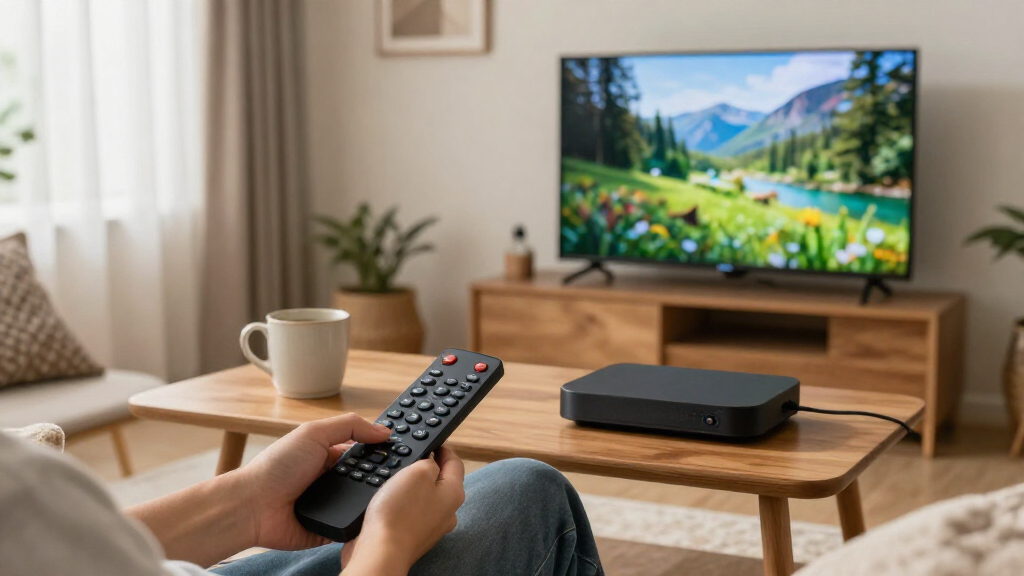
I ranked these 4K streaming devices by how well their hardware, software, and controls serve real TV setups—not by the number of features on a spec sheet. The main criteria were 4K and HDR format support, interface clarity, app and content discovery, responsiveness, remote usefulness, connectivity, and the practical difference between a stick and a box. I also considered how much each device adds beyond basic 4K playback, since a premium price or larger footprint only makes sense when it solves a clear need.
The ranking favors devices with a strong balance of everyday usability and flexibility, which puts the Google TV Streamer 4K near the top for broad household use. Roku players rank well for buyers who want a focused, approachable streaming interface; Fire TV models rise for Alexa-oriented homes and distinct control or connectivity needs. Compact and value-oriented options remain useful, but rank lower when they offer fewer advantages over competing models. Where names or bundles overlap, I treat the exact model and included accessories as part of the buying decision rather than assuming one listing is automatically newer or better.
Factors to Consider When Choosing 4K Streaming Devices
Before choosing a device, I would start with the TV, network, and household—not the resolution printed on the box. These broader checks can prevent a common mistake: paying for features that your screen, router, or viewing habits cannot use.
Check What Your TV Can Actually Display
A 4K label means the device can send a 4K signal, but it does not make a Full HD television display 4K detail. Check your TV’s supported HDR formats as well as its resolution; a device may support a format your screen cannot show. Dolby Vision and HDR10+ support matter most when your TV supports them and you watch compatible content. If your screen is older or entry-level, a reliable 4K stick may be a better match than paying extra for advanced formats. Also check that the device can connect comfortably to an available HDMI port. Match the player to the screen you own, not a feature list for a future upgrade.
Pick the Interface Your Household Will Use
The home screen can shape everyday use more than small differences in processing speed. Think about how your household searches: by app, actor, genre, or voice command. Google TV emphasizes finding and organizing content across services, Roku keeps the experience centered on streaming channels, and Fire TV fits naturally into Alexa-oriented homes. A family with several streaming subscriptions may value clear profiles and easy app access over a voice assistant with extra functions. Check whether the interface promotes content or services your household does not use. The best platform is the one that makes it easy for everyone to reach the shows they already watch.
Choose a Stick or a Box Around Your Setup
A streaming stick is compact and useful when you want a low-profile device behind the television, especially in a bedroom or on a wall-mounted screen. A box usually takes more space, but can provide a more substantial connection setup and suit a central living-room system. Check the HDMI layout before buying: crowded ports, a soundbar, or a wall-mounted TV can make a short stick awkward to fit. Some televisions also provide limited power through USB, so confirm the device’s power requirements instead of assuming the TV port will suffice. A bundled HDMI cable or included power adapter can affect setup convenience. Choose the form factor around access, airflow, and cable placement—not just appearance.
Treat Wi-Fi and Wired Connections as Part of the Device
Streaming quality depends on the connection between the player and your network, not just the player’s advertised capabilities. A strong router in the same room may make Wi-Fi entirely adequate, while a distant TV or congested network can cause buffering even with a capable device. Before paying for advanced wireless features, check your router generation, signal strength, and the number of competing devices on your network. If your setup allows a wired connection, it can be a practical fix for an unreliable signal. A faster network standard helps only when the router and internet plan can make use of it. Test the network near the TV if possible, since a speed check beside the router may give a misleading impression.
Pay Extra Only for Features You Will Use
Higher-end players make sense when they solve a recurring problem, such as wanting hands-free commands, faster navigation, expanded storage, or a more involved media setup. They are harder to justify if your main use is opening a few streaming apps and watching 4K shows. Storage can matter if you install many apps or use functions that rely on local space, but it is not a reason by itself to upgrade. Likewise, a premium remote is valuable when its controls fit your habits; extra buttons can be clutter for someone who mainly uses a phone or basic remote. Compare the full feature set with your current player and identify what you would gain each week. That keeps the decision focused on useful improvements rather than impressive-sounding specifications.
Read the Exact Listing and Bundle Details
Several entries in this roundup have similar names, and some listings describe different colors, generations, or bundled devices. Confirm the exact model, generation, remote, and included cables before ordering. A bundle can be convenient, but check whether every included device serves a room where you need streaming. Product naming alone may not tell you whether the hardware or included accessories differ. This matters especially when comparing Roku Ultra entries or the two Google TV Streamer color options. Use the manufacturer’s model details to resolve uncertainty instead of assuming that a longer product title means a more capable player.
Frequently Asked Questions
Will a 4K streaming device improve picture quality on my non-4K TV?
It can play content on a non-4K television, but the TV remains the limit on displayed resolution. You should not expect added 4K detail from a Full HD screen, and HDR benefits depend on the television’s own support. A newer player may still help if your current device is slow or no longer supports the apps you need. If the existing player works well and your TV is not 4K, a premium upgrade may bring little visible benefit. Check the TV model’s specifications before paying for 4K features.
Should I choose Roku, Google TV, or Fire TV if I subscribe to several streaming services?
All three platforms can serve households with multiple subscriptions, so the deciding factor is usually how you prefer to find and launch content. Google TV is a natural fit if cross-service discovery and recommendations matter to you. Roku suits viewers who want an interface centered on streaming apps, while Fire TV is a comfortable choice for people already using Alexa or Amazon services. Check that your essential apps are available on the exact device before buying. If several people share the TV, consider which platform makes switching users and locating familiar apps easiest.
Is a streaming box worth choosing over a stick for a 4K television?
A box is not automatically better for picture quality; both formats can provide 4K playback when paired with a compatible TV and service. The box form can be a better fit when you want extra storage, a more involved connection setup, or features aimed at advanced users. A stick is often the simpler choice for a spare room or a clean installation behind the TV. Check port access and power needs before deciding, especially if the TV is wall-mounted. Pay for the box only when its added capabilities solve a need in your setup.
Do I need Dolby Vision or Dolby Atmos support when choosing a streaming player?
Only if the rest of your setup can use those formats. Dolby Vision requires a compatible television and compatible content, while Dolby Atmos playback also depends on the audio system and the service’s available track. If your TV or soundbar lacks support, a device’s format capability may not change what you see or hear. Check the specifications for both the player and the equipment it connects to. When your current setup is basic, interface quality and dependable playback may matter more than format support.
When does it make sense to replace a working streaming device?
Consider replacing it when apps have stopped receiving support, navigation feels consistently sluggish, the remote no longer meets your needs, or playback problems persist after checking your network. A newer device may also make sense if you have upgraded to a 4K TV and your current player cannot send a compatible signal. Do not replace a working player just because a new model advertises a faster wireless standard or more formats. Confirm that your router, television, and subscriptions can use the new features. A targeted upgrade is more useful than buying a device whose main benefits will go unused.
Conclusion
For most households, I recommend the Google TV Streamer 4K as the best overall balance of discovery, storage, and everyday flexibility. The onn Android TV 4K UHD device is my best value direction for buyers who want core streaming without prioritizing premium extras, while the Fire TV Cube is the best premium pick for Alexa-led control and a more capable central setup. Beginners who want a straightforward streaming-focused experience should start with a Roku Streaming Stick Plus or compare it with the Roku Ultra if they want a more full-featured remote and player. For advanced media use, the NVIDIA Shield TV Pro is the specific-needs choice; for a compact, discreet setup, a stick is the better fit. Match the device to your TV’s formats, your home network, and the interface your household prefers, and you can skip paying for features that will not change your viewing routine.
Black Friday Picks

Amazon Kindle Paperwhite (16 GB, 11th Generation, 2021) – 6.8-inch Display, Adjustable Warm Light, Black
As an affiliate, we earn on qualifying purchases.