
Shopping for student-friendly laptops in 2026 usually comes down to one tradeoff: price versus usability, since the cheapest models often cut corners on RAM, storage, and screen quality. After comparing this lineup, the Lenovo Flagship Chromebook 14 stands out as my best overall pick thanks to its Full HD touchscreen, which no other budget option here matches. The HP 14-Inch Ultralight with 8GB of RAM earns the value crown for being the only laptop in the group with enough memory to stay smooth under real multitasking, while the Dell Chromebook 11 3100 is the rugged, classroom-proof choice for younger students. Most of these machines cost under $400, so the real question isn’t budget — it’s whether Chrome OS or Windows, and 4GB versus 8GB of RAM, fits your coursework. Keep reading for the full breakdown of where each model excels and where it falls short.

Get the latest gadgets delivered free with Prime
- Fast, free delivery on millions of items
- Prime Video, Amazon Music and more included
- Member-only deals all year
Complete the kit



Key Takeaways
- RAM is the biggest differentiator in this lineup: only the HP 14-Inch Ultralight offers 8GB, and every 4GB model will feel constrained when running video calls plus a browser full of tabs.
- The Lenovo Flagship Chromebook 14 is the sole option with a Full HD touchscreen — every other display here is HD (1366×768), which is noticeably grainier for reading and streaming.
- Chrome OS models (HP Chromebook 14, Dell Chromebook 11, Samsung Galaxy Chromebook Go) trade local storage for speed and battery life, making them better for cloud-centric coursework than Windows equivalents at the same price.
- Windows laptops in this group bundle Office 365 and Copilot AI, which adds real value for students who need Word and Excel offline — but 4GB RAM strains Windows 11 more than Chrome OS.
- The Dell Chromebook 11 3100’s tiny 16GB of storage and 11.6-inch screen limit it to younger students, yet its rugged build makes it the most classroom-durable pick here.


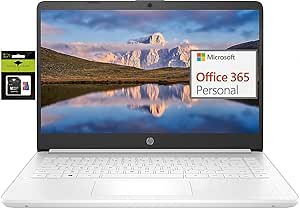


| student-friendly laptop | Processor | RAM | Storage | Display |
|---|---|---|---|---|
| HP Chromebook 14 Laptop | Intel Celeron N4120 | 4 GB | 64 GB eMMC | 14-inch HD (1366 x 768) anti-glare |
| HP 14" Willow Green Laptop wit | Intel N150 | 4 GB | 128 GB SSD + 1TB cloud storage | 14-inch HD (1366 x 768) micro-edge, anti-glare |
| HP 14" HD Chromebook Laptop fo | Intel Celeron N4120 (4-core, up to 2.6GHz) | 4 GB LPDDR4x | 64 GB eMMC | 14-inch HD (1366 x 768) micro-edge, anti-glare |
| HP Stream 14" HD Student & Bus | Intel Processor N150 | 4 GB DDR4 | 1.12TB total (128GB UFS + 1TB docking station) | 14-inch HD |
| HP 14" Laptop 2026 Edition | Intel N150 | 4 GB DDR4 | 128 GB UFS | 14-inch HD (1366 x 768) anti-glare |
| HP Stream 14 Student Business | Intel N150 Quad-core | 4GB | 128GB UFS | 14-inch anti-glare HD |
| Lenovo Flagship Chromebook 14" | MediaTek Kompanio 520 (Octa-Core) | 4GB | 64GB eMMC | 14-inch FHD Touchscreen (1920 x 1080), IPS |
| HP 14 Student Laptop with Quad | Intel Celeron N150 (Quad-Core) | 4GB DDR4 | 128GB UFS | 14-inch HD BrightView (1366×768), anti-glare |
| Dell Chromebook 11 3100 | Intel Celeron N4020 | 4GB | 16GB Flash Memory | 11.6-inch (1366 x 768) |
| HP 14-Inch Ultra-Portable Lapt | Quad-Core Intel N150, up to 3.6 GHz | 4GB DDR4 | 128GB SSD + 500GB external + 1TB cloud | 14-inch HD (1366 x 768), anti-glare |
| HP 14-Inch Ultralight Laptop f | Intel Celeron N4120 (Quad-Core) | 8GB DDR4 | 64GB eMMC + 128GB microSD | 14-inch HD (1366 x 768) micro-edge BrightView |
| HP 14-Inch HD Student Laptop w | Intel Celeron N4500 | 4GB DDR4 | 64GB eMMC | 14-inch HD (1366 x 768), anti-glare |
| Samsung 14" Galaxy Chromebook | Intel Celeron N4500 | 4GB | 64GB | 14 inches |
| HP 14" Ultra-Light Laptop for | Intel Celeron N4500 | 4GB DDR4 | 64GB eMMC + 64GB SD Card | 14-inch LCD, 1366 x 768 (up to 1920 x 1080 output) |
More Details on Our Top Picks
HP Chromebook 14 Laptop, Intel Celeron N4120, 4GB RAM, 64GB eMMC, 14″ HD Display, Chrome OS
Among the budget Chromebooks in this lineup, this HP Chromebook 14 stands out for one reason above all: up to 14 hours of battery life, which means a student can leave the charger at home and still make it through a full day of classes, a library session, and an evening of streaming. The anti-glare HD display is a thoughtful touch for lecture halls with harsh overhead lighting. Compared with the similarly equipped HP 14″ HD Chromebook (B0C8171GTK), the core hardware is nearly identical, so the decision really comes down to price and color preference — this Ash Gray model often undercuts its Natural Silver sibling. The tradeoff is familiar Chromebook territory: 64GB of eMMC storage fills fast, and Chrome OS won’t run Windows-only software like some engineering or statistics courses require.
Pros:- Genuine all-day battery life up to 14 hours
- Anti-glare display works well in bright classrooms
- Chrome OS stays secure and updates automatically
- Lightweight build slips easily into a backpack
Cons:- 64GB eMMC storage fills up quickly without cloud offloading
- 1366 x 768 resolution looks dated next to the Lenovo Flagship Chromebook’s FHD touchscreen
Best for: High school and college students who live in Google Docs, browser tabs, and cloud apps and need all-day unplugged runtime
Not ideal for: Students whose coursework requires Windows-only software (SPSS, AutoCAD, full Excel macros) — Chrome OS simply can’t run it
- Processor:Intel Celeron N4120
- RAM:4 GB
- Storage:64 GB eMMC
- Display:14-inch HD (1366 x 768) anti-glare
- Graphics:Intel UHD Graphics 600
- Battery Life:Up to 14 hours
- Operating System:Chrome OS
- Warranty:1-year limited hardware warranty
Our verdict“The most dependable pick for web-first students who value battery endurance over raw specs.”
HP 14″ Willow Green Laptop with Intel N150, 4GB RAM, 128GB SSD, 1TB Cloud Storage, Windows 11
When a course demands Windows — think full Office desktop apps, exam software, or a professor’s Windows-only tool — a Chromebook won’t cut it, and that’s where this model earns its slot. The Intel N150 is a step up from the Celeron N4120 found in both HP Chromebook picks here, so everyday browsing and document work feel noticeably less sluggish. The 128GB SSD plus 1TB of cloud storage gives students a workable local drive and room to archive coursework online, something the 64GB Chromebooks can’t match without external drives. Compared with the HP Stream 14 (B0H2YCVDGD), this option trades the bundled docking station for a true SSD, which generally means snappier boot and file times. The compromises are real though: 4GB of RAM caps how many tabs and apps you can juggle, and 12 hours of video playback shrinks under heavier workloads.
Pros:- Runs full Windows 11 with Copilot AI
- 128GB SSD is faster and roomier than the Chromebooks’ eMMC storage
- 1TB cloud storage covers coursework archiving
- 3.24 lbs design is easy to carry across campus
Cons:- 4GB RAM limits multitasking and heavier applications
- HD resolution is less sharp than FHD options like the Lenovo Flagship Chromebook
Best for: Students who need Windows compatibility for specific course software but are working with a tight budget
Not ideal for: Multitaskers and engineering or media students — 4GB of RAM will bottleneck anything beyond browser-and-docs workflows
- Processor:Intel N150
- RAM:4 GB
- Storage:128 GB SSD + 1TB cloud storage
- Display:14-inch HD (1366 x 768) micro-edge, anti-glare
- Battery Life:Up to 12 hours video playback
- Operating System:Windows 11
- Weight:3.24 lbs
Our verdict“The cheapest sensible path to Windows compatibility in this roundup, provided you keep workloads light.”
HP 14″ HD Chromebook Laptop for Students, Intel Quad-Core N4120, 4GB RAM, 64GB eMMC, 14-Hour Battery
This Natural Silver Chromebook shares its engine with the Ash Gray HP Chromebook 14 (B09SVSBVP1) — same N4120 chip, same 14-hour battery claim — but it pulls ahead in one practical area: ports. With two USB-A ports, USB-C, and HDMI, a student can plug into a projector for a presentation or connect a mouse and external drive without hunting for a dongle, which is a frustration the port-starved Dell Chromebook 11 3100 makes worse. The micro-edge anti-glare display keeps distractions down in bright rooms, and Chrome OS boots in seconds when you’re racing to take notes. The weaknesses mirror its Chromebook sibling: 64GB of eMMC demands disciplined cloud habits, and the Celeron processor wilts if you routinely keep twenty tabs open. Choose this over the Ash Gray model when port variety matters more than a few dollars of savings.
Pros:- Full port loadout including HDMI and USB-C
- 14-hour battery survives a full school day
- 3.35 lbs with a slim micro-edge bezel design
- Chrome OS boots fast and stays secure
Cons:- Celeron N4120 struggles with heavy tab counts and intensive multitasking
- 64GB eMMC storage requires constant cloud dependency
Best for: Students who regularly present in class or connect peripherals and want a Chromebook that doesn’t need adapters
Not ideal for: Anyone planning photo or video editing — the N4120 and HD panel can’t handle creative coursework
- Processor:Intel Celeron N4120 (4-core, up to 2.6GHz)
- RAM:4 GB LPDDR4x
- Storage:64 GB eMMC
- Display:14-inch HD (1366 x 768) micro-edge, anti-glare
- Ports:2x USB-A 3.0, 1x USB-C 3.0, HDMI, headphone jack
- Battery Life:Up to 14 hours
- Operating System:Chrome OS
- Weight:3.35 lbs
Our verdict“The connectivity-first Chromebook for students who present, dock, and plug in more than they carry chargers.”
HP Stream 14″ HD Student & Business Laptop with AI Copilot, Intel N150, 4GB RAM, 1.12TB Storage, Windows 11
What separates the Stream 14 from the other N150-powered Windows machines here is everything in the box. Between the 1TB docking station (expansion cards and accessories that pad the storage to a marketed 1.12TB), a one-year Office 365 subscription, and Windows 11 with Copilot, a student gets most of a semester’s software needs covered on day one. Compared with the Willow Green HP 14 (B0H3DTZZM6), this pick trades an SSD for UFS storage, so file transfers may feel slightly slower, but the bundled extras arguably deliver more immediate value than raw drive speed. The port spread is generous too — HDMI, USB-C, USB-A, and a media card reader handle most desk setups. Two honest cautions: HP doesn’t publish a battery life figure for this configuration, and 4GB of RAM remains the ceiling for what this machine can comfortably do.
Pros:- Includes one-year Office 365 subscription
- 1TB docking station and accessories add real bundle value
- Wi-Fi 6 and Bluetooth 5.4 are modern for this price
- Full port selection including HDMI and media card reader
Cons:- Battery life is unspecified, which is risky for a carry-all-day laptop
- 4GB RAM caps multitasking headroom
- 128GB UFS storage is slower than a true SSD
Best for: Budget-conscious students who want Office 365, extra storage accessories, and Windows included in one purchase
Not ideal for: Anyone who needs predictable unplugged runtime — the missing battery life spec makes it a gamble for all-day campus use
- Processor:Intel Processor N150
- RAM:4 GB DDR4
- Storage:1.12TB total (128GB UFS + 1TB docking station)
- Display:14-inch HD
- Operating System:Windows 11
- Wireless:Wi-Fi 6, Bluetooth 5.4
- Weight:3.24 lbs
Our verdict“The best out-of-the-box bundle for students who’d otherwise spend extra on Office and accessories.”
HP 14″ Laptop 2026 Edition, Intel N150, 4GB RAM, 128GB Storage, Windows 11 Home
The 2026 Edition is the most straightforward pick of the Windows bunch: no bundles to decode, no S-mode restrictions to disable, just a clean Windows 11 Home machine with a one-year Office 365 Personal subscription already attached. That simplicity is its selling point against the HP Stream 14 (B0H2YCVDGD), whose “1.12TB storage” figure requires understanding what the docking station actually adds — here, 128GB means 128GB. Connectivity is modern, with Wi-Fi 6, USB-C, and HDMI covering everything from dorm Wi-Fi to a second monitor, and the anti-glare panel keeps reflections manageable during long writing sessions. Like every N150 machine with 4GB of RAM in this roundup, it’s built for browsing, documents, and streaming rather than creative suites or heavy multitasking. Students wanting a sharper screen should step up to the Lenovo Flagship Chromebook’s FHD touchscreen instead.
Pros:- Office 365 Personal included for one year
- Wi-Fi 6 and USB-C connectivity feel current
- Anti-glare HD display comfortable for long study sessions
- Runs full Windows 11 Home without S-mode limitations
Cons:- 4GB RAM restricts multitasking and future-proofing
- 1366 x 768 display lags behind FHD alternatives in this price bracket
Best for: Students who want a no-frills, ready-to-go Windows laptop for essays, browsing, and streaming with Office included
Not ideal for: Power users and gamers — 4GB RAM, integrated graphics, and an HD panel rule out demanding work and play
- Processor:Intel N150
- RAM:4 GB DDR4
- Storage:128 GB UFS
- Display:14-inch HD (1366 x 768) anti-glare
- Operating System:Windows 11 Home
- Wireless:Wi-Fi 6, Bluetooth 5.0
- Ports:USB-C, USB 3.2, HDMI, 3.5mm audio jack
- Webcam:HD webcam with microphone
Our verdict“A sensible, honest pick for students who value a predictable, plug-and-play Windows experience over headline specs.”
HP Stream 14 Student Business Laptop with Microsoft Office 365 and Copilot AI
What separates the HP Stream 14 from other budget Windows machines in this lineup is what comes in the box: a full Office 365 subscription plus Copilot AI, which alone offsets a meaningful chunk of the purchase price for a student who would otherwise pay monthly. Compared with the HP 14 Student Laptop (B0FMXYT9KX), the Stream doubles down on durability with military-grade drop resistance — a genuine advantage for anyone hauling it between lectures in a stuffed backpack. The 3.24 lb weight is reasonable, though heavier than the 2.86 lb Lenovo Chromebook. The tradeoffs are familiar: 4GB of RAM means browser-tab discipline, and 128GB of UFS storage fills fast once semester documents and lecture recordings pile up. An SD card is close to mandatory here.
Pros:- Pre-installed Office 365 and Copilot AI save real subscription costs
- Military-grade drop resistance adds campus-proof durability
- Lightweight 3.24 lb design with anti-glare screen for outdoor study
- Fast boot times thanks to hybrid UFS storage
Cons:- 128GB of storage fills quickly and needs microSD expansion
- 4GB of RAM struggles with heavy multitasking or many browser tabs
Best for: Students who need Word, Excel, and PowerPoint on day one without paying for a subscription separately
Not ideal for: Engineering or design students — the 4GB RAM and lack of dedicated graphics will choke on CAD or Adobe software
- Processor:Intel N150 Quad-core
- RAM:4GB
- Storage:128GB UFS
- Display:14-inch anti-glare HD
- Weight:3.24 lbs
- Operating System:Windows 11 Home
- Connectivity:Wi-Fi 6
- Extras:Office 365, Copilot AI, SD card reader, 720p HD camera, DTS speakers
Our verdict“The pick for students who want Microsoft Office and AI tools bundled upfront on a durable, backpack-friendly Windows machine.”
Lenovo Flagship Chromebook 14″ FHD Touchscreen Laptop – Abyss Blue
Most laptops at this price cut corners on the screen first, which is exactly why the Lenovo Chromebook 14 stands out: its Full HD 1920 x 1080 IPS touchscreen is a clear step above the 1366 x 768 panels on the HP Stream 14 and the HP 14 Student Laptop. Text is sharper for long reading sessions, and touch input makes scrolling lecture slides feel natural on a tablet-like budget device. The octa-core Kompanio 520 handles Chrome OS smoothly because the operating system itself is light — something Windows rivals can’t claim with the same 4GB of RAM. At 2.86 lbs, it’s also the lightest full-size option here. The catch is local storage: 64GB of eMMC is tight, so this works best for students already living in Google Drive rather than anyone storing large files locally.
Pros:- Full HD 1080p IPS touchscreen — noticeably sharper than rival HD panels
- Octa-core processor runs Chrome OS with smooth, stutter-free performance
- Lightest 14-inch design in this batch at 2.86 lbs
- Wi-Fi 6 and privacy-shutter webcam for secure remote classes
Cons:- Only 64GB of local storage — cloud reliance is basically required
- Chrome OS cannot run Windows or macOS applications
Best for: Cloud-centric students who read and write for hours and want the sharpest, touch-friendly screen under a tight budget
Not ideal for: Students who need Windows-only software like SPSS, specific exam proctoring apps, or offline access to large files
- Display:14-inch FHD Touchscreen (1920 x 1080), IPS
- Processor:MediaTek Kompanio 520 (Octa-Core)
- RAM:4GB
- Storage:64GB eMMC
- Weight:2.86 lbs
- Connectivity:Wi-Fi 6, Bluetooth 5.1
- Ports:USB-A 3.2, USB-C 3.2, microSD reader, headphone/mic combo
- Color:Abyss Blue
Our verdict“The best screen-to-price ratio in the lineup, ideal for students whose coursework lives in the browser and Google Drive.”
HP 14 Student Laptop with Quad-Core Processor, 4GB RAM, 128GB SSD, Windows 11, 1-Year Office 365, Copilot AI, Natural Silver
This HP 14 splits the difference between the Chromebook and pricier Windows options better than anything else in this batch. Like the HP Stream 14, it bundles a 1-year Office 365 subscription and Copilot AI, but its all-day battery with a 45W fast charger gives it an edge for students whose outlets are scarce in lecture halls — plug in during a coffee break and you’re set for the afternoon. Where it falls behind the Lenovo Chromebook is the display: 1366 x 768 on a 14-inch panel looks visibly softer when reading dense PDFs. The dual anti-glare and BrightView treatment softens that blow for outdoor use. It’s the sensible middle path: full Windows compatibility, useful software, and enough endurance for a full class day, provided you keep multitasking modest.
Pros:- All-day battery life with 45W fast charging tops up quickly between classes
- Includes 1-year Office 365 and Copilot AI out of the box
- Anti-glare screen works well in bright library or outdoor settings
- Lightweight, portable chassis suited to daily commutes
Cons:- 1366 x 768 HD display is noticeably less sharp than the Lenovo’s Full HD panel
- 4GB RAM limits heavy multitasking
- 128GB of storage fills quickly with course materials
Best for: Students who want full Windows compatibility plus Office included, with battery life that survives a full day of classes
Not ideal for: Media or design students — the HD-resolution display is the weakest link for visual work
- Processor:Intel Celeron N150 (Quad-Core)
- RAM:4GB DDR4
- Storage:128GB UFS
- Display:14-inch HD BrightView (1366×768), anti-glare
- Operating System:Windows 11
- Included Software:1-Year Office 365, Copilot AI
- Battery:All-day battery, 45W PD fast charger
- Connectivity:Wi-Fi 6
Our verdict“The most sensible all-rounder for students who need Windows software and a battery that outlasts a school day.”
Dell Chromebook 11 3100, 11.6-inch Chromebook with 4GB RAM and 16GB Flash Storage
While every other laptop here competes on features, the Dell Chromebook 11 3100 competes on simplicity and price. Its 11.6-inch size and Chrome OS mirror what many schools already issue to students, so the learning curve is essentially zero for a middle-schooler or high-schooler already using Google Classroom. Next to the Lenovo Chromebook 14, it’s clearly the lesser machine — smaller, lower-resolution screen and a mere 16GB of storage — but that’s not the point. It boots in seconds, updates itself, and shrugs off the kind of abuse younger kids inflict on hardware. Buyers should note this is a renewed product, so warranty coverage may be shorter than a new unit. For homework, browsing, and video calls, it does everything a school-issued Chromebook does — because that’s literally what it was built for.
Pros:- Chrome OS boots in seconds and maintains itself with automatic updates
- Familiar school-issued form factor with zero learning curve
- Small 11.6-inch size is genuinely easy for younger students to carry
- Lowest-cost entry point in the roundup
Cons:- Only 16GB of local storage, fine for cloud users but restrictive otherwise
- Renewed condition may come with limited warranty coverage
- 1366 x 768 resolution on a small panel is dated
Best for: Parents buying a first laptop for a middle- or high-school student who works entirely in Google Classroom
Not ideal for: College students — the 11.6-inch low-res screen and 16GB storage feel cramped for real coursework
- Display:11.6-inch (1366 x 768)
- Processor:Intel Celeron N4020
- RAM:4GB
- Storage:16GB Flash Memory
- Graphics:Intel HD Graphics
- Operating System:Chrome OS
- Condition:Renewed
Our verdict“A cheap, durable, no-drama homework machine for younger students — not a serious option for college-level work.”
HP 14-Inch Ultra-Portable Laptop for Students and Business, Windows 11 Pro, 4GB RAM, 628GB Storage, Lavender
This lavender HP 14 takes a different approach to value than its siblings: instead of leaning on specs, it packages everything a first-time student needs — a 500GB external drive, 1TB of cloud storage, a 6-in-1 docking station, a wireless mouse, and cables. Compared with the HP Stream 14, which leaves you to buy your own peripherals, this bundle solves the storage problem that plagues every other 128GB machine here. The Windows 11 Pro license is another differentiator, adding remote desktop and better security tools that matter for business students. But the core hardware doesn’t escape the budget tier: the same N150 processor, 4GB of RAM, and a 1366 x 768 panel as cheaper HP models. You’re paying a premium for the accessory bundle and Pro license, not for performance — worth it for a dorm setup, less so for spec hunters.
Pros:- 628GB total storage (128GB SSD + 500GB external + 1TB cloud) solves the budget-laptop storage problem
- Windows 11 Pro adds remote desktop and enhanced security features
- Docking station, wireless mouse, and cables mean no accessory shopping
- Up to 9 hours of battery with modern Wi-Fi 6 and Bluetooth 5.4
Cons:- Core performance is identical to cheaper HP models in this lineup despite the higher price
- 4GB RAM caps multitasking regardless of how much storage you add
- HD 1366 x 768 display lags behind the Lenovo’s Full HD screen
Best for: First-year students or business majors setting up a complete dorm workstation in one purchase, including storage and peripherals
Not ideal for: Performance-focused buyers — the processor and RAM match cheaper models that skip the bundle entirely
- Processor:Quad-Core Intel N150, up to 3.6 GHz
- RAM:4GB DDR4
- Storage:128GB SSD + 500GB external + 1TB cloud
- Display:14-inch HD (1366 x 768), anti-glare
- Operating System:Windows 11 Pro
- Battery:3-cell 41 Wh, up to 9 hours
- Weight:3.24 lbs
- Connectivity:Wi-Fi 6, Bluetooth 5.4
- Accessories:6-in-1 docking station, wireless mouse, external drive, HDMI cable
Our verdict“Buy it for the bundle, not the internals — the smartest one-box dorm setup for students who’d otherwise nickel-and-dime on peripherals.”
HP 14-Inch Ultralight Laptop for Students and Business, Intel Quad-Core, 8GB RAM, 192GB Storage, Windows 11 S
Most laptops in this price range ship with 4GB of RAM, which means slowdowns the moment a student opens a browser with a dozen tabs alongside a Word doc. This HP stands out for doubling that to 8GB of RAM, making it noticeably smoother for juggling assignments, video calls, and streaming than the HP 14-Inch HD Student Laptop (B0CNGR2X6C), which shares a similar chassis but halves the memory. The 192GB of combined storage (64GB eMMC plus a 128GB microSD) also gives it roughly triple the usable space of its cheaper sibling. The tradeoff is that the Celeron N4120 still struggles with demanding software, and the 1366 x 768 display is dim and coarse compared with the Lenovo Flagship Chromebook’s Full HD panel. This pick makes the most sense for students who keep many apps open at once but whose workload stays browser-based.
Pros:- 8GB of RAM enables real multitasking that 4GB rivals can’t match
- 192GB total storage via bundled microSD card
- Up to 11.5 hours of battery for a full school day
- Light 3.24 lb frame with HDMI and USB-C for dorm or classroom setups
Cons:- 64GB of base eMMC storage fills up fast before adding the microSD
- 1366 x 768 display is noticeably soft for reading small text
- Celeron N4120 lags on video editing, coding environments, or heavy workloads
Best for: High school and college students who run lots of browser tabs and Office apps simultaneously and need all-day battery on a tight budget
Not ideal for: Engineering, design, or media students — the Celeron processor and low-resolution display can’t handle demanding coursework or editing software
- Processor:Intel Celeron N4120 (Quad-Core)
- RAM:8GB DDR4
- Storage:64GB eMMC + 128GB microSD
- Display:14-inch HD (1366 x 768) micro-edge BrightView
- Battery Life:Up to 11.5 hours
- Weight:3.24 lbs
- Operating System:Windows 11 Home in S Mode
Our verdict“Buy this if you’re the student who lives in a browser with fifteen tabs open; skip it if your coursework needs real processing power.”
HP 14-Inch HD Student Laptop with Intel Celeron N4500, 4GB RAM, 64GB eMMC, Windows 11 S
This is the cheapest way into a full Windows 11 laptop in this roundup, and that’s the whole story here. Compared with the HP 14-Inch Ultralight (B0B2D77YB8), you give up half the RAM, two-thirds of the storage, and an hour or so of battery — but you also spend considerably less, which matters when the budget is a hard number. The anti-glare display is a genuine plus for classroom lighting where glossy screens wash out, and Wi-Fi 6 keeps campus networks feeling responsive. The reality check: 4GB of RAM and 64GB of storage mean this machine is happy with one or two apps at a time and not much more. The Samsung Galaxy Chromebook Go offers a smoother low-cost experience if you can live without Windows, so this pick makes sense only when Windows compatibility is non-negotiable.
Pros:- Lowest-cost Windows 11 option in this lineup
- Anti-glare screen is easier on the eyes in bright classrooms
- Wi-Fi 6 and fast charging punch above the price point
- Light 3.42 lb design with HDMI for presentations
Cons:- 64GB of eMMC storage fills up after Windows updates and a few apps
- 4GB of RAM limits multitasking to two or three open programs
- Basic 1366 x 768 display looks dated next to Full HD rivals
Best for: Students on the tightest possible budget who specifically need Windows applications like full Excel or desktop-only school software
Not ideal for: Anyone planning to store lots of files locally or run multiple apps at once — 4GB RAM and 64GB of storage hit their ceiling quickly
- Processor:Intel Celeron N4500
- RAM:4GB DDR4
- Storage:64GB eMMC
- Display:14-inch HD (1366 x 768), anti-glare
- Connectivity:Wi-Fi 6, Bluetooth 5.4
- Weight:3.42 lbs
- Operating System:Windows 11 S
Our verdict“The right choice only when Windows is a hard requirement and the budget is truly minimal — otherwise a Chromebook buys a better experience for the money.”
Samsung 14″ Galaxy Chromebook Go Laptop PC with Intel Celeron N4500, 4GB RAM, 64GB Storage, ChromeOS, Silver
The Samsung Galaxy Chromebook Go takes the exact same Celeron N4500 and 4GB of RAM found in the HP 14-Inch HD Student Laptop (B0CNGR2X6C) and makes them feel faster — because ChromeOS is lighter than Windows and doesn’t choke on limited memory the same way. For a student whose life already runs through Google Docs, Classroom, and Drive, this is the smoother day-to-day machine despite the similar spec sheet. The 12-hour battery outlasts both HP Windows models here, and the slim silver chassis slips into any backpack without notice. The tradeoff is fundamental: no Windows apps, minimal local storage, and awkwardness if a class requires specific desktop software. Compared with the Dell Chromebook 11 3100, you get a larger 14-inch screen and a sleeker design, though the Dell is tougher for younger students. This option stands out for simplicity, not power.
Pros:- ChromeOS runs more smoothly on modest hardware than Windows rivals
- 12-hour battery covers a full day of classes plus homework
- Fast Wi-Fi (3x faster than the previous generation) for campus networks
- Lightweight, slim design ideal for constant carrying
Cons:- 64GB of storage is very tight for offline files
- Cannot run Windows or macOS applications at all
- Basic Celeron performance struggles with many open tabs despite the light OS
Best for: Students fully committed to Google’s ecosystem who write papers in Docs, stream on breaks, and want zero maintenance headaches
Not ideal for: Students whose courses require Windows-only software like SPSS, full Photoshop, or specific exam proctoring apps
- Processor:Intel Celeron N4500
- RAM:4GB
- Storage:64GB
- Display:14 inches
- Operating System:ChromeOS
- Battery Life:Up to 12 hours
- Color:Silver
Our verdict“The easiest laptop to live with for Google-centric students — as long as no class demands Windows software.”
HP 14″ Ultra-Light Laptop for Students & Home with 1-Year Microsoft 365, Intel Celeron N4500, 4GB RAM, 64GB eMMC, 12-Hour Battery, Wi-Fi 6, Windows 11 Home in S Mode, White
What separates this white HP from the nearly identical HP 14-Inch HD Student Laptop (B0CNGR2X6C) is everything in the box: a one-year Microsoft 365 subscription, a 64GB SD card for extra storage, and fast charging. For a student starting from zero, that bundle saves the immediate cost of Word, Excel, and PowerPoint — software most classes assume you already have. The 12-hour battery matches the Samsung Galaxy Chromebook Go while keeping full Windows compatibility, and Wi-Fi 6E is the most modern wireless spec in this batch of HPs. The compromises are familiar ones: the Celeron N4500 and 4GB of RAM place it firmly below the HP 14-Inch Ultralight (B0B2D77YB8) for multitasking, and the 1366 x 768 screen is basic. This model is better suited to a first-time laptop owner who values a complete, ready-out-of-the-box package over raw performance.
Pros:- 1-year Microsoft 365 subscription included, saving a real software expense
- 12-hour battery with fast charging outlasts most Windows rivals here
- 128GB total storage counting the bundled 64GB SD card
- Modern Wi-Fi 6E plus USB-C, USB-A, HDMI, and SD reader
Cons:- 4GB of RAM is the weakest multitasking configuration among these picks
- Display tops out at a basic resolution and looks grainy for long reading sessions
- S Mode restricts app installs until you switch out of it
Best for: First-year students who need a laptop plus Office apps included on day one and don’t want to buy software separately
Not ideal for: Power users and upper-level students — the 4GB of RAM and Celeron chip won’t keep up with heavy multitasking or specialized software
- Processor:Intel Celeron N4500
- RAM:4GB DDR4
- Storage:64GB eMMC + 64GB SD Card
- Display:14-inch LCD, 1366 x 768 (up to 1920 x 1080 output)
- Battery Life:Up to 12 hours with fast charging
- Connectivity:Wi-Fi 6E, Bluetooth 5.4, USB-C, USB-A, HDMI 1.4b
- Weight:3.2 lbs
- Operating System:Windows 11 Home in S Mode
Our verdict“The best turnkey package for a student who needs hardware and Office software in one purchase, provided expectations stay at the everyday-task level.”

How We Picked
I evaluated each laptop through a student’s actual daily routine: morning note-taking, afternoon research with a dozen browser tabs open, evening video calls, and hauling the machine between classes. That lens made RAM, battery life, portability, and operating system fit the deciding factors, with display quality and storage as secondary tiebreakers. I also weighed bundled software — models that include a year of Office 365 and Copilot AI deliver genuine savings for students who would otherwise pay for a subscription.
The ranking reflects a simple logic: laptops that stay usable across a full school day rank above those that merely hit a low price. Chrome OS machines score well because the lightweight OS runs comfortably on modest hardware, while similarly specced Windows models rank lower because Windows 11 strains under 4GB of RAM. Where a laptop targets a narrower audience — like the rugged Dell for younger kids — I placed it according to how well it serves that niche rather than its raw specs.
Factors to Consider When Choosing Student-friendly Laptops
Before settling on any of the fourteen models above, it helps to understand the broader forces at play in the budget student laptop market. These are the factors that most often decide whether a cheap laptop becomes a reliable study companion or a frustrating paperweight.Chrome OS or Windows: Match the Operating System to the Coursework
The single biggest decision in this price range isn’t a spec — it’s the operating system. Chrome OS machines run smoothly on modest hardware because the browser-based system demands far less memory than Windows, so a 4GB Chromebook often feels faster than a 4GB Windows laptop. The catch is that Chrome OS relies on an internet connection and web apps, which becomes a problem if your school uses desktop-only software like full Excel macros, specific statistical tools, or certain engineering programs. Windows models offer that compatibility plus bundled Office 365, but Windows 11 on 4GB of RAM will slow down during heavy multitasking. Check your school’s or degree program’s software requirements before buying — a nursing student running web-based portals has very different needs than a computer science student who might need to install development tools.
Why 4GB of RAM Is the Most Common Trap
Manufacturers keep 4GB configurations alive because it lets them advertise the lowest possible price, but it’s the spec most likely to make a student miserable. A modern school day involves a video lecture, a shared document, a slideshow, and messaging apps running simultaneously — that workload pushes 4GB to its ceiling on Windows within minutes. My advice: if you must choose one upgrade, choose RAM over storage or processor speed. If your budget caps you at 4GB anyway, a Chromebook handles the limitation far more gracefully than a Windows machine. You can partially offset small internal storage with cloud services or a cheap SD card and external drive, but you can never add more headroom to a soldered 4GB memory configuration. This is why the lone 8GB model ranks so highly in my lineup despite costing a bit more.
Real Battery Life Versus Marketing Numbers
Battery claims like “14 hours” are measured under ideal conditions — screen brightness dialed down, no Wi-Fi stress, light workloads. In practice, budget laptops typically deliver 60 to 75 percent of their advertised runtime, which still matters when comparing a 14-hour claim against a 9-hour one. Students who sit through back-to-back lectures without reliable outlet access should treat anything under a claimed 10 hours as a risk. Chrome OS again has an advantage here, since the lighter software load draws less power. Also note that smaller batteries in ultra-portable models like the Dell 11 often last longer per charge simply because the tiny screen consumes less — a rare case where the budget option wins on endurance.
Screen Quality Is Where Cheap Laptops Cut Corners
Almost every laptop in this category uses a 1366×768 HD panel, and students notice the difference the moment they compare text sharpness on a friend’s Full HD laptop. A low-resolution 14-inch screen makes small text in research papers and online textbooks look slightly fuzzy after long reading sessions, which contributes to eye fatigue. If display quality matters to you, the single FHD option in this lineup justifies its premium. Screen size is a separate tradeoff: an 11.6-inch display like the Dell’s is cramped for split-screen note-taking but makes the machine dramatically lighter for younger students carrying it all day. Touchscreens add convenience for quick navigation but consume battery faster and raise the price.
Bundled Software Can Offset a Higher Price
Several Windows models here include a year of Microsoft 365 and Copilot AI access, which is worth roughly $70 to $100 if you would have bought it anyway. That math can make a nominally pricier laptop the better value once you subtract the subscription cost from your total ownership expense. The same logic applies to the 1TB cloud storage bundles on some HP models — useful if you’re shooting video projects, redundant if your school already provides Google Workspace or Microsoft accounts. Price-compare against the software you actually need, not the sticker alone. One caution: cloud storage tied to a specific laptop often expires or shrinks after a promotional period, so treat it as a bonus rather than a deciding factor.
Durability and Portability for Campus Life
A student laptop gets shoved into backpacks next to textbooks, opened and closed a dozen times daily, and occasionally knocked off a desk. Thin ultra-light chassis feel great at 3 pounds but flex more and dissipate heat less effectively than slightly thicker builds. Younger students and middle-schoolers benefit most from education-grade designs like the Dell 3100, which is built to survive drops and keyboard spills. College students should instead prioritize a weight under 3.5 pounds and a hinge that feels firm when opened one-handed. Also check the port selection before buying — a laptop with only USB-C forces you to carry dongles for classroom HDMI projectors and USB-A flash drives.
Frequently Asked Questions
Is a 4GB laptop enough for college coursework?
It depends heavily on the operating system. A 4GB Chromebook handles browsing, Google Docs, and streaming fine because Chrome OS is lightweight by design. A 4GB Windows laptop will run, but expect slowdowns once you open a video call alongside several browser tabs — the situation most students face weekly. If you’re set on Windows, the 8GB model in this lineup costs only slightly more and will feel dramatically better over a four-year degree. My practical rule: 4GB Chrome OS is acceptable, 4GB Windows is a compromise, and 8GB is the floor for any long-term purchase.
Can these laptops handle video lectures and Zoom calls?
All fourteen models can technically run video calls, but webcam quality and multitasking headroom separate them. The Chromebooks tend to perform more consistently on calls because of the lighter OS, and models with claimed 12-to-14-hour batteries have enough power management headroom for long call sessions unplugged. On 4GB Windows machines, close other applications before joining a call or you’ll see stutter on both audio and video. If your coursework involves recording presentations or frequent group calls, prioritize the 8GB Windows option or a Chromebook with a strong battery rating over the cheapest available model.
Will 64GB or 128GB of storage run out quickly?
On a Chromebook, small local storage matters far less because files live in Google Drive and the OS occupies minimal space — 64GB is genuinely workable. On Windows, the operating system and updates alone consume a large chunk of 64GB, leaving little room after installing Office and a semester of files. If you choose Windows, aim for at least 128GB and plan on an SD card or external drive for large media. Also remember that “1.12TB” style figures usually combine small internal storage with a cloud subscription that may expire, so read the fine print on what’s physically inside the machine versus what’s rented from the internet.
Is a Chromebook a bad choice if my major requires specific software?
For most humanities, business, and general education coursework, a Chromebook is completely sufficient since nearly everything happens in a browser. The risk appears in specific majors: engineering CAD tools, statistics packages like SPSS, and some programming environments either don’t run on Chrome OS or require workarounds like Linux containers that strain a 4GB machine. Before deciding, ask your department or check the course syllabus for required applications. A safe compromise for undecided students is a Windows model with 8GB of RAM, which keeps every software door open without paying premium-laptop prices.
Are these laptops usable beyond graduation, or will they be obsolete?
Budget laptops have shorter useful lifespans than mid-range machines, but there’s a key difference between the platforms. Chromebooks receive automatic updates for a fixed support window from their release date, so check the model’s auto-update expiration before buying — an older clearance unit may have fewer years left. Windows laptops avoid hard expiration dates but age faster on 4GB of RAM as software grows heavier each year. Realistically, expect four to five productive years from these machines with careful use. The 8GB Windows model and the FHD Chromebook will hold up best toward the end of that window because their stronger specs have more headroom against future software demands.
Conclusion
After comparing all fourteen models, the right choice depends less on price and more on matching the laptop to the student’s workload and stage of education. For best overall, the Lenovo Flagship Chromebook 14’s Full HD touchscreen, smooth Chrome OS performance, and all-day battery make it the most complete package for high school and college students alike. The HP 14-Inch Ultralight with 8GB of RAM is my best value pick — it’s the only Windows model here with the memory to stay comfortable for years, which saves you from an early replacement. For younger students and beginners, the Dell Chromebook 11 3100’s rugged build and simple interface beat fancier specs every time, while the Samsung Galaxy Chromebook Go suits anyone wanting a slim, reliable Chrome OS backup machine. If you need offline Office compatibility on a tight budget, the HP Stream models with bundled Office 365 and Copilot AI deliver the best software-per-dollar story, and the HP Willow Green with cloud storage fits media-heavy coursework. Whatever you choose, avoid the one mistake that haunts this entire category: buying the cheapest 4GB Windows laptop on the shelf. Spend the small premium on RAM or go Chrome OS — your future self during finals week will thank you.
Columbus Day / Indigenous Peoples' Day Picks
long weekend sales
As an affiliate, we earn on qualifying purchases.