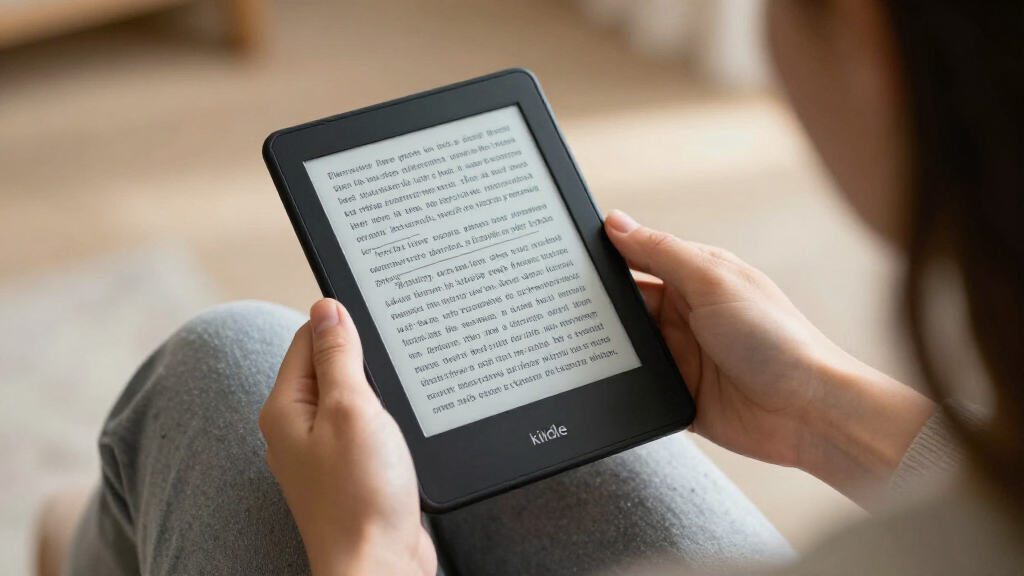

Choosing between Kindle e-readers in 2026 comes down to three questions: do you want color, do you want a bigger screen, and how much do you care about extras like wireless charging? The Kindle Paperwhite Signature Edition (12th Generation) earns my best overall pick for balancing a fast 7-inch display, 32GB of storage and premium finishes without paying Scribe-level money. The base Kindle (2024) is the value champion for casual readers, while the Kindle Scribe Colorsoft suits note-takers who want an 11-inch canvas with color. The main tradeoff you’ll face is portability and price versus screen size and features — color displays cost more, larger devices are heavier, and refurbished models can save money if you accept cosmetic imperfections. Read on for the full breakdown of all 15 models.

Get the latest gadgets delivered free with Prime
- Fast, free delivery on millions of items
- Prime Video, Amazon Music and more included
- Member-only deals all year
Key Takeaways
- The Paperwhite Signature Edition (12th Gen) won best overall because 32GB of storage, a 7-inch 300ppi display and wireless charging hit the sweet spot between price and features — none of the cheaper models match its screen, and none of the pricier ones justify the jump for pure readers.
- The lineup splits into four tiers: base Kindle for casual reading, Paperwhite for serious readers, Colorsoft for comics and cover-heavy content, and Scribe for note-taking — paying for a tier you won’t use is the most common mistake in this category.
- Refurbished models (the Colorsoft Signature and base Kindle in Matcha) offer identical internals to new units, making them the smart play for premium features if cosmetic perfection isn’t a priority.
- Within the Paperwhite family, the differences are almost entirely storage and charging: 16GB standard models vs. 32GB Signature with wireless charging — color options like Jade, Raspberry and Metallic Black are purely aesthetic.
- The 11-inch Scribe models (both the standard Graphite and the Colorsoft version) are the only Kindles with pen support, but they’re twice the weight of a Paperwhite, so they only make sense if handwriting is part of your workflow.
| Amazon Kindle Scribe Colorsoft 64GB (Newest Model) with Premium Pen |  | Best Premium Pick | Display: 11″ Colorsoft, 300 ppi B&W / 150 ppi color, built-in front light | Storage: 64 GB (50 GB available to user) | Device Weight: 14.1 oz (400 g) | VIEW LATEST PRICE | See Our Full Breakdown |
| Amazon Kindle Colorsoft Signature Edition 32GB (Like-New, Refurbished) – Metallic Black |  | Best Value Color Display | Display: 7-inch Colorsoft color display | Storage: 32 GB | Front Light: Auto-adjusting | VIEW LATEST PRICE | See Our Full Breakdown |
| Amazon Kindle Paperwhite Signature Edition 32GB (Metallic Jade) |  | Best Overall | Display: 7-inch glare-free, higher contrast | Storage: 32 GB | Page Turns: 25% faster than previous generation | VIEW LATEST PRICE | See Our Full Breakdown |
| Amazon Kindle (11th Generation, 2024), 16 GB, Black |  | Best Budget Pick | Display: 6-inch glare-free, 300 ppi, adjustable front light, dark mode | Storage: 16 GB | Dimensions: 6.2 x 4.3 x 0.32 inches | VIEW LATEST PRICE | See Our Full Breakdown |
| Amazon Kindle Paperwhite (16GB), 7-inch Display, Black |  | Best Mid-Range All-Rounder | Display: 7-inch glare-free | Storage: 16 GB | Battery Life: Up to 12 weeks | VIEW LATEST PRICE | See Our Full Breakdown |
| Amazon Kindle Paperwhite (12th Generation, 2024), 16 GB, 7-inch Display, Jade |  | Best Overall | Display: 7-inch, 300 ppi, 16-level grayscale | Storage: 16 GB | Battery life: Up to 12 weeks under specified conditions | VIEW LATEST PRICE | See Our Full Breakdown |
| Amazon Kindle Paperwhite 16GB (12th Gen, 2024) – Raspberry |  | Best Style Pick | Display: 7-inch, 300 ppi, 16-level grayscale, adjustable warm light | Storage: 16 GB plus free cloud storage | Battery life: Up to 12 weeks (half hour/day, wireless off, light at 13) | VIEW LATEST PRICE | See Our Full Breakdown |
| Amazon Kindle 16 GB e-reader, Matcha |  | Best Budget Entry Point | Display: 6-inch glare-free | Storage: 16 GB | Battery life: Up to 6 weeks per charge | VIEW LATEST PRICE | See Our Full Breakdown |
| Amazon Kindle (2024, 11th Generation), 16 GB, Matcha |  | Best Lightweight Pick | Display: 6-inch, 300 ppi, 16-level grayscale, built-in light | Storage: 16 GB | Battery life: Up to 6 weeks | VIEW LATEST PRICE | See Our Full Breakdown |
| Amazon Kindle Colorsoft 16 GB (Newest Model) – Color Display, No Ads – Black |  | Best for Visual Readers | Display: 7-inch Colorsoft color display | Storage: 16 GB | Battery life: Up to 8 weeks per charge | VIEW LATEST PRICE | See Our Full Breakdown |
| Amazon Kindle Paperwhite Signature Edition 32GB (Newest Model) – Metallic Raspberry |  | Best Overall for Serious Readers | Storage: 32 GB | Display: 7-inch glare-free, higher contrast | Front Light: Auto-adjusting | VIEW LATEST PRICE | See Our Full Breakdown |
| Amazon Kindle Paperwhite Signature Edition 32GB (12th Generation, 2024) – Metallic Black |  | Best Premium Pick in a Classic Finish | Display: 7-inch, 300 ppi, 16-level grayscale, built-in front light | Storage: 32 GB | Battery Life: Up to 12 weeks (30 min/day, wireless off) | VIEW LATEST PRICE | See Our Full Breakdown |
| Amazon Kindle Scribe 64GB (Newest Model) with Pen – Graphite, 11″ Display |  | Best for Reading and Note-Taking | Display: 11-inch glare-free with front light and adjustable warmth | Storage: 64 GB | Included Pen: Yes — no charging required, built-in eraser and shortcut button | VIEW LATEST PRICE | See Our Full Breakdown |
| Amazon Kindle Scribe Colorsoft, 64GB, 11-inch Color Display with Premium Pen |  | Best Premium Pick for Color Content | Display: 11-inch Colorsoft, 300 ppi B&W / 150 ppi color, built-in light | Storage: 64 GB (50 GB available to user) | Included: Premium Pen, USB-C cable, replacement tips | VIEW LATEST PRICE | See Our Full Breakdown |
| Amazon Kindle (16 GB, Matcha, Like-New Certified Refurbished) | | Best Budget Entry Point | Condition: Certified refurbished (like-new) | Storage: 16 GB | Display: 6-inch glare-free | VIEW LATEST PRICE | See Our Full Breakdown |
| Kindle e-reader | Display | Storage | Battery Life |
|---|---|---|---|
| Amazon Kindle Scribe Colorsoft | 11" Colorsoft, 300 ppi B&W / 150 ppi color, built-in front light | 64 GB (50 GB available to user) | — |
| Amazon Kindle Colorsoft Signat | 7-inch Colorsoft color display | 32 GB | Up to 8 weeks per charge |
| Amazon Kindle Paperwhite Signa | 7-inch glare-free, higher contrast | 32 GB | Up to 12 weeks |
| Amazon Kindle | 6-inch glare-free, 300 ppi, adjustable front light, dark mode | 16 GB | Up to 6 weeks |
| Amazon Kindle Paperwhite | 7-inch glare-free | 16 GB | Up to 12 weeks |
| Amazon Kindle Paperwhite | 7-inch, 300 ppi, 16-level grayscale | 16 GB | Up to 12 weeks under specified conditions |
| Amazon Kindle Paperwhite 16GB | 7-inch, 300 ppi, 16-level grayscale, adjustable warm light | 16 GB plus free cloud storage | Up to 12 weeks (half hour/day, wireless off, light at 13) |
| Amazon Kindle 16 GB e-reader | 6-inch glare-free | 16 GB | Up to 6 weeks per charge |
| Amazon Kindle | 6-inch, 300 ppi, 16-level grayscale, built-in light | 16 GB | Up to 6 weeks |
| Amazon Kindle Colorsoft 16 GB | 7-inch Colorsoft color display | 16 GB | Up to 8 weeks per charge |
| Amazon Kindle Paperwhite Signa | 7-inch glare-free, higher contrast | 32 GB | Up to 12 weeks |
| Amazon Kindle Paperwhite Signa | 7-inch, 300 ppi, 16-level grayscale, built-in front light | 32 GB | Up to 12 weeks (30 min/day, wireless off) |
| Amazon Kindle Scribe 64GB | 11-inch glare-free with front light and adjustable warmth | 64 GB | Weeks per charge |
| Amazon Kindle Scribe Colorsoft | 11-inch Colorsoft, 300 ppi B&W / 150 ppi color, built-in light | 64 GB (50 GB available to user) | — |
| Amazon Kindle | 6-inch glare-free | 16 GB | Up to 6 weeks per charge |
More Details on Our Top Picks
Amazon Kindle Scribe Colorsoft 64GB (Newest Model) with Premium Pen
The Scribe Colorsoft is the most capable device in this lineup, and the only one built for writing as well as reading. Its 11-inch Colorsoft display gives you room to mark up PDFs, sketch diagrams, and see book covers in color — something the standard Kindle Scribe can’t do, and something no 7-inch model like the Paperwhite Signature Edition can match for document work. The included Premium Pen never needs charging, and AI tools convert handwriting into searchable text, which makes this a genuine notebook replacement for students and professionals. The tradeoffs are real: color resolution drops to 150 ppi versus 300 ppi in black-and-white, and the color filter layer changes the screen’s texture and brightness compared with the non-color Scribe. At 14.1 oz, it’s also far heavier than any compact Kindle here.
Pros:- Large 11-inch paper-like color display readable even in direct sunlight
- Premium Pen requires no charging and includes an eraser and shortcut button
- AI tools summarize, search, and convert handwritten notes to text
- Cloud integration with Google Drive, OneDrive, and OneNote simplifies PDF export
- Weeks of battery life for both reading and writing
Cons:- Color resolution of 150 ppi is noticeably lower than the 300 ppi black-and-white output
- Color filter layer alters display texture and brightness versus the standard Scribe
- No apps or tablet functionality — it stays strictly a reading and writing device
Best for: Students, researchers, and professionals who annotate documents and want a single device for reading and handwriting
Not ideal for: Readers who mostly read novels — the size and weight make it awkward for one-handed or commute reading compared with the Paperwhite
- Display:11″ Colorsoft, 300 ppi B&W / 150 ppi color, built-in front light
- Storage:64 GB (50 GB available to user)
- Device Weight:14.1 oz (400 g)
- Pen Weight:0.6 oz (17 g)
- Connectivity:Wi-Fi 2.4 GHz and 5.0 GHz
- Supported Formats:AZW3, TXT, PDF, MOBI, DOCX, HTML, EPUB, RTF, JPEG, PNG, BMP
- In the Box:Kindle Scribe Colorsoft, Premium Pen, USB-C cable, replacement tips
- Warranty:1-year limited warranty
Our verdict“This pick makes the most sense for buyers whose e-reader needs to double as a digital notebook and who accept a heavier, pricier device to get it.”
Amazon Kindle Colorsoft Signature Edition 32GB (Like-New, Refurbished) – Metallic Black
This refurbished Colorsoft Signature Edition is the smartest way into color reading without paying flagship money. Compared with the Kindle Paperwhite Signature Edition, it trades the monochrome screen for a 7-inch Colorsoft display that makes covers, illustrations, and multi-color highlights genuinely enjoyable — and unlike the Scribe Colorsoft, it stays light and pocketable at 7 inches. The Signature trim brings auto-adjusting lighting, waterproofing, and up to 8 weeks of battery, though that’s a step behind the Paperwhite Signature’s 12 weeks. Because it’s certified refurbished, it carries the same limited warranty as a new device, which softens the usual refurb risk — but it arrives in generic Amazon packaging, and the wireless charging dock costs extra. Text sharpness also lags a monochrome Paperwhite, so pure-novel readers may not see the color advantage.
Pros:- Color display optimized for covers, illustrations, and colorful highlights
- Waterproof design safe for pool- and bath-side reading
- Auto-adjusting, glare-free front light handles any lighting condition
- Certified refurbished with the same limited warranty as a new device
Cons:- Wireless charging dock sold separately
- Color screen is less sharp for text than the black-and-white Paperwhite
- Ships in generic Amazon-branded packaging rather than original retail box
Best for: Budget-conscious readers who want color covers, comic books, and color highlights without the new-device price
Not ideal for: Text-only readers who prioritize maximum sharpness and battery life — a monochrome Paperwhite serves them better
- Display:7-inch Colorsoft color display
- Storage:32 GB
- Front Light:Auto-adjusting
- Battery Life:Up to 8 weeks per charge
- Charging:USB-C; wireless charging dock (sold separately)
- Waterproof:Yes
- Condition:Like-New (certified refurbished)
- Highlight Colors:Yellow, orange, blue, pink
Our verdict“A sensible choice for readers who want the Colorsoft experience and Signature features while spending less, provided they’re comfortable with refurbished hardware.”
Amazon Kindle Paperwhite Signature Edition 32GB (Metallic Jade)
The Paperwhite Signature Edition hits the sweet spot most Kindle buyers actually need: a sharp 7-inch glare-free display with higher contrast, up to 12 weeks of battery, and 32GB of storage that comfortably holds large libraries. Compared with the refurbished Colorsoft Signature, it wins on text clarity and endurance, and unlike the standard Paperwhite 16GB, it adds wireless charging support and double the storage — worthwhile if you keep comics, audiobooks, or heavy PDFs loaded. Page turns are 25% faster than the previous generation, which matters more than it sounds during fast reading sessions. The Signature Edition isn’t flawless: the wireless charging dock is sold separately, and there are still no apps or notifications, so anyone wanting even basic tablet functions will be left wanting.
Pros:- Up to 12 weeks of battery life per charge
- Auto-adjusting front light for comfortable day and night reading
- 32GB storage plus wireless charging support
- Waterproof, ultra-thin design with no distracting apps
Cons:- Wireless charging dock sold separately
- No apps or notifications limit the device beyond reading
- Monochrome display shows covers and graphics without color
Best for: Avid readers who want the best mix of screen quality, battery life, and storage without paying Scribe prices
Not ideal for: Buyers who want color content or note-taking — this model covers neither of those use cases
- Display:7-inch glare-free, higher contrast
- Storage:32 GB
- Page Turns:25% faster than previous generation
- Front Light:Auto-adjusting
- Charging:USB-C fast charge and wireless (dock sold separately)
- Battery Life:Up to 12 weeks
- Waterproof:Yes
- Color:Metallic Jade
Our verdict“If you want one Kindle that does the reading fundamentals better than everything else here, this is the model to pick.”
Amazon Kindle (11th Generation, 2024), 16 GB, Black
The base Kindle (11th Generation) is the lightest and most affordable entry point in this roundup, and at 5.56 oz it’s the only model here that genuinely disappears in a jacket pocket or small bag. Its 6-inch, 300 ppi display is just as sharp as the Paperwhite’s — the difference is size and features, not text clarity. You give up the waterproofing, the warm amber lighting, and the longer battery: six weeks here versus twelve on the Paperwhite 16GB, which costs more but justifies it for bath-side readers. The adjustable front light and dark mode still handle most lighting situations well, and 16GB holds thousands of books. What you’re really choosing is whether portability at a lower cost matters more than the Paperwhite’s bigger screen and ruggedness.
Pros:- Very lightweight at 5.56 oz with a genuinely pocketable size
- Sharp 300 ppi glare-free display with adjustable light and dark mode
- 16 GB storage holds thousands of books
- Simple, distraction-free experience that’s easy for newcomers
Cons:- Battery life of about six weeks falls well short of the Paperwhite’s twelve
- Not waterproof, unlike every Paperwhite and Colorsoft model here
- Some personal document formats require conversion before loading
Best for: First-time e-reader buyers and commuters who want a light, cheap device for plain reading
Not ideal for: Readers who soak in the tub, read large-format books, or want warm night lighting — the Paperwhite covers all three
- Display:6-inch glare-free, 300 ppi, adjustable front light, dark mode
- Storage:16 GB
- Dimensions:6.2 x 4.3 x 0.32 inches
- Weight:5.56 oz (158 g)
- Battery Life:Up to 6 weeks
- Connectivity:2.4 GHz and 5.0 GHz Wi-Fi
- Generation:11th Generation, 2024 release
- Warranty:1-year limited warranty
Our verdict“The right call for casual or first-time readers who want core Kindle quality in the smallest, cheapest package.”
Amazon Kindle Paperwhite (16GB), 7-inch Display, Black
The standard Paperwhite 16GB delivers the Signature Edition’s core experience — the 7-inch glare-free display, higher contrast, faster page turns, waterproofing, and up to 12 weeks of battery — while skipping the premium extras. Compared with the base Kindle, the larger screen and adjustable white-to-amber lighting make long evening reading sessions noticeably easier on the eyes. Compared with the Paperwhite Signature Edition, you lose wireless charging and drop from 32GB to 16GB, which is a fair sacrifice for most readers who store mainly text. The one feature gap that stings is that auto-adjusting brightness lives only on the Signature model, so you’ll adjust the light manually. Note that content subscriptions like Kindle Unlimited are optional extras, not included features — don’t factor them into the purchase decision.
Pros:- 7-inch glare-free display with adjustable white-to-amber lighting
- Up to 12 weeks of battery life per charge
- Waterproof design for pool, beach, and bath reading
- No social media or notification distractions
Cons:- 16 GB storage fills faster for readers who load comics or audiobooks
- No wireless charging or auto-adjusting light, unlike the Signature Edition
- Optional subscriptions like Kindle Unlimited add ongoing cost
Best for: Readers who want the big-screen Paperwhite experience and waterproofing without paying Signature-level prices
Not ideal for: Heavy media hoarders or wireless-charging fans — the 16GB capacity and USB-C-only charging push them toward the Signature Edition
- Display:7-inch glare-free
- Storage:16 GB
- Battery Life:Up to 12 weeks
- Charging:USB-C
- Lighting:Adjustable white-to-amber
- Waterproof:Yes
- Color:Black
Our verdict“The balanced middle path: nearly all of the Paperwhite Signature’s reading quality for readers who don’t need its extras.”
Amazon Kindle Paperwhite (12th Generation, 2024), 16 GB, 7-inch Display, Jade
The Kindle Paperwhite 12th Generation earns the top spot because it nails the balance most readers actually want: a 7-inch 300 ppi display, adjustable warm light, IPX8 waterproofing, and a 12-week battery in a package that still costs less than the Signature Edition or Colorsoft. Compared with the standard 6-inch Kindle, the larger screen and amber-to-white lighting make long evening sessions far more comfortable, and the extra water resistance means a dropped book in the bath is a non-event rather than a funeral. The Jade colorway is a pleasant break from endless black slabs. Tradeoffs are real, though: the 12-week figure assumes half an hour of reading a day with wireless off, and streaming Audible audiobooks cuts that dramatically. VoiceView accessibility is also English-only.
Pros:- Large 7-inch, 300 ppi glare-free display with adjustable warm light
- IPX8 waterproofing survives bath and pool accidents
- Up to 12 weeks of battery life under specified conditions
- 16 GB storage holds thousands of books
- Fast USB-C charging in under 2.5 hours
Cons:- Battery life drops sharply with audiobook streaming and wireless use
- VoiceView screen reader is available in English only
Best for: Serious readers who want the best screen-to-price balance for daily, all-condition reading
Not ideal for: Heavy audiobook listeners — Bluetooth streaming drains the battery far faster than the advertised figure
- Display:7-inch, 300 ppi, 16-level grayscale
- Storage:16 GB
- Battery life:Up to 12 weeks under specified conditions
- Water resistance:IPX8 (2 m fresh water for 60 minutes)
- Weight:7.4 oz (211 g)
- Charging:USB-C, under 2.5 hours with 9W adapter
- Connectivity:Dual-band Wi-Fi, Bluetooth audio
- Warranty:1-year limited warranty
Our verdict“The most complete e-reader for most people — buy it unless you need the color screen of the Colorsoft or the note-taking of the Scribe.”
Amazon Kindle Paperwhite 16GB (12th Gen, 2024) – Raspberry
Under the hood, the Raspberry Paperwhite is the same 12th Generation device as the Jade model — same 7-inch 300 ppi screen, same IPX8 rating, same 12-week battery — but the bold Raspberry finish and 25% faster page turns give it a distinct personality for readers who want their device to feel like theirs. If you’re choosing between this and the standard 6-inch Kindle, the gap is meaningful: bigger display, warm light, waterproofing, and double the battery endurance. The distraction-free pitch is genuine, too — no apps or notifications means reading actually happens. The catch mirrors the Jade version: lockscreen ads may appear unless removed for a fee, and Audible streaming will gut the battery claim. Choose this over the Jade purely on aesthetics, since the hardware is identical.
Pros:- 7-inch 300 ppi glare-free display with 25% faster page turns
- IPX8 waterproof rating for pool and bath reading
- Distraction-free design with no apps or notifications
- Adjustable warm light from white to amber
Cons:- Lockscreen ads may be included unless removed for a fee
- Battery life drops sharply when streaming Audible audiobooks
Best for: Readers who want Paperwhite performance in a distinctive, colorful finish
Not ideal for: Budget-focused buyers who would rather put the money toward the Signature Edition’s extra storage and wireless charging
- Display:7-inch, 300 ppi, 16-level grayscale, adjustable warm light
- Storage:16 GB plus free cloud storage
- Battery life:Up to 12 weeks (half hour/day, wireless off, light at 13)
- Waterproofing:IPX8 (2 m fresh water for 60 minutes)
- Charge time:Under 2.5 hours with 9W USB-C adapter
- Weight:7.4 oz (211 g)
- Colors:Black, Raspberry, Jade
- Formats:AZW3, AZW, TXT, PDF, MOBI, PRC natively; EPUB via conversion; Audible (AAX)
Our verdict“A Paperwhite for readers who care how their e-reader looks as much as how it reads.”
Amazon Kindle 16 GB e-reader, Matcha
The Matcha base Kindle makes the most sense for first-time e-reader buyers who don’t want to pay Paperwhite money. You still get a glare-free 6-inch display, dark mode, 16 GB of storage, and a front light that’s 25% brighter at maximum than before — enough for comfortable bedtime reading. Compared with the Paperwhite 12th Generation, you give up the 7-inch screen size, warm amber lighting, waterproofing, and half the battery endurance (six weeks versus twelve). This model also stands out on sustainability, with 75% recycled plastics and 90% recycled magnesium in the build. One thing to watch: the bundled three months of Kindle Unlimited auto-renews, so cancel before it charges you if you don’t want the subscription.
Pros:- Compact and lightweight design for one-handed reading
- Glare-free display with adjustable front light and dark mode
- Up to six weeks of battery life
- Built largely from recycled plastics and magnesium
Cons:- Kindle Unlimited subscription auto-renews after the included three months
- No warm light, waterproofing, or detailed audiobook support
Best for: First-time e-reader buyers and casual readers who want core Kindle features at the lowest entry cost
Not ideal for: Frequent travelers or bath readers who need the Paperwhite’s longer battery and waterproofing
- Display:6-inch glare-free
- Storage:16 GB
- Battery life:Up to 6 weeks per charge
- Lighting:Adjustable front light, 25% brighter at maximum
- Reading modes:Dark mode
- Color:Matcha
- Materials:75% recycled plastics, 90% recycled magnesium
- Included:3 months of Kindle Unlimited with auto-renewal
Our verdict“A smart, low-commitment entry into Kindle reading — just set a reminder to cancel Kindle Unlimited.”
Amazon Kindle (2024, 11th Generation), 16 GB, Matcha
At 5.56 oz, this 11th Generation Kindle is the featherweight of the lineup, and that matters more than it sounds — it’s the difference between a device you forget you’re holding and one that tires your hand over a long session. The 6-inch 300 ppi display matches the Paperwhite’s pixel density at a smaller size, so text sharpness isn’t the compromise; screen real estate and waterproofing are. Against the base Matcha Kindle, this model adds clearer spec transparency — dual-band Wi-Fi, full dimensions, a one-year warranty — making it easier to buy with confidence. Battery life of six weeks trails the Paperwhite’s twelve, and it won’t connect to ad-hoc or peer-to-peer networks, which only matters for unusual setups. For commuters and anyone reading one-handed on a packed train, the weight advantage is worth it.
Pros:- Featherlight 5.56 oz body, the lightest option here
- Sharp 6-inch 300 ppi display with adjustable front light
- Dual-band Wi-Fi for fast wireless downloads
- 16 GB storage for thousands of books
Cons:- No waterproofing or warm light unlike the Paperwhite lineup
- Battery life halves the Paperwhite’s, at up to six weeks
Best for: Commuters and readers with small hands or bags who prioritize portability above all
Not ideal for: Readers who want a big screen for dense textbooks or manga — the 6-inch display feels cramped
- Display:6-inch, 300 ppi, 16-level grayscale, built-in light
- Storage:16 GB
- Battery life:Up to 6 weeks
- Weight:5.56 oz (158 g)
- Dimensions:6.2 × 4.3 × 0.32 in
- Connectivity:Dual-band 2.4 GHz and 5.0 GHz Wi-Fi
- Warranty:1-year limited warranty
Our verdict“The Kindle to buy when every ounce counts and a 7-inch screen isn’t worth the extra weight.”
Amazon Kindle Colorsoft 16 GB (Newest Model) – Color Display, No Ads – Black
The Kindle Colorsoft is the pick for readers whose libraries live in color — graphic novels, comics, illustrated cookbooks, and magazine subscriptions all look dramatically better than on any monochrome device. Its 7-inch color display supports colored highlights, which students and annotators will appreciate, and the package is complete: waterproofing, warm-to-white front light, Dark Mode, and 8 weeks of battery. The honest tradeoff versus the Paperwhite 12th Generation is sharpness — because the display layers in color filters, plain black-and-white text doesn’t look quite as crisp as on the Paperwhite, and the battery falls four weeks short. The no-ads lockscreen is a genuine plus over the standard Paperwhite, which may ship with lockscreen offers. Manga and comics readers should consider it seriously; pure novel readers probably shouldn’t.
Pros:- Color display brings covers, comics, and highlights to life
- Ships with no lockscreen ads
- Waterproof design for bath and pool reading
- Adjustable front light from white to amber plus Dark Mode
Cons:- Black-and-white text sharpness falls short of the Paperwhite
- Only 16 GB of storage despite color files being larger
- Battery life trails the Paperwhite by roughly four weeks
Best for: Manga, comics, and illustrated-book readers who want color without giving up e-ink comfort
Not ideal for: Novel-only readers — the Paperwhite delivers sharper text and longer battery for less
- Display:7-inch Colorsoft color display
- Storage:16 GB
- Battery life:Up to 8 weeks per charge
- Charging:USB-C
- Waterproof:Yes
- Special offers:No ads
- Color:Black
Our verdict“Buy the Colorsoft if your reading is visual; buy the Paperwhite if your reading is words.”
Amazon Kindle Paperwhite Signature Edition 32GB (Newest Model) – Metallic Raspberry
The Paperwhite Signature Edition in Metallic Raspberry stands out as the most complete reading package in this lineup. Its 7-inch high-contrast display and 25% faster page turns make marathon reading sessions feel smoother than on the standard Kindle Paperwhite (16GB), which lacks the auto-adjusting front light and wireless charging. That light sensor is the real differentiator here: unlike the basic Kindle (2024), this model adapts brightness on its own, so late-night reading never needs manual fiddling. The tradeoff is that the wireless charging dock is sold separately, so you pay Signature pricing without getting the full feature set in the box. And like every Kindle here, it remains a single-purpose device — no apps, no notifications, no audio — which is a benefit for focus but a limitation for anyone wanting more versatility.
Pros:- 7-inch high-contrast glare-free display with 25% faster page turns
- Auto-adjusting front light handles changing lighting conditions without manual tweaks
- Up to 12 weeks of battery life per charge
- 32 GB of storage and IPX8-grade waterproofing for bath or pool reading
Cons:- Wireless charging dock sold separately
- No apps, notifications, or multimedia features despite the premium positioning
Best for: Heavy readers who want the best screen, storage, and battery without stepping up to a note-taking device
Not ideal for: Buyers who want wireless charging out of the box or any tablet-like functionality
- Storage:32 GB
- Display:7-inch glare-free, higher contrast
- Front Light:Auto-adjusting
- Battery Life:Up to 12 weeks
- Charging:USB-C; wireless charging supported (dock sold separately)
- Waterproof:Yes
- Color:Metallic Raspberry
Our verdict“If reading is your priority and you want the sharpest all-around experience short of a Scribe, this is the model to buy.”
Amazon Kindle Paperwhite Signature Edition 32GB (12th Generation, 2024) – Metallic Black
Functionally, this Metallic Black Signature Edition is the same 12th-generation hardware as the Metallic Raspberry version — same 7-inch 300 ppi display, same 12-week battery, same wireless charging support. The choice between them comes down purely to aesthetics, and the black finish reads more understated for commuters or anyone reading in shared spaces. Compared with the Kindle Paperwhite (12th Generation, 2024) 16 GB, the Signature’s doubled storage and auto-adjusting light justify the upgrade for readers who carry large libraries or read at night. Drawbacks are worth weighing: VoiceView text-to-speech works in English only, and the device does not support peer-to-peer Wi-Fi networks, which can frustrate travelers relying on hotspot workarounds.
Pros:- Sharp 7-inch 300 ppi glare-free display with fast page turns
- Auto-adjusting front light for comfortable day and night reading
- IPX8 waterproofing and up to 12 weeks of battery life
- 32 GB storage plus wireless charging support and USB-C
Cons:- Wireless charging dock sold separately
- VoiceView text-to-speech is English-only
- No support for ad-hoc (peer-to-peer) Wi-Fi networks
Best for: Readers who want maximum storage and the auto-adjusting light in a subtle, professional-looking finish
Not ideal for: Multilingual listeners who rely on text-to-speech, or travelers who depend on ad-hoc hotspot connections
- Display:7-inch, 300 ppi, 16-level grayscale, built-in front light
- Storage:32 GB
- Battery Life:Up to 12 weeks (30 min/day, wireless off)
- Charge Time:Under 2.5 hours with 9W adapter; wireless charging supported
- Waterproofing:IPX8 (2 m fresh water for 60 minutes)
- Weight:7.5 oz (214 g)
- Generation:12th Generation (2024)
- Color:Metallic Black
Our verdict“The best Paperwhite you can buy if you prefer a restrained black finish and can live without multilingual text-to-speech.”
Amazon Kindle Scribe 64GB (Newest Model) with Pen – Graphite, 11″ Display
The Kindle Scribe (Graphite) plays a different role entirely from the Paperwhites: its 11-inch display turns the Kindle from a reading device into a reading-and-writing workspace. The included pen never needs charging, and writing feels genuinely paper-like — something no Paperwhite model can attempt. With 64 GB, AI-powered note search and summaries, and cloud integration with Google Drive and OneDrive, this model suits students and professionals far better than the Paperwhite Signature Edition, which tops out at reading alone. The tradeoffs are real, though. It costs more than every standard e-reader in this roundup, it’s far less portable than a 7-inch Paperwhite, and some advanced AI features may require a subscription or extra setup. It is not a tablet — if you expect apps or video, you’ll be disappointed.
Pros:- Large 11-inch glare-free display with adjustable warm front light
- Included pen requires no charging and includes a built-in eraser and shortcut button
- AI tools for note search, summaries, and handwriting-to-text conversion
- 64 GB storage with cloud integration via Google Drive, OneDrive, and OneNote
Cons:- Higher price than standard e-readers due to premium features
- Limited to reading and writing — not a full tablet
- Advanced AI features may require a subscription or additional setup
Best for: Students, researchers, and professionals who annotate documents and take handwritten notes alongside reading
Not ideal for: Commuters and casual readers who value pocketability — it’s larger and pricier than any Paperwhite
- Display:11-inch glare-free with front light and adjustable warmth
- Storage:64 GB
- Included Pen:Yes — no charging required, built-in eraser and shortcut button
- Writing Speed:40% faster writing and page turns
- Thickness:5.4 mm
- Weight:400 g
- Cloud Services:Google Drive, Microsoft OneDrive, Microsoft OneNote
- Battery Life:Weeks per charge
Our verdict“If your reading involves marginalia, PDFs, and notebooks rather than just novels, the Scribe earns its premium over every Paperwhite here.”
Amazon Kindle Scribe Colorsoft, 64GB, 11-inch Color Display with Premium Pen
The Scribe Colorsoft merges the note-taking power of the Scribe (Graphite) with a front-lit color display, making it the only device in this batch that renders comics, illustrated books, and color-coded annotations properly. For readers whose libraries go beyond plain text, that changes the experience in a way no Paperwhite can match. The included Premium Pen, replacement tips, and AI note tools round out a genuinely capable creative package. But the tradeoff is baked into the technology: color resolution is 150 ppi versus 300 ppi for black-and-white, so text looks slightly softer than on the monochrome Scribe or the Paperwhite Signature. Anyone whose reading is overwhelmingly text-first should stick with a black-and-white model and save the difference.
Pros:- 11-inch front-lit color display for illustrated books and color annotations
- Premium Pen needs no charging and includes an eraser and shortcut button
- AI tools for searching, summarizing, and cleaning up notes
- Document annotation plus cloud file imports, with weeks of battery life
Cons:- Color resolution (150 ppi) is half the black-and-white resolution (300 ppi)
- Premium hardware means a premium outlay compared with standard Kindles
Best for: Readers of comics, manga, and illustrated documents who also want full note-taking capability
Not ideal for: Text-first readers — the color layer sacrifices sharpness and adds cost over monochrome e-readers
- Display:11-inch Colorsoft, 300 ppi B&W / 150 ppi color, built-in light
- Storage:64 GB (50 GB available to user)
- Included:Premium Pen, USB-C cable, replacement tips
- Weight:14.1 oz (400 g)
- Dimensions:7.4 × 9.6 × 0.21 inches (189 × 245 × 5.4 mm)
- Connectivity:Dual-band 2.4 GHz and 5.0 GHz Wi-Fi
- Supported Formats:AZW3, AZW, TXT, PDF, MOBI, PRC (more via conversion)
Our verdict“The pick for readers whose libraries are visual as well as textual, as long as they accept softer color sharpness.”
Amazon Kindle (16 GB, Matcha, Like-New Certified Refurbished)
For first-time e-reader buyers or anyone replacing an aging device, this certified refurbished Kindle in Matcha is the smartest low-risk entry in the roundup. It carries the same limited warranty as a new device, which removes most of the usual refurb hesitancy, and its 6-inch glare-free screen with adjustable front light and dark mode covers the fundamentals well. Compared with the Kindle (2024, 16 GB, Matcha), you get the same core experience — just without new-box polish. It naturally trails the Paperwhite Signature Edition on every spec: smaller screen, no waterproofing, no auto-adjusting light, and 6 weeks of battery instead of 12. Expect generic Amazon-branded packaging, and remember that Kindle Unlimited requires a separate subscription — the hardware is only the start of the content cost.
Pros:- Certified refurbished with the same limited warranty as a new device
- Compact and lightweight 6-inch glare-free design with dark mode
- Adjustable front light up to 25% brighter at maximum setting
- 16 GB holds thousands of books — ample for a starter library
Cons:- May arrive in generic Amazon-branded packaging rather than retail packaging
- No waterproofing and shorter battery life than Paperwhite models
- Kindle Unlimited access requires a paid subscription
Best for: Budget-conscious first-time buyers and casual readers who want core Kindle functionality at minimal risk
Not ideal for: Frequent travelers and bathtub readers who need waterproofing, a larger screen, or multi-week-plus battery
- Condition:Certified refurbished (like-new)
- Storage:16 GB
- Display:6-inch glare-free
- Front Light:Adjustable; up to 25% brighter at maximum
- Reading Modes:Dark mode
- Battery Life:Up to 6 weeks per charge
- Color:Matcha
Our verdict“A dependable, warranty-backed way into Kindle reading for anyone who doesn’t need Paperwhite-level screen size or ruggedness.”
How We Picked
I evaluated each model against the factors that actually change the reading experience: display size and type (6-inch vs. 7-inch vs. 11-inch, monochrome vs. color), storage capacity (16GB vs. 32GB vs. 64GB and what that means for library size), build and finish, special features like pen input, wireless charging and adjustable warm light, and value for money relative to what each tier delivers. Devices were compared within their own tier first — base Kindle against base Kindle, Paperwhite against Paperwhite — and then across tiers to judge whether the upgrades justify the step up.
The ranking logic favors models that deliver the most capability per dollar without redundant features. That’s why the Paperwhite Signature Edition sits at the top: it covers everything a dedicated reader needs and little they don’t. Duplicate listings of the same hardware in different colors were grouped by tier so the ordering reflects genuine capability gaps, not paint jobs. Refurbished units were judged on the same criteria as new ones, with a note on condition expectations rather than a ranking penalty.
Factors to Consider When Choosing Kindle E-readers
Before picking a specific model, it helps to understand what actually separates Kindle tiers — and where buyers most often overspend or underspend. These are the factors I’d weigh in order of importance.Screen Size and Reading Comfort
The jump from the 6-inch base Kindle to the 7-inch Paperwhite is more meaningful than the numbers suggest — the extra screen real estate fits more words per page, reduces page turns, and makes long sessions noticeably less fatiguing. The 11-inch Scribe is a different category entirely: it displays full page layouts, sheet music and documents at near-print size, but at roughly twice the weight of a Paperwhite, it’s a device for the desk or bag, not one-handed reading. A common mistake is assuming bigger is always better for reading; if you mostly read novels on commutes, the 6-inch model’s lighter body may serve you better than a larger panel. Think about where and how you hold the device, not just how the screen looks in a product photo.
Color vs. Monochrome Displays
The Colorsoft display in the Colorsoft and Scribe Colorsoft models adds color for book covers, comics, manga, illustrated guides and PDFs — but it comes at a premium, and text rendering is where monochrome E Ink still holds a slight crispness edge. If your library is 95% plain-text fiction, color is a feature you’ll admire on the store page and forget in daily use. Where color genuinely earns its price is visual content: graphic novels, cookbooks, children’s books and annotated documents. Buyers should also know that color E Ink displays can appear slightly dimmer than their monochrome siblings at the same brightness setting, so side-by-side comparisons in stores can mislead if lighting isn’t matched. Decide based on what you actually read, not what looks impressive.
Storage: How Much Do You Really Need?
Plain-text ebooks are tiny — often under 2MB each — which means 16GB holds thousands of novels with room to spare. The buyers who genuinely need 32GB or 64GB are those filling their device with audiobooks, comics, manga or graphic-heavy PDFs, where individual files can run from tens to hundreds of megabytes. Overbuying storage is one of the most common wasted upgrades in this category, especially for fiction readers who rarely keep more than a few dozen unread books on-device. On the other hand, if you’re choosing a Scribe for documents and note-taking notebooks that accumulate over years, the 64GB tier makes sense as insurance. Match the capacity to your content type, not to a vague fear of running out.
New vs. Certified Refurbished
Amazon’s certified refurbished units — like the Colorsoft Signature and Matcha Kindle in this lineup — carry the same warranty and internal hardware as new models, with the tradeoff being possible minor cosmetic blemishes on the casing. For a device you’ll put a case on anyway, that tradeoff is often hard to notice in practice. The refurbished route makes the most sense at the premium end, where the discount on a Colorsoft Signature is proportionally larger than on a cheap base model. One caution: refurbished availability fluctuates, so if you see a specific configuration you want, it may not restock in that color or capacity. If flawless finishes matter to you emotionally, pay the difference — but don’t assume refurbished means reduced functionality.
Pen Input and Note-Taking Features
Only the Scribe models support pen input, and that single feature is the entire reason to buy them — the 11-inch screen without the pen is just a very large Kindle. The included Premium Pen on the Colorsoft Scribe adds an eraser on the tail end and a customizable button, which matters if you annotate constantly; the standard pen covers basic writing fine. Ask yourself honestly whether you take handwritten notes today. If you don’t already journal or mark up documents on paper or a tablet, the Scribe’s note-taking system is unlikely to change your habits — unused premium features are the most expensive kind. But for students, editors, planners and meeting-heavy professionals, the Scribe replaces both a reader and a notebook.
Charging, Lighting and Daily Conveniences
The Signature Editions add wireless charging and an auto-adjusting front light over the standard Paperwhite — small conveniences that add up daily, since you can top up the battery by setting the device on a pad instead of hunting for a cable. The auto-brightness sensor also reduces eye strain when moving between rooms or reading at night. Whether these justify the upgrade depends on your habits: if you charge devices on a nightstand with a Qi pad already there, wireless charging is quietly excellent; if you use whatever cable is nearby, you’ll never notice its absence. Warm light adjustment, available across the Paperwhite and higher tiers, is the feature I’d least want to give up for evening reading. These conveniences are the difference between a good e-reader and one that disappears into your routine.
Frequently Asked Questions
Is the Colorsoft worth it if I mostly read regular novels?
For plain-text fiction, probably not. The Colorsoft’s color display mainly enhances covers, comics, manga, cookbooks and illustrated content — the body text of a novel renders nearly identically to a monochrome Paperwhite. You’d be paying a premium for a feature you’ll see mainly on the home screen and store. Where color shifts the experience is visual reading: graphic novels become actually enjoyable, and illustrated PDFs stop feeling like degraded photocopies. If your library is text-first, the Paperwhite Signature Edition delivers a comparable reading feel with more storage and wireless charging for the same or less money. Choose color because of what you read, not because it’s the newest technology.
What’s the actual difference between the Paperwhite and the Paperwhite Signature Edition?
The core reading experience is identical — same 7-inch 300ppi display, same waterproofing, same performance — so the differences are entirely on the convenience layer. The Signature Edition doubles storage from 16GB to 32GB, adds wireless Qi charging, and includes an auto-adjusting front light that responds to your environment. None of these change how a page of text looks; all of them change how the device fits into your day. Readers with large comic or audiobook libraries will feel the storage difference, and anyone who charges on a nightstand will appreciate the pad. If none of that resonates, the standard Paperwhite is the smarter buy — you lose nothing you’d notice while reading.
Are certified refurbished Kindles a safe buy?
Yes, with reasonable expectations. Amazon’s certified refurbished program uses the same internal hardware as new units, tests and replaces components as needed, and backs the device with a warranty — the main risk is cosmetic, meaning minor scratches or blemishes on the housing that don’t affect the screen or function. Since most Kindles live inside a case within a week of purchase, those blemishes rarely stay visible. The refurbished route makes the most financial sense on premium models like the refurbished Colorsoft Signature, where the savings are proportionally larger than on the cheap base Kindle. The one real drawback is availability: refurbished stock in a specific color or configuration can disappear and never return. If you’re flexible on color, it’s one of the better value plays in this lineup.
Should I buy the Scribe just for the bigger screen, even if I don’t take notes?
I’d advise against it. The Scribe’s 11-inch display is genuinely superb for PDFs, sheet music, textbooks and documents with complex layouts — content that a 7-inch screen cramps. But for novels, the larger page mostly means more weight to hold, and the Scribe is roughly double a Paperwhite’s heft, which matters over an hour-long session. You’d also be paying for the pen hardware and 64GB of storage whether you use them or not. The honest test: do you already read large-format content, or do you wish you did? If the answer is no, the Paperwhite Signature is a better reading device for the way most people actually read. The Scribe earns its price only when note-taking or document work is part of the plan.
Is 16GB enough storage, or do I need to pay for more?
For text-based ebooks, 16GB is far more than most readers will ever fill — plain novels typically run 1–3MB each, so thousands of books fit with space left over. The storage tiers start to matter with heavier content: audiobooks, comics, manga and graphic-rich PDFs can each consume tens to hundreds of megabytes, and those libraries grow quickly on a 7-inch or color screen that displays them well. Scribe buyers should also factor in accumulated notebooks and annotations over years of use, which is where the 64GB tier becomes reasonable rather than excessive. A practical approach: audit what you actually download now, then assume your habits won’t change dramatically. Paying for storage you won’t use is the most common quiet overspend in this category.
Conclusion
The right Kindle depends less on which model is objectively best and more on what kind of reader you are. For most buyers, the Kindle Paperwhite Signature Edition (12th Generation) is the best overall choice — it combines the 7-inch 300ppi display, 32GB of storage and wireless charging at a point where every additional feature starts serving niche needs. If value is the priority, the base Kindle (2024) in Black or Matcha delivers the core reading experience for the least money, and the refurbished Colorsoft Signature is the value play if you want premium color hardware at a reduced cost.
At the premium end, the Kindle Scribe Colorsoft with Premium Pen is the best pick for note-takers, students and anyone annotating documents — its 11-inch color display and pen input do things no other model in this lineup can. Beginners and gift-buyers should start with the standard Paperwhite (16GB), which hits the sweet spot of a great screen without paying for conveniences a new reader may never use. And if your reading leans toward comics, manga and illustrated books, the Kindle Colorsoft 16GB is the purpose-built choice. Whatever you pick, avoid the most common trap: buying a tier of features you won’t use — match the device to your actual reading habits, and any of these Kindles will serve you well.
Halloween Picks
halloween
As an affiliate, we earn on qualifying purchases.