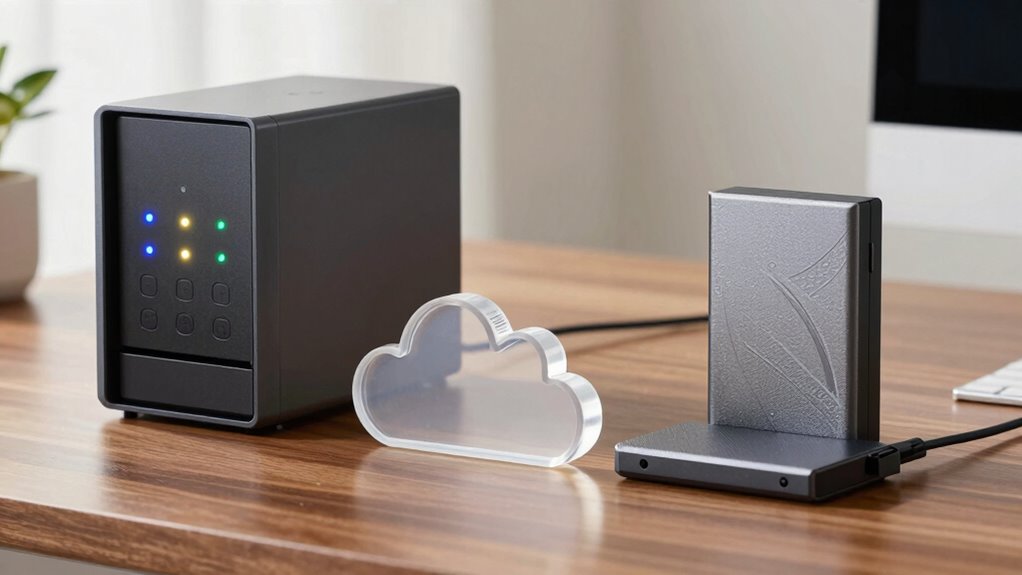

NAS connects directly to your local network, acting as a central hub for multiple users, while cloud storage offers remote, scalable access via the internet and depends on third-party servers. Backup drives are portable and used for manual data saves without automation or redundancy. NAS provides local control and data protection, cloud storage offers off-site safety, and backup drives are quick, cost-effective backups. Keep exploring to discover how each option can best serve your data needs.
Key Takeaways
- NAS provides local, centralized storage with direct network access, while cloud storage is remote and accessible via the internet.
- Cloud storage offers scalability and off-site data protection, unlike backup drives which are manual, external devices.
- NAS supports data redundancy with RAID, whereas cloud storage ensures resilience through distributed data centers.
- Backup drives are cost-effective and simple but lack automation and inherent data protection features.
- NAS allows full control over security and privacy, whereas cloud security depends on the provider’s measures.

In today’s digital world, having reliable storage solutions is essential to protect your data and guarantee easy access. Whether you’re managing personal files, work documents, or multimedia collections, understanding the differences between NAS, cloud storage, and backup drives helps you choose the right setup. Each option offers unique advantages, but they also differ in how they handle data redundancy and network security. Recognizing these distinctions ensures your data stays safe, accessible, and protected against threats.
Network-attached storage (NAS) is a dedicated device that connects directly to your home or office network. It acts as a centralized hub for all your data, allowing multiple users or devices to access files seamlessly. One of the key benefits of NAS is its ability to implement data redundancy through RAID configurations. This means if one hard drive fails, your data remains safe on other drives, minimizing the risk of data loss. NAS devices are also equipped with security features like user access controls and encryption, which bolster network security. Because everything is stored locally, you have full control over your data’s privacy and security, and you don’t rely on third-party providers. Additionally, NAS systems can be optimized for data redundancy to further enhance data protection. Moreover, NAS can often be configured to support remote access, allowing you to retrieve your data from anywhere. Many NAS devices also offer options for automatic backups, ensuring your data is continuously protected without manual intervention.
NAS connects directly to your network, offering centralized storage with RAID redundancy and robust security controls.
Cloud storage, on the other hand, offers a scalable, remote solution. Your data is stored on servers managed by a third-party provider, accessible from anywhere with an internet connection. Cloud storage providers often incorporate data redundancy across multiple data centers, protecting your files from hardware failures or outages. This setup enhances resilience and ensures your data remains available even if one server goes down. In terms of network security, reputable cloud providers implement robust encryption, continuous monitoring, and strict access controls, safeguarding your data against unauthorized access. However, since your data resides off-site, you rely on the provider’s security measures and policies, which is a consideration if privacy is a primary concern.
Backup drives are typically external or portable devices that you manually connect to your computer to copy files for safekeeping. They’re straightforward and cost-effective but lack automated data redundancy unless you set up specific backup routines. While they’re convenient for quick backups, they don’t inherently protect against cyber threats like ransomware or hardware failures unless you regularly update and maintain them. Network security isn’t a primary concern here, but physical security becomes crucial—if someone gains access to your backup drive, they could compromise your data. Backup drives are best used as part of a layered approach, complementing other storage solutions for comprehensive data protection. Regularly testing your backups can help ensure your data recovery process remains effective in case of emergencies. To maximize security, it’s advisable to encrypt your backup drives and store them in a safe location when not in use.

BUFFALO LinkStation 220 4TB 2-Bay NAS Network Attached Storage with HDD Hard Drives Included NAS Storage that Works as Home Cloud or Network Storage Device for Home
Value NAS with RAID for centralized storage and backup for all your devices. Check out the LS 700…
As an affiliate, we earn on qualifying purchases.
As an affiliate, we earn on qualifying purchases.
Frequently Asked Questions
How Secure Is Data Stored on Each Solution?
Data security varies across solutions. You can enhance security on NAS and backup drives with encryption protocols and data redundancy, protecting against theft and hardware failure. Cloud storage often offers robust encryption and regular automatic backups, but relies on the provider’s security measures. Overall, combining encryption and data redundancy in your chosen solution helps safeguard your data, regardless of whether you store it on NAS, cloud, or backup drives.
Which Option Offers the Fastest Data Access Speeds?
Think of data access like a race car on a track. NAS drives are your speedy sports car, offering the fastest data transfer rates and minimal latency issues, so you get quick access to your files. Cloud storage is like a jet plane—fast but with some delay due to distance. Backup drives are more like a bicycle—reliable but slower, making them less ideal for rapid data access.
Can All Three Solutions Be Used Together Effectively?
Yes, you can use NAS, cloud storage, and backup drives together effectively. Doing so enhances data redundancy, protecting your files from hardware failures or data loss. Plus, most solutions offer cross-platform compatibility, ensuring seamless access across devices and operating systems. Combining these options allows you to optimize storage, improve accessibility, and strengthen your data security, giving you an all-encompassing, flexible data management system tailored to your needs.
What Is the Typical Cost Difference Among Them?
Money doesn’t grow on trees, so understanding that NAS typically requires a higher upfront investment with multiple pricing tiers is key. Cloud storage offers flexible plans, making it more budget-friendly initially, but costs can add up with increased usage. Backup drives are usually the most affordable, especially for basic needs. Comparing costs, NAS is pricier upfront, cloud storage varies, and backup drives are the least expensive, but each fits different needs and budgets.
How Easy Is It to Scale Each Storage Option?
You’ll find that cloud storage offers the easiest scalability, as you can usually increase capacity with a few clicks and avoid complex data migration. NAS devices require adding more drives, which can be straightforward but might need some setup. Backup drives are less scalable, often limited to their physical capacity, making future data migration more challenging. Overall, cloud storage provides the most flexible and seamless storage scalability.
Microsoft 365 Personal | 12-Month Subscription | 1 Person | Premium Office Apps: Word, Excel, PowerPoint and more | 1TB Cloud Storage | Windows Laptop or MacBook Instant Download | Activation Required
Designed for Your Windows and Apple Devices | Install premium Office apps on your Windows laptop, desktop, MacBook…
As an affiliate, we earn on qualifying purchases.
As an affiliate, we earn on qualifying purchases.
Conclusion
Remember, a stitch in time saves nine—choosing the right storage solution now can save you headaches later. NAS, cloud storage, and backup drives each serve unique needs, so assess what’s most important: local access, remote convenience, or quick recovery. Don’t wait until data loss strikes; be proactive. By understanding their differences, you’ll make smarter choices and keep your data safe, secure, and always within reach.

WD 2TB My Passport, Portable External Hard Drive, Black, backup software with defense against ransomware, and password protection, USB 3.1/USB 3.0 compatible – WDBYVG0020BBK-WESN
Slim durable design to help take your important files with you
As an affiliate, we earn on qualifying purchases.
As an affiliate, we earn on qualifying purchases.

BUFFALO LinkStation 210 2TB 1-Bay NAS Network Attached Storage with HDD Hard Drives Included NAS Storage that Works as Home Cloud or Network Storage Device for Home
Value NAS with RAID for centralized storage and backup for all your devices. Check out the LS 700…
As an affiliate, we earn on qualifying purchases.
As an affiliate, we earn on qualifying purchases.