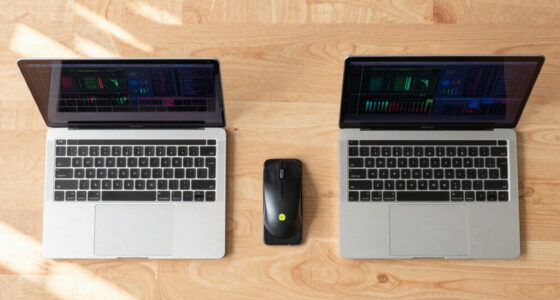

Shopping for student-friendly laptops in 2026 means balancing three things: price, battery life, and whether Windows or ChromeOS fits the coursework. My top pick is the NIMO 15.6″ IPS FHD Laptop, because its 16GB of RAM and 1TB SSD handle multitasking and years of assignments at a price that undercuts similarly specced brand-name machines. For younger students or anyone tied to Google Classroom, the HP 14″ HD Chromebook stands out with 14 hours of battery life, while the HP Stream 14 with Office 365 bundled makes sense for students who need Word and PowerPoint from day one. The main tradeoff in this category is between cheap Windows laptops with slow 4GB/64GB configurations and Chromebooks that feel faster but can’t run desktop software. Keep reading for the full breakdown of all 13 models.

Get the latest gadgets delivered free with Prime
- Fast, free delivery on millions of items
- Prime Video, Amazon Music and more included
- Member-only deals all year
Complete the kit



Key Takeaways
- The NIMO 15.6″ with 16GB RAM and a 1TB SSD was the clear overall winner because it is the only budget-tier pick that won’t feel slow within two years of coursework.
- Chromebooks dominated the battery-life conversation: the HP Chromebook 14″ and Samsung Galaxy Chromebook Go both outlast every Windows machine here by hours per charge.
- Several Windows laptops in this list share the same weak point — 4GB RAM and 64GB eMMC storage — which is fine for note-taking but will struggle with multiple browser tabs and video calls at once.
- Bundled extras like Microsoft Office 365 (HP Stream and HP Business models) add real value for students, effectively covering a software subscription they would otherwise pay for separately.
- Renewed options like the HP Chromebook 11A G8 Education Edition can be the cheapest path to a durable machine, but the 32GB storage ceiling demands reliance on cloud storage.
| HP Stream 14 Student Business Laptop, Intel N150, 4GB RAM, 128GB UFS |  | Best Software Bundle for Students | Processor: Intel N150 Quad-Core, up to 3.6 GHz | RAM: 4GB | Storage: 128GB UFS | VIEW LATEST PRICE | See Our Full Breakdown |
| HP 14-Inch Laptop 2026 Edition, Intel N150, 8GB RAM, 128GB Storage |  | Best Budget Windows All-Rounder | Processor: Intel N150 Quad-Core | RAM: 8GB DDR4 | Storage: 128GB UFS | VIEW LATEST PRICE | See Our Full Breakdown |
| HP 14″ HD Student Laptop, Intel Celeron N4500, 4GB RAM, 64GB eMMC |  | Cheapest Usable Option | Processor: Intel Celeron N4500 | RAM: 4GB DDR4 | Storage: 64GB eMMC | VIEW LATEST PRICE | See Our Full Breakdown |
| 16-Inch Portable Laptop, 8GB RAM, 256GB SSD, Intel Pentium Quad-Core, Full HD Display |  | Best Big-Screen Value | Display: 16 inches, 1920 x 1080 IPS | Processor: Intel Pentium Quad-Core up to 2.64 GHz | RAM: 8GB DDR3 | VIEW LATEST PRICE | See Our Full Breakdown |
| HP 14″ HD Chromebook for Students, Intel N4120, 4GB RAM, 64GB eMMC |  | Best Battery Life | Processor: Intel Celeron N4120 Quad-Core, up to 2.6 GHz | RAM: 4GB LPDDR4x | Storage: 64GB eMMC | VIEW LATEST PRICE | See Our Full Breakdown |
| HP Chromebook 14 Laptop, Intel Celeron N4120, 4 GB RAM, 64 GB eMMC |  | Best Battery Life | Processor: Intel Celeron N4120 | RAM: 4 GB | Storage: 64 GB eMMC | VIEW LATEST PRICE | See Our Full Breakdown |
| HP 14-Inch Ultra-Portable Laptop, Windows 11 Pro, 628GB Storage, Lavender |  | Best Software Bundle | Processor: Intel N150 Quad-Core up to 3.6 GHz | RAM: 4GB DDR4 | Storage: 128GB SSD + 500GB external + 1TB cloud | VIEW LATEST PRICE | See Our Full Breakdown |
| HP Stream 14-inch HD Student & Business Laptop with AI Copilot, Intel N150 |  | Best for Classroom Portability | Processor: Intel Processor N150 | RAM: 4GB DDR4 | Storage: 1.12TB (128GB UFS + 1TB docking station) | VIEW LATEST PRICE | See Our Full Breakdown |
| HP Chromebook 11A G8 Education Edition, AMD A4-9120C (Renewed) |  | Best Ultra-Budget Pick | Processor: AMD A4-9120C Dual Core (up to 2.4 GHz) | RAM: 4GB DDR4-1866 | Storage: 32GB eMMC | VIEW LATEST PRICE | See Our Full Breakdown |
| HP 14-inch Business Laptop with Microsoft Office 365, Intel N150, SageNova Earphones |  | Best for Online Classes | Processor: Intel N150 (4 cores, up to 3.6 GHz) | RAM: 4GB DDR4 | Storage: 128GB UFS | VIEW LATEST PRICE | See Our Full Breakdown |
| Phantom 15.6″ FHD Laptop Computer with Windows 11 |  | Best Budget Upgrader | Display: 15.6-inch FHD IPS | Processor: Intel Pentium Gold | RAM: 4GB DDR3L (upgradable to 16GB) | VIEW LATEST PRICE | See Our Full Breakdown |
| NIMO 15.6” IPS FHD Laptop, 16GB RAM, 1TB SSD |  | Best Overall for Students | Processor: Intel Core i3-1215U (up to 4.4GHz) | RAM: 16GB DDR4 | Storage: 1TB PCIe Gen4 NVMe SSD | VIEW LATEST PRICE | See Our Full Breakdown |
| Samsung 14″ Galaxy Chromebook Go |  | Best Battery Life on a Budget | Display: 14 inches | Processor: Intel Celeron N4500 | RAM: 4GB | VIEW LATEST PRICE | See Our Full Breakdown |
| student-friendly laptop | Processor | RAM | Storage | Display |
|---|---|---|---|---|
| HP Stream 14 Student Business | Intel N150 Quad-Core, up to 3.6 GHz | 4GB | 128GB UFS | 14-inch HD (1366 x 768), anti-glare |
| HP 14-Inch Laptop 2026 Edition | Intel N150 Quad-Core | 8GB DDR4 | 128GB UFS | 14-inch HD (1366×768), anti-glare |
| HP 14" HD Student Laptop | Intel Celeron N4500 | 4GB DDR4 | 64GB eMMC | 14-inch HD (1366 x 768), anti-glare |
| 16-Inch Portable Laptop | Intel Pentium Quad-Core up to 2.64 GHz | 8GB DDR3 | 256GB SSD, expandable to 1TB | 16 inches, 1920 x 1080 IPS |
| HP 14" HD Chromebook for Stude | Intel Celeron N4120 Quad-Core, up to 2.6 GHz | 4GB LPDDR4x | 64GB eMMC | 14-inch HD (1366 x 768), micro-edge, anti-glare |
| HP Chromebook 14 Laptop | Intel Celeron N4120 | 4 GB | 64 GB eMMC | 14-inch HD (1366 x 768) anti-glare |
| HP 14-Inch Ultra-Portable Lapt | Intel N150 Quad-Core up to 3.6 GHz | 4GB DDR4 | 128GB SSD + 500GB external + 1TB cloud | 14-inch HD (1366 x 768), anti-glare |
| HP Stream 14-inch HD Student & | Intel Processor N150 | 4GB DDR4 | 1.12TB (128GB UFS + 1TB docking station) | 14.0-inch HD |
| HP Chromebook 11A G8 Education | AMD A4-9120C Dual Core (up to 2.4 GHz) | 4GB DDR4-1866 | 32GB eMMC | 11.6-inch HD (1366 x 768) anti-glare |
| HP 14-inch Business Laptop wit | Intel N150 (4 cores, up to 3.6 GHz) | 4GB DDR4 | 128GB UFS | 14-inch LED HD (1366 x 768) |
| Phantom 15.6" FHD Laptop Compu | Intel Pentium Gold | 4GB DDR3L (upgradable to 16GB) | 128GB SSD (expandable to 2TB) | 15.6-inch FHD IPS |
| NIMO 15.6” IPS FHD Laptop | Intel Core i3-1215U (up to 4.4GHz) | 16GB DDR4 | 1TB PCIe Gen4 NVMe SSD | 15.6-inch FHD 1920×1080 IPS anti-glare |
| Samsung 14" Galaxy Chromebook | Intel Celeron N4500 | 4GB | 64GB | 14 inches |
More Details on Our Top Picks
HP Stream 14 Student Business Laptop, Intel N150, 4GB RAM, 128GB UFS
The HP Stream 14 earns its spot by solving the hidden cost of laptop ownership: software. With Microsoft 365 pre-installed alongside Copilot AI tools, a student who buys this walks into their first lecture already equipped for essays and slideshows without spending another dollar. Compared with the HP 14″ Chromebook, this model trades Chrome OS simplicity for full Windows 11 flexibility, which matters if a course requires Windows-only applications. The 128GB UFS storage also boots and loads files faster than the 64GB eMMC found in the HP Celeron N4500 laptop. The compromise is real, though — 4GB of RAM means heavy multitasking will test your patience, and the 1366 x 768 display is strictly functional. This pick makes the most sense for budget-conscious students who value bundled software over raw power.
Pros:- Microsoft 365 and Copilot AI included out of the box
- Lightweight 3.24 lbs frame with military-grade drop resistance
- Fast 128GB UFS storage for quick boot times
- Modern connectivity with Wi-Fi 6 and USB-C
Cons:- 4GB RAM limits multitasking to a few browser tabs
- 1366 x 768 display looks dated next to Full HD rivals like the 16-inch Portable Laptop
Best for: Students who need Microsoft Office included and mainly write papers, browse, and stream
Not ideal for: Engineering or design students — 4GB RAM and integrated graphics can’t run CAD or editing software smoothly
- Processor:Intel N150 Quad-Core, up to 3.6 GHz
- RAM:4GB
- Storage:128GB UFS
- Display:14-inch HD (1366 x 768), anti-glare
- Wireless:Wi-Fi 6 (2×2), Bluetooth 5.4
- Weight:3.24 lbs
- OS:Windows 11 Home
Our verdict“Buy this if you want a complete out-of-the-box study kit with Office included; skip it if your coursework demands serious processing power.”
HP 14-Inch Laptop 2026 Edition, Intel N150, 8GB RAM, 128GB Storage
This 2026 Edition HP 14 sits in the sweet spot of the lineup: same Intel N150 processor as the HP Stream 14 but with double the RAM at 8GB, which is the difference between a laptop that stutters with ten tabs open and one that doesn’t. It also carries over the Microsoft 365 bundle, so it doesn’t sacrifice the Stream’s biggest selling point. The pink matte finish is polarizing — some students will love it, others will find it less professional than the Willow Green Stream. Windows 11 in S Mode keeps things fast and secure but locks you to Microsoft Store apps until you switch it off, a hurdle the Chromebook alternative doesn’t have. Storage remains the weak point at 128GB, so plan on cloud storage or an external drive for media-heavy semesters.
Pros:- 8GB RAM handles real multitasking better than 4GB Stream models
- Microsoft 365 Personal included for one year
- Camera privacy shutter for dorm and class calls
- Modern ports including USB-C 3.2 Gen 1 and HDMI
Cons:- 128GB storage fills quickly with coursework and media
- 1366 x 768 panel is basic for the price bracket
Best for: Students who want smooth everyday multitasking with Office included, under a tight budget
Not ideal for: Anyone who hates visual flair — the pink finish and S Mode restrictions will annoy pragmatic buyers
- Processor:Intel N150 Quad-Core
- RAM:8GB DDR4
- Storage:128GB UFS
- Display:14-inch HD (1366×768), anti-glare
- Connectivity:WiFi 6, Bluetooth 5.4, USB-C, HDMI 1.4
- OS:Windows 11 Home in S Mode
- Software:Microsoft 365 Personal (1 year)
Our verdict“The most balanced budget Windows pick here — worth it over the Stream 14 for the RAM alone, as long as pink doesn’t bother you.”
HP 14″ HD Student Laptop, Intel Celeron N4500, 4GB RAM, 64GB eMMC
Sometimes the goal is simply the lowest possible price for something that works, and that’s exactly the role this HP fills. It’s the floor of the roundup: a Celeron N4500, 4GB of RAM, and 64GB of eMMC will never feel fast, but for note-taking, email, and streaming between classes it gets the job done. Compared with the HP Stream 14, you give up the bundled Office 365 and half the storage — so the savings shrink if you’d otherwise buy a subscription. And against the HP 14″ Chromebook, which costs only slightly more in most sales, the 14-hour battery life of the Chromebook makes this Windows machine harder to justify. This model is better suited to buyers who specifically need Windows 11 at the absolute minimum spend, or as a durable secondary device for a younger student.
Pros:- Lowest entry price for a full Windows 11 laptop
- Wi-Fi 6 connectivity despite the budget positioning
- Light 3.42 lbs chassis with anti-glare screen
- Complete port selection including USB-C and HDMI
Cons:- 64GB eMMC storage fills after a few apps and updates
- Celeron N4500 lags noticeably on heavier web pages
- No productivity software included
Best for: Families buying a first laptop for a middle or high school student at the lowest price
Not ideal for: College students with heavy workloads — the N4500 and 64GB storage will feel slow within a semester
- Processor:Intel Celeron N4500
- RAM:4GB DDR4
- Storage:64GB eMMC
- Display:14-inch HD (1366 x 768), anti-glare
- Wireless:Wi-Fi 6, Bluetooth 5.4
- Weight:3.42 lbs
- OS:Windows 11 S
Our verdict“A defensible rock-bottom choice for light use only — spend slightly more on the Chromebook if battery life matters to you.”
16-Inch Portable Laptop, 8GB RAM, 256GB SSD, Intel Pentium Quad-Core, Full HD Display
This is the only laptop in this batch that gives you a Full HD 1920 x 1080 IPS display, and once you’ve read PDFs or split-screened notes on a 16-inch panel, the 1366 x 768 screens on every HP here feel cramped. It also pairs 8GB of RAM with a 256GB SSD, matching the 2026 Edition HP on memory while quadrupling the practical storage of the Stream models. The catch is pedigree: an aging Pentium quad-core and DDR3 RAM mean raw speed trails the newer N150 machines, and an unknown brand brings uncertainty around support and build quality that HP doesn’t. The 9000mAh battery is generous on paper, though a 1.95 kg frame makes it the heaviest carry in this group. This pick makes the most sense for students who prioritize screen real estate and storage over brand reliability.
Pros:- Full HD IPS display — the sharpest screen in this batch
- 256GB SSD with expansion up to 1TB via TF card
- Large 9000mAh battery for long study sessions
- 8GB RAM for smoother multitasking than 4GB HP models
Cons:- Older Pentium processor trails the Intel N150 in newer HPs
- 1.95 kg weight is noticeably heavier to carry across campus
Best for: Students who read dense PDFs and want maximum screen and storage for the money
Not ideal for: Anyone who values brand support and warranty — an off-brand machine is a gamble if something fails mid-semester
- Display:16 inches, 1920 x 1080 IPS
- Processor:Intel Pentium Quad-Core up to 2.64 GHz
- RAM:8GB DDR3
- Storage:256GB SSD, expandable to 1TB
- Battery:9000mAh lithium-ion
- Weight:1.95 kg
- OS:Windows 11
Our verdict“Choose this for the best display and storage per dollar; choose an HP if long-term support matters more than specs.”
HP 14″ HD Chromebook for Students, Intel N4120, 4GB RAM, 64GB eMMC
No other laptop in this lineup can match the 14-hour battery life of this Chromebook, and for a student racing between classes without guaranteed outlet access, that single spec outweighs almost everything else. Because Chrome OS is lean, the modest N4120 processor and 4GB of RAM feel more responsive than the same specs would on Windows — a real advantage over the HP Celeron N4500 laptop, which runs full Windows on nearly identical hardware. The tradeoff is the ecosystem: no Windows applications, 64GB of local storage, and heavy reliance on Google’s cloud. The anti-glare micro-edge display and full port selection, including HDMI and USB-C, keep it practical for presentations. Compared with the Samsung Galaxy Chromebook Go, the larger 14-inch screen here makes it the better note-taking companion.
Pros:- Up to 14 hours of battery life — best in this roundup
- Chrome OS stays fast and secure with automatic updates
- Full port selection including USB-C, USB-A, and HDMI
- Lightweight anti-glare design ideal for lecture halls
Cons:- 64GB eMMC storage means near-total dependence on cloud storage
- Chrome OS cannot install Windows or full desktop applications
Best for: Students with full days on campus who live in Google Docs, Chrome, and streaming
Not ideal for: Students whose courses require Windows or Mac software — Chrome OS simply can’t run them
- Processor:Intel Celeron N4120 Quad-Core, up to 2.6 GHz
- RAM:4GB LPDDR4x
- Storage:64GB eMMC
- Display:14-inch HD (1366 x 768), micro-edge, anti-glare
- Battery Life:Up to 14 hours
- Ports:2x USB-A 3.0, 1x USB-C 3.0, 1x HDMI, headphone jack
- OS:Chrome OS
Our verdict“The pick for all-day battery and hassle-free browsing — as long as your entire academic life fits inside a browser.”
HP Chromebook 14 Laptop, Intel Celeron N4120, 4 GB RAM, 64 GB eMMC
Of every budget laptop in this lineup, none matches the 14-hour battery life this Chromebook delivers, and that single spec is what makes it a standout for students. A full day of lectures, library sessions, and a study group afterward — all without carrying a charger — is a real outcome, not a marketing claim. Compared with the HP Stream 14, which trades endurance for Windows software compatibility, this model leans entirely on Chrome OS. That means documents live in Google Drive and most coursework happens in a browser, which works beautifully for note-taking and research but collapses if a class requires Windows-only software. The fast-charge feature (50% in 45 minutes) adds a safety net for forgetful mornings. Buyers should accept the 1366 x 768 display and 64 GB of storage as the price of that endurance.
Pros:- Exceptional 14-hour battery life for full school days
- Fast charging reaches 50% in about 45 minutes
- Chrome OS stays secure and updated automatically
- Lightweight chassis is easy to carry between classes
Cons:- 1366 x 768 display looks dated next to Full HD rivals like the NIMO 15.6”
- 64 GB eMMC storage fills up quickly without cloud discipline
Best for: High school and college students who work mostly in Google Docs and need all-day battery away from outlets
Not ideal for: Students in engineering, programming, or design courses that require Windows-only applications like MATLAB or SolidWorks
- Processor:Intel Celeron N4120
- RAM:4 GB
- Storage:64 GB eMMC
- Display:14-inch HD (1366 x 768) anti-glare
- Battery Life:Up to 14 hours
- Operating System:Chrome OS
- Warranty:1-year limited hardware
Our verdict“This is the pick when battery life matters more than raw power — ideal for browser-based coursework, wrong for demanding software.”
HP 14-Inch Ultra-Portable Laptop, Windows 11 Pro, 628GB Storage, Lavender
What separates this model from the nearly identical HP Stream 14 is everything in the box: a permanent Microsoft Office 2024 license rather than a subscription, a 500 GB external drive, and 1 TB of cloud storage. For a student who needs Word, Excel, and PowerPoint on day one — without recurring fees — that bundle carries real value and offsets the modest hardware. The Windows 11 Pro installation is also a step up from the Home and S-mode editions on the HP 14-inch Business Laptop, since it removes app-install restrictions that frustrate students downloading course software. The tradeoffs are familiar: 4 GB of RAM means keeping browser tabs modest, and the HD panel is a notch below the Full HD screens on the NIMO and Phantom 15.6-inch options. Still, for bundled value, nothing else here competes.
Pros:- Includes a lifetime Office 2024 license, not a subscription
- 628 GB of combined storage plus 1 TB cloud space
- Windows 11 Pro allows unrestricted software installs
- 3.24 lb weight with a full port selection including HDMI and SD reader
Cons:- 4 GB RAM limits heavy multitasking
- 1366 x 768 display is noticeably softer than Full HD rivals
Best for: Students who need Microsoft Office permanently installed and lots of included storage without paying for upgrades
Not ideal for: Multitaskers and media students who keep 15+ tabs open or edit video — 4 GB of RAM will stall quickly
- Processor:Intel N150 Quad-Core up to 3.6 GHz
- RAM:4GB DDR4
- Storage:128GB SSD + 500GB external + 1TB cloud
- Display:14-inch HD (1366 x 768), anti-glare
- Operating System:Windows 11 Pro
- Battery:3-cell 41 Wh, up to 9 hours
- Weight:3.24 lbs
Our verdict“Buy it for the software and storage bundle, not the hardware — the value is in the box, not the benchmarks.”
HP Stream 14-inch HD Student & Business Laptop with AI Copilot, Intel N150
The Stream line has always been about cheap, cheerful mobility, and this Willow Green edition leans into that identity. At 3.24 lbs with a compact footprint, it slides into a backpack more easily than the Phantom 15.6-inch or NIMO 15.6-inch alternatives, which matters for students walking campus all day. The 1.12 TB of combined storage — split between internal UFS and a docking station — is a clever answer to the storage anxiety that plagues the HP Chromebook 11A G8 with its paltry 32 GB. A one-year Office 365 subscription covers first-year coursework needs, and Wi-Fi 6 keeps campus networks snappy. The weaknesses are harder to excuse at any price: the HD panel is dim and coarse, 4 GB of RAM means one app at a time, and HP doesn’t publish battery figures, which is rarely a good sign.
Pros:- Highly portable 3.24 lb design in a distinctive Willow Green finish
- 1.12 TB combined storage via docking station
- Wi-Fi 6 and Bluetooth 5.4 for modern connectivity
- Includes 1-year Office 365 subscription
Cons:- Battery life is not specified, a red flag for all-day campus use
- 4 GB RAM restricts multitasking to a few tabs
- HD-only display with unspecified brightness
Best for: Budget-conscious students who prioritize a portable, colorful machine for notes, email, and web research
Not ideal for: Anyone who needs predictable endurance — the unspecified battery life is a gamble for all-day classes
- Processor:Intel Processor N150
- RAM:4GB DDR4
- Storage:1.12TB (128GB UFS + 1TB docking station)
- Display:14.0-inch HD
- Operating System:Windows 11
- Weight:3.24 lbs
- Ports:USB-C, 2x USB-A, HDMI 1.4b, SD reader, headphone/mic
Our verdict“A capable carry-everywhere budget machine for light coursework, provided you keep a charger within reach.”
HP Chromebook 11A G8 Education Edition, AMD A4-9120C (Renewed)
For students where every dollar counts — think middle school, younger siblings, or a backup machine — this renewed Education Edition Chromebook is the cheapest usable option in the entire roundup. Its 11.6-inch size, built to survive classroom abuse, makes the HP Chromebook 14 feel positively spacious by comparison, but that small footprint is exactly the point: it fits in any bag and shrugs off knocks. The backlit keyboard is a genuinely surprising inclusion at this price and helps late-night study sessions. Performance is modest — the AMD A4 dual-core trails the Intel N150 machines like the HP Stream 14 noticeably — but for Google Classroom, Docs, and YouTube, it’s adequate. The real caveats are the 32 GB of storage, half the Chromebook 14’s allotment, and the renewed status, which means a shorter expected lifespan and a cosmetically imperfect unit.
Pros:- Lowest-cost entry point in the lineup
- Rugged Education Edition build designed for classroom wear
- Backlit keyboard rare at this price
- Two USB-C ports plus two USB-A for flexible peripherals
Cons:- 32 GB eMMC storage is extremely tight even for a Chromebook
- Renewed condition means no guarantee of battery health or longevity
- AMD A4 processor lags well behind the Intel N150 alternatives
Best for: Parents buying a first laptop for a younger student, or anyone needing a rock-bottom-price secondary device
Not ideal for: College students who’ll rely on this daily — the aging processor and renewed condition make it a risky primary machine
- Processor:AMD A4-9120C Dual Core (up to 2.4 GHz)
- RAM:4GB DDR4-1866
- Storage:32GB eMMC
- Display:11.6-inch HD (1366 x 768) anti-glare
- Battery:47 Wh Li-ion polymer
- Operating System:Chrome OS
- Ports:2x USB-C, 2x USB-A, headphone/mic combo
Our verdict“The right choice only when budget is the deciding factor — capable enough for basics, disposable enough not to worry about.”
HP 14-inch Business Laptop with Microsoft Office 365, Intel N150, SageNova Earphones
Virtual lectures and Zoom study groups live or die by webcam, microphone, and connection quality, and that’s precisely where this HP distinguishes itself from the crowd. While the HP Stream 14 and Lavender HP 14 cover similar basics, this model pairs an HD camera with dual microphones and stereo speakers, plus a bundled pair of SageNova earphones — a package clearly assembled around video calls. Wi-Fi 6 and Bluetooth 5.4 keep calls stable on congested dorm networks. HP Fast Charge means a short break between classes restores meaningful runtime. The compromises mirror its siblings: 4 GB of RAM, an HD panel, and — uniquely — Windows 11 S mode, which locks app installs to the Microsoft Store until you switch it off. Students who need non-Store software should factor in that extra setup step, but for browser-based learning platforms it’s a non-issue.
Pros:- Webcam, dual mics, and stereo speakers purpose-built for video calls
- Included earphones save an extra purchase
- HP Fast Charge tops up quickly between classes
- Full port selection including USB-C, HDMI, and SD reader
Cons:- Windows 11 S mode restricts installations to the Microsoft Store
- 4 GB RAM and 128 GB storage will feel tight within a year
Best for: Students attending online lectures or hybrid programs who need a reliable video-call setup out of the box
Not ideal for: Students who install software outside the Microsoft Store and don’t want the hassle of exiting Windows S mode
- Processor:Intel N150 (4 cores, up to 3.6 GHz)
- RAM:4GB DDR4
- Storage:128GB UFS
- Display:14-inch LED HD (1366 x 768)
- Operating System:Windows 11 S
- Connectivity:Wi-Fi 6, Bluetooth 5.4
- Extras:Office 365 (1 year), HP Fast Charge, HD camera, stereo speakers
Our verdict“The strongest choice here for remote and hybrid students — just plan on switching out of S mode if your coursework needs specific software.”
Phantom 15.6″ FHD Laptop Computer with Windows 11
Barebones today, flexible tomorrow — that’s the pitch here. The Phantom ships with only 4GB of RAM and a Pentium Gold chip, so out of the box it feels closer to the HP Stream 14 than to anything pricier. What separates it is the upgrade path: RAM can grow to 16GB and storage to 2TB, which the sealed-down Stream laptops simply don’t allow. This pick makes the most sense for students who want a cheap entry point now and a weekend upgrade project later. Compared with the NIMO 15.6”, you give up modern Wi-Fi 6 and a fast i3 processor, but you also cut the price substantially. The 4-hour battery is the real weakness — plan on keeping the charger in your backpack for full days on campus.
Pros:- Upgrade path to 16GB RAM and 2TB storage adds years of usable life
- Full HD IPS panel at a budget price, sharper than the HD screens on most HP Stream models
- Lightweight 3.8 lb chassis with USB-C, HDMI, and microSD built in
- Genuine Windows 11 rather than the locked-down S-mode found on some rivals
Cons:- Only about 4 hours of battery life — one of the shortest in this roundup
- 4GB of RAM out of the box causes lag with many browser tabs open
- Pentium Gold processor is underpowered for anything beyond essays and streaming
Best for: Hands-on students on a tight budget who don’t mind adding RAM and an SSD themselves to stretch a cheap laptop’s lifespan
Not ideal for: Anyone who needs all-day unplugged use or wants strong performance without ever opening a screwdriver — the stock 4GB configuration will struggle with heavy multitasking
- Display:15.6-inch FHD IPS
- Processor:Intel Pentium Gold
- RAM:4GB DDR3L (upgradable to 16GB)
- Storage:128GB SSD (expandable to 2TB)
- Battery:38.5Wh, up to 4 hours
- Weight:3.8 lbs
- Operating System:Windows 11
- Ports:USB 3.0, USB-C, HDMI, microSD, Bluetooth 5.0, WiFi 5
Our verdict“Buy this only if you’re willing to spend a Saturday upgrading it; everyone else should pay more upfront for the NIMO.”
NIMO 15.6” IPS FHD Laptop, 16GB RAM, 1TB SSD
This is the pick I’d point most students toward, because it solves the problems the cheaper options create. While the Phantom 15.6″ and HP Stream 14 arrive with 4GB of RAM and cramped storage, the NIMO comes loaded with 16GB of RAM and a 1TB NVMe SSD — enough headroom for research papers, a semester of lecture recordings, and twenty Chrome tabs without stuttering. The 12th Gen Core i3 runs laps around every Celeron and Pentium in this lineup, and the 53.58Wh battery with fast charging outlasts the Phantom’s 4-hour ceiling by a wide margin. The tradeoff is price and graphics: no dedicated GPU means engineering students running CAD or gamers should look elsewhere. For everyone else writing, browsing, and streaming through four years of school, the 2-year warranty adds peace of mind the big-box budget laptops rarely include.
Pros:- 16GB RAM and 1TB SSD standard — double or quadruple the memory of every cheaper option here
- Modern 12th Gen Core i3 easily beats the Celeron and Pentium chips in the HP Stream and Phantom
- Anti-glare FHD display reduces eye strain during long library sessions
- 2-year warranty plus USB-C fast charging at a mid-tier price
Cons:- Integrated graphics rule out serious gaming or 3D coursework
- Brand lacks the service network and name recognition of HP or Samsung
- Slightly heavier than 14-inch rivals at 1.7kg
Best for: College students who want one laptop to carry from freshman orientation to graduation without RAM anxiety or storage panic
Not ideal for: Engineering, architecture, or design students whose coursework needs dedicated graphics — the integrated GPU won’t handle CAD or video editing well
- Processor:Intel Core i3-1215U (up to 4.4GHz)
- RAM:16GB DDR4
- Storage:1TB PCIe Gen4 NVMe SSD
- Display:15.6-inch FHD 1920×1080 IPS anti-glare
- Battery:53.58Wh with 65W PD fast charging
- Weight:1.7kg
- Connectivity:Wi-Fi 6, HDMI 1.4, USB 3.2 Gen1 Type-A and Type-C
- Warranty:2 years
Our verdict“The safest all-around buy in this roundup: pay a bit more than the budget models and skip the compromises entirely.”
Samsung 14″ Galaxy Chromebook Go
If your schoolwork lives in Google Docs and your campus days are long, the Chromebook Go plays a completely different game than the Windows machines here. Its 12-hour battery triples the Phantom’s runtime and comfortably beats even the NIMO, meaning you can leave the charger at home. The military-grade durable build also shrugs off backpack abuse better than any plastic Windows budget laptop in this lineup. The catch is ChromeOS: with a Celeron N4500, 4GB of RAM, and just 64GB of storage, this is not a machine for installing Windows software, editing video, or running anything demanding. Compared with the HP 14″ HD Chromebook, the Samsung wins on brand support and phone integration; compared with the NIMO, it’s simply a different category of device. Students who live in the browser will love it — anyone needing specific Windows apps won’t.
Pros:- Up to 12 hours of battery — the longest runtime in this roundup
- Military-grade durability survives drops and backpack chaos
- Very light 14-inch frame ideal for younger students
- Seamless pairing with Samsung phones and Google services
Cons:- 64GB of local storage fills up fast, even with cloud reliance
- Celeron N4500 and 4GB RAM feel slow with many tabs or Android apps
- ChromeOS can’t run Windows or Mac software required by some courses
Best for: Middle school, high school, or Google Classroom-based students who need all-day battery and a tough chassis for the cheapest possible price
Not ideal for: College students in programs requiring Windows-only software like SPSS, MATLAB, or the full Microsoft Office suite — ChromeOS and 64GB of storage can’t support it
- Display:14 inches
- Processor:Intel Celeron N4500
- RAM:4GB
- Storage:64GB
- Operating System:ChromeOS
- Battery:Up to 12 hours
- Color:Silver
Our verdict“The right cheap laptop for browser-based schoolwork and all-day unplugged use — and the wrong one for anything needing Windows software.”

How We Picked
I ranked these laptops through the lens a student actually faces: day-to-day coursework performance, battery endurance across a school day, storage that won’t fill up after one semester, and total cost of ownership including software. RAM was weighted heavily because 4GB configurations are the single biggest predictor of a laptop feeling sluggish by year two, so models with 8GB or 16GB ranked higher than faster processors paired with less memory. Storage type mattered too — SSDs outrank eMMC and UFS because they keep Windows responsive as files and updates accumulate.
I also factored in the operating system question: Chromebooks score well for battery life, security, and low maintenance, but lose points for students who need Windows-only software like full Excel, certain exam platforms, or editing tools. Bundled value — Office 365 subscriptions, included accessories, warranty length — acted as a tiebreaker between similarly performing machines. Finally, durability signals like education-edition build standards gave renewed and kid-focused models a fair shot despite modest specs.
| student-friendly laptop | Operating System |
|---|---|
| HP Stream 14 Student Business | — |
| HP 14-Inch Laptop 2026 Edition | — |
| HP 14" HD Student Laptop | — |
| 16-Inch Portable Laptop | — |
| HP 14" HD Chromebook for Stude | — |
| HP Chromebook 14 Laptop | Chrome OS |
| HP 14-Inch Ultra-Portable Lapt | Windows 11 Pro |
| HP Stream 14-inch HD Student & | Windows 11 |
| HP Chromebook 11A G8 Education | Chrome OS |
| HP 14-inch Business Laptop wit | Windows 11 S |
| Phantom 15.6" FHD Laptop Compu | Windows 11 |
| NIMO 15.6” IPS FHD Laptop | — |
| Samsung 14" Galaxy Chromebook | ChromeOS |
Factors to Consider When Choosing Student-friendly Laptops
Choosing between these student laptops comes down to matching the machine to the workload, the software the school requires, and how many years it needs to survive. These are the factors that actually separated good picks from frustrating ones in this comparison.
Windows or ChromeOS: Match the Operating System to the Coursework
The biggest mistake students make is buying the operating system they prefer rather than the one their school requires. Chromebooks like the HP 14″ Chromebook and Samsung Galaxy Chromebook Go boot fast, update themselves, and rarely get viruses, which makes them ideal for browser-based learning platforms, Google Classroom, and younger students. But if a course demands desktop Excel macros, specific exam software, or programs like SPSS or Adobe apps, a Chromebook becomes a dead end no matter how good the battery life is. Windows machines in this list trade some speed and battery endurance for that flexibility. Before buying anything, check the school’s software list — this single question eliminates half the options instantly.
4GB of RAM Is the Category’s Biggest Trap
Nearly every laptop in this roundup under $300 ships with 4GB of RAM, and that is the number that determines whether the machine feels usable in 18 months. On ChromeOS, 4GB is workable because the system is lightweight; on Windows 11, 4GB means the laptop will struggle with a video call, a browser with ten tabs, and a document open at the same time — which describes a normal study session. The NIMO’s 16GB configuration and the 8GB models exist in a different performance tier despite similar price points. If the budget allows only a small stretch, spending it on RAM rather than a bigger screen or a newer processor delivers the most noticeable difference. Storage can be offloaded to the cloud; RAM cannot.
Storage Type Matters More Than Storage Size
A 64GB eMMC drive and a 128GB SSD are not close in real-world feel, even though the numbers look similar. eMMC storage (found in the HP 14″ HD Student Laptop and most Chromebooks here) is slower and will make Windows updates and app installs painful over time. SSDs like the NIMO’s 1TB drive or the 16-inch portable model’s 256GB keep the system responsive and leave room for years of files. Chromebook buyers can get away with less local storage because ChromeOS leans on Google Drive, but Windows 11 alone consumes a large share of a 64GB drive before a student saves anything. Always check the storage type in the specs, not just the capacity.
Battery Life: The Spec That Decides Whether You Can Leave the Charger at Home
A laptop that dies during a lecture is a laptop that gets replaced. The Chromebooks in this roundup advertise 10 to 14 hours of real use, which covers a full school day plus an evening study session on one charge. The Windows machines with Intel N150 and Celeron processors are efficient but typically land in the 6 to 8 hour range under mixed use — enough for classes, not enough to skip packing the charger. Students who commute or move between rooms all day should weight battery life above raw performance, since a mid-tier chip that lasts all day beats a faster one tethered to an outlet. Also consider that advertised figures assume dimmed screens; realistic use usually lands 15 to 20 percent lower.
Bundled Software and Hidden Costs
The sticker price rarely tells the whole story. Two laptops here — the HP Stream 14 and the HP 14-inch Business model — include Microsoft Office 365, which would otherwise cost a student around $70 per year, effectively lowering the real price of the hardware. Microsoft also offers free Office access to many enrolled students, so check that eligibility before paying for a bundle. On the flip side, cheap laptops sometimes cut costs on webcams, speakers, and keyboards, and a bad webcam matters in the era of online classes and recorded presentations. Factor in a case or sleeve for younger students, since none of these budget builds are drop-tested the way the HP 11A G8 Education Edition is.
Screen Size and Portability Tradeoffs
This lineup spans 11.6 to 16 inches, and each size serves a different student. An 11.6-inch education Chromebook fits a small backpack and survives rough handling, making it right for middle schoolers. A 14-inch screen is the sweet spot for most students — portable enough to carry daily, large enough for split-screen note-taking. The 15.6- and 16-inch models suit students who mostly work at a desk and want a bigger display for research, spreadsheets, or streaming between classes, but they add weight that adds up across a walking-heavy campus. Screen resolution matters too: the FHD panels on the NIMO and Phantom models are noticeably easier on the eyes than the HD (1366×768) panels common at the cheapest tier.
Frequently Asked Questions
Is a Chromebook good enough for college, or do I need a Windows laptop?
It depends entirely on the course requirements. If the coursework lives in Google Docs, a browser, and online platforms, a Chromebook like the HP 14″ with its 14-hour battery is arguably the better student machine: it is cheaper, more secure, and never needs maintenance. However, many business, engineering, and statistics courses require Windows-only software such as full Excel, SPSS, AutoCAD, or specific proctoring tools that either won’t run or run poorly on ChromeOS. The safest move is to email the department or check the IT requirements page before purchasing. If the answer is unclear, a Windows model like the NIMO or the 8GB HP 14 covers both scenarios.
Can a 4GB RAM laptop survive four years of school?
On ChromeOS, probably yes — the operating system is built for low memory, and the HP Chromebooks here will handle tabs and documents for years. On Windows 11, 4GB is the bare minimum and the experience degrades as software demands grow each year. Right now it works for one or two apps at a time, but a video call plus a browser session will push it into lag territory. If a four-year lifespan is the goal, choose one of the 8GB or 16GB models, since RAM in these budget laptops generally cannot be upgraded later. The extra $50 to $100 spent up front is much cheaper than replacing the machine in year two.
Is 64GB of storage enough for a student laptop?
On a Chromebook, 64GB is manageable because the system is small and files live in Google Drive, though heavy offline use will eventually pinch. On Windows, 64GB is genuinely risky: Windows 11 plus updates can consume 30GB or more before a single document is saved, and the drive fills fast with each app install. eMMC storage also slows down as it fills, which compounds the problem. Windows buyers should treat 128GB as the realistic floor and prefer SSD over eMMC where possible. Cloud storage helps with documents but does nothing for the space the operating system and applications demand.
Are renewed or refurbished laptops like the HP Chromebook 11A G8 a smart buy for students?
They can be the best value in the entire category if expectations are set correctly. Education Edition Chromebooks are built to survive classroom abuse, so even a renewed unit typically has a sturdier chassis than a new consumer model at the same price. The tradeoff is the aging A4 processor and 32GB of storage, which confines this machine to browser work, documents, and cloud storage. For a middle schooler or a backup device, that trade is easy to accept. Check that the seller offers a return window of at least 30 days and a warranty, since renewed quality varies between sellers.
Which laptop in this roundup is best for gaming between classes?
Honestly, none of them are gaming laptops, but they are not equally limited. The NIMO with its i3-1215U and 16GB of RAM will run lightweight titles, older games, and cloud gaming services like GeForce Now most smoothly, since its processor is the strongest in the lineup. Cloud gaming is the realistic answer for all of these machines — it shifts the heavy lifting to a remote server, so even modest hardware can stream demanding games, provided the Wi-Fi is solid with Wi-Fi 6 preferred. The Chromebooks handle Android games and browser games fine but nothing more. If gaming is a genuine priority rather than an occasional break, the budget for this category is better spent on a used gaming laptop instead.
Conclusion
For most students, the NIMO 15.6″ IPS FHD Laptop is my best overall pick: 16GB of RAM, a 1TB SSD, a modern i3 processor, and a two-year warranty make it the only machine here that comfortably covers four years of coursework. The best value award goes to the HP 14″ HD Chromebook, whose 14-hour battery and sub-$250-class pricing deliver the most laptop per dollar for browser-based students. For younger students and beginners, the HP Chromebook 11A G8 Education Edition (renewed) offers tank-like durability at the lowest cost of entry, while the HP Stream 14 with bundled Office 365 is the smart choice for students who specifically need Microsoft’s full software suite on day one. Students wanting a larger desktop-replacement experience should look at the 16-inch portable model with 256GB SSD, and the 8GB HP 14-Inch 2026 Edition sits in the middle as the safest all-round Windows pick for anyone unsure which direction to go. Match the machine to the software the school requires, buy more RAM rather than more screen, and any of these picks will get a student through the year without drama.
Halloween Picks
halloween
As an affiliate, we earn on qualifying purchases.