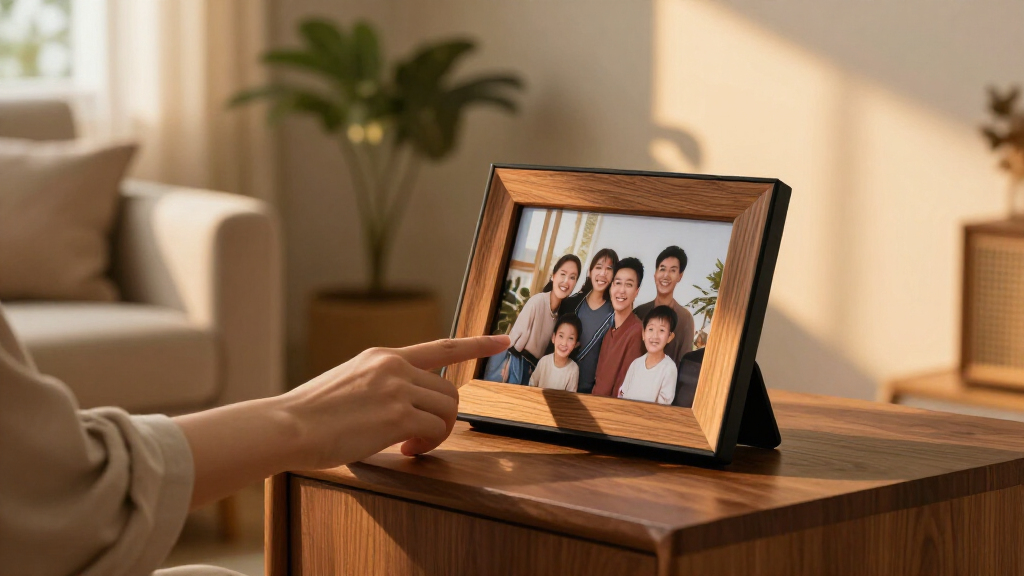
Smart photo frames make it easier to keep family photos current, but the best choice depends on how you share images, where the frame will sit, and how much setup you want. I name the Aura Carver 10.1-Inch HD Digital Picture Frame my best overall pick for buyers who want a polished, connected display, while the Pastigio 15.6-Inch Wi-Fi Frame stands out for a larger viewing area and the Frameo 10.1-Inch, 32GB models offer a practical app-based alternative. The main tradeoffs are screen size versus countertop space, simple sharing versus storage flexibility, and a streamlined experience versus more configurable features. Product listings also vary in how clearly they describe app support, setup, and storage, so checking those details matters. Continue reading for the full breakdown and guidance on matching a frame to your household.

Get the latest gadgets delivered free with Prime
- Fast, free delivery on millions of items
- Prime Video, Amazon Music and more included
- Member-only deals all year
Complete the kit



Key Takeaways
- Aura Carver models lead for a refined, straightforward connected-frame experience, while their app-centered approach may be less appealing to buyers who want more control over local storage.
- The Pastigio and 15.6-inch Frameo frames prioritize viewing size; they suit rooms where photos should be visible from farther away, but their larger footprint needs a suitable surface.
- Many 10.1-inch Frameo options share a similar basic proposition, so the meaningful differences are model-specific details such as memory, rotation, and the clarity of app and setup information.
- Skylight is a distinct option for buyers drawn to a simple, dedicated frame experience, while buyers who want a broad feature comparison should check its service and connectivity details before choosing.
- Across the lineup, screen size alone does not determine the best fit: sharing workflow, recipient comfort with technology, and whether the frame will stay in one place can matter just as much.
| Pastigio 15.6-Inch Wi-Fi Digital Picture Frame with Touchscreen |  | Best for a Large Shared Display | Display: 15.6-inch IPS touchscreen | Resolution: 1920 × 1080 | Aspect ratio: 16:9 | VIEW LATEST PRICE | See Our Full Breakdown |
| Frameo 10.1-Inch Wi-Fi Digital Picture Frame, 32GB |  | Best for Flexible Placement | Display: 10.1-inch IPS touchscreen | Resolution: 1280 × 800 | Aspect ratio: 16:10 | VIEW LATEST PRICE | See Our Full Breakdown |
| Frameo 10.1-Inch Wi-Fi Digital Picture Frame, 32GB |  | Best for Calendar and Collage Features | Display: 10.1-inch IPS touchscreen | Resolution: 1280 × 800 | Aspect ratio: 16:10 | VIEW LATEST PRICE | See Our Full Breakdown |
| 10.1-Inch Wi-Fi Digital Picture Frame with 32GB Memory |  | Best for Ambient-Light Adjustment | Display: 10.1-inch IPS touchscreen | Resolution: 1280 × 800 | Aspect ratio: 16:10 | VIEW LATEST PRICE | See Our Full Breakdown |
| AEEZO 10.1-Inch Wi-Fi Digital Picture Frame with Touchscreen, 32GB Storage, and Auto-Rotate |  | Best for a Hands-Off Display | Display: 10.1-inch IPS touchscreen | Resolution: 1280 × 800 | Aspect ratio: 16:10 | VIEW LATEST PRICE | See Our Full Breakdown |
| 10.1-Inch Wi-Fi Digital Picture Frame with Frameo App |  | Best for Offline Photo Access | Display: 10.1-inch IPS touchscreen | Resolution: 1280 × 800 | Aspect ratio: 16:10 | VIEW LATEST PRICE | See Our Full Breakdown |
| BIGASUO Frameo 10.1-Inch Wi-Fi Digital Picture Frame, 32GB |  | Best for Simple Everyday Sharing | Display: 10.1-inch IPS touchscreen | Resolution: 1280 × 800 | Built-in storage: 32GB | VIEW LATEST PRICE | See Our Full Breakdown |
| Akimart 10.1-Inch WiFi Digital Picture Frame, 32GB |  | Best for Flexible Layouts | Display: 10.1-inch IPS touchscreen | Resolution: 1280 × 800 | Built-in storage: 32GB | VIEW LATEST PRICE | See Our Full Breakdown |
| Anna Bella 10.1-Inch Wi-Fi Digital Picture Frame with 32GB Storage |  | Best for Adaptive Viewing | Display: 10.1-inch IPS touchscreen | Resolution: 1280 × 800 | Aspect ratio: 16:10 | VIEW LATEST PRICE | See Our Full Breakdown |
| Aura Carver Fossil 10.1-Inch HD Digital Picture Frame |  | Best Premium Sharing Experience | Display: 10.1-inch | Resolution: 1080p | Aspect ratio: 16:9 | VIEW LATEST PRICE | See Our Full Breakdown |
| 15.6-Inch Frameo Wi-Fi Digital Picture Frame, 64GB |  | Best for Large Displays and Local Storage | Display: 15.6-inch IPS touchscreen | Resolution: 1920 × 1080 | Aspect ratio: 16:9 | VIEW LATEST PRICE | See Our Full Breakdown |
| Aura Carver 10.1-Inch HD Digital Picture Frame, Carver Black |  | Best for Effortless Family Sharing | Display size: 10.1 inches | Resolution: WXGA | Aspect ratio: 16:9 | VIEW LATEST PRICE | See Our Full Breakdown |
| Skylight 10-Inch Wi-Fi Digital Picture Frame, Black |  | Best for Simple Setup and Offline Viewing | Display size: 10 inches | Resolution: 1280 × 800 | Aspect ratio: 16:9 | VIEW LATEST PRICE | See Our Full Breakdown |
| Aura Carver Digital HD Picture Frame, 10.1-Inch, Carver Black Mat |  | Best for App-and-Touch-Bar Control | Display size: 10.1 inches | Resolution: WXGA | Aspect ratio: 16:9 | VIEW LATEST PRICE | See Our Full Breakdown |
| TIKVITO Frameo 10.1-Inch Wi-Fi Digital Picture Frame |  | Best Value for a Large Local Library | Display size: 10.1 inches | Resolution: 800 × 1280 | Aspect ratio: 16:10 | VIEW LATEST PRICE | See Our Full Breakdown |
| smart photo frame | Resolution | Aspect ratio | Connectivity | Display |
|---|---|---|---|---|
| Pastigio 15.6-Inch Wi-Fi Digit | 1920 × 1080 | 16:9 | Wi-Fi | 15.6-inch IPS touchscreen |
| Frameo 10.1-Inch Wi-Fi Digital | 1280 × 800 | 16:10 | Wi-Fi | 10.1-inch IPS touchscreen |
| Frameo 10.1-Inch Wi-Fi Digital | 1280 × 800 | 16:10 | Wi-Fi | 10.1-inch IPS touchscreen |
| 10.1-Inch Wi-Fi Digital Pictur | 1280 × 800 | 16:10 | Wi-Fi | 10.1-inch IPS touchscreen |
| AEEZO 10.1-Inch Wi-Fi Digital | 1280 × 800 | 16:10 | Wi-Fi | 10.1-inch IPS touchscreen |
| 10.1-Inch Wi-Fi Digital Pictur | 1280 × 800 | 16:10 | 2.4GHz Wi-Fi | 10.1-inch IPS touchscreen |
| BIGASUO Frameo 10.1-Inch Wi-Fi | 1280 × 800 | — | Wi-Fi | 10.1-inch IPS touchscreen |
| Akimart 10.1-Inch WiFi Digital | 1280 × 800 | — | — | 10.1-inch IPS touchscreen |
| Anna Bella 10.1-Inch Wi-Fi Dig | 1280 × 800 | 16:10 | — | 10.1-inch IPS touchscreen |
| Aura Carver Fossil 10.1-Inch H | 1080p | 16:9 | Wi-Fi | 10.1-inch |
| 15.6-Inch Frameo Wi-Fi Digital | 1920 × 1080 | 16:9 | — | 15.6-inch IPS touchscreen |
| Aura Carver 10.1-Inch HD Digit | WXGA | 16:9 | Wi-Fi | — |
| Skylight 10-Inch Wi-Fi Digital | 1280 × 800 | 16:9 | Wi-Fi | — |
| Aura Carver Digital HD Picture | WXGA | 16:9 | Wi-Fi | — |
| TIKVITO Frameo 10.1-Inch Wi-Fi | 800 × 1280 | 16:10 | Wi-Fi | — |
More Details on Our Top Picks
Pastigio 15.6-Inch Wi-Fi Digital Picture Frame with Touchscreen
The 15.6-inch Full HD screen gives this Pastigio a clear advantage when photos need to be seen across a room or by several people at once. Compared with the 10.1-inch Frameo models in this group, it offers considerably more viewing area, while its 32GB internal storage and app sharing keep everyday photo updates straightforward. It is also more flexible for offline transfers: you can load photos from an SD card or FAT32 USB drive, and transfer from a Windows computer by USB-C. The tradeoff is its larger footprint and corded power, which make placement less discreet than a compact frame. App-shared videos are limited to 15 seconds, and USB and computer transfers have format and operating-system limits.
Pros:- 15.6-inch 1080p IPS touchscreen provides more viewing area than the 10.1-inch frames here.
- Frameo app supports remote photo and short-video sharing over Wi-Fi.
- SD card, FAT32 USB drive, and Windows USB-C transfer offer offline options.
- Photo rotation, cropping, brightness, volume, and sleep settings allow practical display adjustments.
Cons:- Videos shared through the app are limited to 15 seconds.
- USB drives must use FAT32, and computer transfer is limited to Windows.
- Its large size and corded power make placement less flexible than a compact frame.
Best for: Households that want a large, easy-to-see display for shared spaces and a choice of app or offline photo transfers.
Not ideal for: Buyers seeking a small bedside or desk frame, or anyone who needs longer videos or simple transfers from a Mac.
- Display:15.6-inch IPS touchscreen
- Resolution:1920 × 1080
- Aspect ratio:16:9
- Built-in storage:32 GB
- Connectivity:Wi-Fi
- Transfer methods:Frameo app, full-size SD card, FAT32 USB drive, or Windows computer via USB-C
- Video support:MP4; app-shared videos up to 15 seconds
- Power:Corded electric
Our verdict“Choose the Pastigio if screen size matters more than a discreet footprint and you want both remote sharing and offline transfer options.”
Frameo 10.1-Inch Wi-Fi Digital Picture Frame, 32GB
This Frameo model suits buyers who want a compact 10.1-inch frame that can move between a desk and a wall. Its detachable stand supports those placement choices, and auto-rotation helps portraits display in the right orientation without manual adjustment. Like the black Frameo 10.1-inch model, it offers a 1280 × 800 touchscreen, 32GB of storage, and app-based sharing; the brown wood finish gives this version a more furniture-like look. MicroSD playback adds a way to work with locally stored media, though cards must be FAT32. The screen is smaller and lower resolution than the Pastigio 15.6-inch Full HD frame, so it is a better fit for close viewing than for a prominent shared-room display. App videos are capped at 15 seconds, and the frame needs its power adapter.
Pros:- Detachable stand supports desk or wall placement.
- Frameo app allows remote photo and video sharing.
- 32GB internal storage plus microSD support provides local media options.
- Auto-rotation and adjustable brightness simplify everyday viewing.
Cons:- App-uploaded videos are limited to 15 seconds.
- MicroSD cards must be formatted as FAT32.
- Requires the provided power adapter, and the 1280 × 800 screen is less detailed than the Pastigio’s 1080p display.
Best for: People who want a mid-size frame that can shift between a desk and wall, with remote sharing and a warm wood-look finish.
Not ideal for: Buyers who prioritize a large, Full HD display or need app-shared videos longer than 15 seconds.
- Display:10.1-inch IPS touchscreen
- Resolution:1280 × 800
- Aspect ratio:16:10
- Built-in storage:32 GB
- microSD support:Up to 32 GB; FAT32
- Connectivity:Wi-Fi
- Video support:MP4; Frameo app videos up to 15 seconds
- Frame color:Brown wood
Our verdict“Pick this Frameo when flexible desk-or-wall placement and a wood-look frame matter more than a larger, sharper screen.”
Frameo 10.1-Inch Wi-Fi Digital Picture Frame, 32GB
The black Frameo 10.1-inch frame earns a distinct place for buyers who want calendar sync and collage mode alongside the usual photo rotation and slideshow. Those extras make it more than a simple rotating gallery, while invited-friends sharing gives owners a way to limit uploads to selected family and friends. Its 32GB internal storage and microSD slot match the brown Frameo model, but the product details here do not specify the same detachable stand or wall-placement option. Compared with the AiMOR frames from AEEZO and the other 10.1-inch model, this one uses Frameo rather than AiMOR for remote sharing. The tradeoffs are familiar: app videos stop at 15 seconds, and larger microSD cards may not work reliably.
Pros:- Calendar sync and collage mode add useful display options beyond a standard slideshow.
- Invited-friends sharing helps control who can send photos.
- 32GB internal storage and a microSD slot support photo storage and transfers.
- IPS touchscreen provides wide-angle viewing.
Cons:- Frameo app videos are limited to 15 seconds.
- Larger microSD cards may not work properly.
- Corded power limits placement to locations near an outlet.
Best for: Families who want a shared Frameo gallery with calendar and collage tools, and prefer to limit uploads to invited people.
Not ideal for: Buyers who need dependable support for larger memory cards, longer clips, or documented desk-and-wall mounting flexibility.
- Display:10.1-inch IPS touchscreen
- Resolution:1280 × 800
- Aspect ratio:16:10
- Internal storage:32 GB
- Connectivity:Wi-Fi
- microSD compatibility:Up to 32 GB; FAT32 recommended
- App video limit:Up to 15 seconds
- Power:Corded electric
Our verdict“Choose this black Frameo if calendar and collage features and controlled family sharing matter more than broad memory-card compatibility.”
10.1-Inch Wi-Fi Digital Picture Frame with 32GB Memory
This 10.1-inch frame is a practical pick for rooms where lighting changes through the day: its ambient-light brightness adjustment can reduce the need to keep changing the screen manually. It uses the AiMOR app for remote sharing, separating it from both Frameo models in this group. The 32GB internal memory is paired with support for Micro SD cards up to 64GB, a higher stated capacity than the 32GB card limit on the Frameo options. There is a catch: card media must be imported into the frame before playback, rather than played directly from the card. Its 1280 × 800 display is the same resolution as the 10.1-inch Frameo models, and videos are also limited to 15-second clips.
Pros:- Ambient-light adjustment changes brightness to suit the room.
- AiMOR app supports remote photo and video sharing over Wi-Fi.
- Micro SD support up to 64GB offers more card capacity than the Frameo models listed here.
- Auto-rotation, slideshow, and sleep mode support hands-off display use.
Cons:- Files on a Micro SD card must be imported into internal memory before playback.
- Video playback is limited to 15-second clips.
- Corded power restricts placement near an outlet.
Best for: People placing a frame in a room with changing light who want automatic brightness and AiMOR app sharing.
Not ideal for: Buyers who want to play photos directly from a memory card or prefer the Frameo sharing ecosystem.
- Display:10.1-inch IPS touchscreen
- Resolution:1280 × 800
- Aspect ratio:16:10
- Internal storage:32 GB
- Connectivity:Wi-Fi
- Sharing app:AiMOR
- Expandable storage:Micro SD card up to 64 GB; files must be imported
- Video playback:MP4 clips up to 15 seconds
Our verdict“Choose this AiMOR frame for automatic brightness and higher-capacity card imports, but skip it if you expect direct playback from a card.”
AEEZO 10.1-Inch Wi-Fi Digital Picture Frame with Touchscreen, 32GB Storage, and Auto-Rotate
The AEEZO stands out among these 10.1-inch options for combining auto-rotation and ambient-light brightness adjustment with optional time and weather displays. That mix suits a frame intended to stay on display without frequent manual changes. Like the other AiMOR frame in this batch, it supports remote sharing and accepts SD-card files up to 64GB, but those files must first be imported into internal storage. The brown Frameo model offers a detachable stand and microSD playback, while this AEEZO instead emphasizes automatic display adjustments and useful on-screen extras. Its 32GB internal memory is ample for a local gallery, but corded power limits placement, and the listing does not specify a video clip limit. It is a better fit for set-and-forget display than for buyers who want direct card playback.
Pros:- Auto-rotate supports portrait and landscape placement.
- Ambient-light adjustment changes screen brightness to match room conditions.
- AiMOR app enables remote sharing and lets others receive upload access.
- Time and weather displays, slideshow, and sleep mode add flexible display options.
Cons:- SD-card files must be imported to the frame rather than played directly.
- Corded electric power limits where it can be placed.
- The provided product details do not specify a video length limit.
Best for: People who want a 10.1-inch frame that automatically adjusts orientation and brightness, with optional time and weather on screen.
Not ideal for: Buyers who need direct playback from an SD card, battery-powered placement, or clearly specified longer video support.
- Display:10.1-inch IPS touchscreen
- Resolution:1280 × 800
- Aspect ratio:16:10
- Internal storage:32 GB
- Connectivity:Wi-Fi
- Sharing app:AiMOR
- SD card support:Up to 64 GB; files must be imported
- Power:Corded electric
Our verdict“Choose the AEEZO for an automatically adjusted display with time and weather options, not for direct memory-card playback.”
10.1-Inch Wi-Fi Digital Picture Frame with Frameo App
This Frameo model earns its place for households that want remote sharing without making Wi-Fi a requirement for every viewing session. Its 32GB of built-in storage keeps saved photos available during temporary connection outages, while the 10.1-inch IPS touchscreen and automatic rotation suit a shared tabletop display. Compared with the BIGASUO Frameo 10.1-Inch, it adds stated calendar, weather, and clock functions, making it a better fit for someone who wants basic information alongside photos. The tradeoff is a fairly standard 1280 × 800 display rather than the higher resolution offered by the Aura Carver Fossil. It also needs a power outlet, and sending new photos requires 2.4GHz Wi-Fi; extra microSD storage is another purchase.
Pros:- Saved photos remain available during temporary Wi-Fi disconnection
- 32GB built-in storage plus support for a microSD card up to 32GB
- Automatic rotation accommodates portrait and landscape placement
- Calendar, weather, clock, and sleep settings add useful household functions
Cons:- Requires continuous connection to a power outlet
- Remote sharing requires 2.4GHz Wi-Fi
- MicroSD card is not included
Best for: Families who want Frameo sharing and locally stored photos that remain viewable during brief Wi-Fi outages
Not ideal for: Buyers seeking a high-resolution display, cordless placement, or photo sharing over a Wi-Fi band other than 2.4GHz
- Display:10.1-inch IPS touchscreen
- Resolution:1280 × 800
- Aspect ratio:16:10
- Built-in storage:32GB
- Expandable storage:microSD card up to 32GB; card not included
- Connectivity:2.4GHz Wi-Fi
- Sharing app:Frameo
- Power:Corded electric
Our verdict“Choose this Frameo model if offline access to saved photos and built-in calendar-style features matter more than screen resolution.”
BIGASUO Frameo 10.1-Inch Wi-Fi Digital Picture Frame, 32GB
The BIGASUO is a straightforward choice for families who want a familiar Frameo app workflow and practical controls without extra features taking center stage. Its 10.1-inch IPS touchscreen, auto-rotate, slideshow, brightness adjustment, and sleep mode cover the basics for a shared home display. Like the 10.1-Inch Wi-Fi Digital Picture Frame with Frameo App, it has 32GB of storage and microSD expansion; unlike that model, the supplied details do not list calendar or weather tools. A one-year warranty gives it a small advantage for buyers who value a stated support period, though software update support is unknown. The 1280 × 800 resolution is adequate for casual viewing but falls short of the Aura Carver Fossil’s 1080p display, and corded power limits placement.
Pros:- Frameo app supports photo and video sharing from iOS and Android devices
- 32GB of built-in storage with Micro SD expansion support
- Auto-rotate, slideshow, brightness adjustment, and sleep mode cover everyday needs
- One-year warranty is stated
Cons:- Requires corded power for placement and use
- Software update support date is unknown
- 1280 × 800 resolution is lower than the Aura Carver Fossil’s 1080p display
Best for: Families who want a simple Frameo touchscreen with slideshow and sleep controls, plus a stated one-year warranty
Not ideal for: Buyers who want a higher-resolution display, cordless use, or clear information about future software updates
- Display:10.1-inch IPS touchscreen
- Resolution:1280 × 800
- Built-in storage:32GB
- Expandable storage:Micro SD card support
- Connectivity:Wi-Fi
- Sharing app:Frameo
- Frame color and material:Matte black; engineered plastic
- Warranty:One year
Our verdict“Pick the BIGASUO for uncomplicated Frameo sharing and everyday controls, but choose the Aura Carver Fossil if display resolution is your priority.”
Akimart 10.1-Inch WiFi Digital Picture Frame, 32GB
Akimart’s strongest distinction is the range of viewing and organization options packed into a standard-size Frameo frame. Alongside automatic rotation, it offers collage layouts, calendar syncing, and adjustable display settings, giving it more ways to present a changing family feed than the more basic BIGASUO Frameo. Its 32GB internal storage and microSD slot also leave room for a growing photo collection. Remote sharing includes videos, but each clip is capped at 15 seconds, much like the Frameo models in this group. The 10.1-inch IPS touchscreen uses the common 1280 × 800 resolution, so buyers seeking finer detail should compare it with the Aura Carver Fossil’s 1080p screen. Its plastic construction is functional rather than premium, and the frame is tabletop-mounted.
Pros:- Frameo app supports remote photo and short-video sharing
- Collage layouts and calendar syncing add presentation options beyond a basic slideshow
- 32GB internal storage with Micro SD card support
- IPS touchscreen and automatic rotation support different viewing angles and orientations
Cons:- Video clips are limited to 15 seconds
- Plastic frame material has a less premium feel
- Listed mounting type is tabletop
Best for: Households that want to alternate between collages, calendar details, and portrait or landscape photos on one tabletop frame
Not ideal for: Buyers who want longer video playback, a premium frame material, or a wall-mounted display
- Display:10.1-inch IPS touchscreen
- Resolution:1280 × 800
- Built-in storage:32GB
- Expandable storage:Micro SD card slot
- Sharing app:Frameo
- Video format and limit:MP4; up to 15 seconds
- Supported image formats:JPG, JPEG, BMP, PNG
- Dimensions and weight:7 × 9 inches; 0.5 kg
Our verdict“Choose Akimart if collage layouts and calendar syncing matter more than premium materials or longer video clips.”
Anna Bella 10.1-Inch Wi-Fi Digital Picture Frame with 32GB Storage
The Anna Bella stands apart from the Frameo-based options here by using the AiMOR app and offering invited-family sharing controls. That makes it a fit for owners who want to manage who can contribute, rather than simply choosing a frame based on the most familiar app. Its adaptive brightness can adjust the display as room lighting changes, while auto-rotation and a built-in speaker add flexibility for everyday viewing. Storage is another advantage: it has 32GB built in and supports an SD card up to 64GB, exceeding the stated expansion limit of the first Frameo model in this batch. The tradeoffs are a 15-second video limit and Wi-Fi dependence for app-based sharing. Unlike the Aura Carver Fossil, its resolution is 1280 × 800 rather than 1080p.
Pros:- AiMOR app sharing includes invited-family controls
- 32GB built-in storage and support for an SD card up to 64GB
- Adaptive brightness and automatic rotation suit changing room conditions and placement
- Built-in speaker supports audio playback
Cons:- Video uploads are limited to 15 seconds
- App-based sharing requires Wi-Fi
- 1280 × 800 resolution is below the Aura Carver Fossil’s 1080p specification
Best for: Families who want invited contributors, adaptive brightness, and more SD card expansion for a shared digital frame
Not ideal for: Buyers who prefer the Frameo app, need longer video clips, or want 1080p resolution
- Display:10.1-inch IPS touchscreen
- Resolution:1280 × 800
- Aspect ratio:16:10
- Built-in storage:32GB
- Expandable storage:SD card up to 64GB
- Sharing app:AiMOR for iOS and Android
- Video limit:Up to 15 seconds
- Audio and power:Built-in speaker; corded electric
Our verdict“Choose the Anna Bella if you want controlled family contributions and adaptive viewing, but look to the Aura Carver Fossil for a sharper listed resolution.”
Aura Carver Fossil 10.1-Inch HD Digital Picture Frame
The Aura Carver Fossil is the premium-leaning choice for buyers who value flexible sharing and a sharper display over expandable local storage. Its 1080p screen exceeds the 1280 × 800 panels on the Frameo and Akimart models, while automatic brightness adjustment helps the image suit changing room light. Sharing can come through the Aura app and supported services such as email, text, iCloud, and Google Photos; the product description also states unlimited storage with no subscription fee. That is a broader sharing proposition than the single-app Frameo frames, though it depends on Wi-Fi and a corded outlet. Its listed local memory is just 8MB, so it is not the pick for buyers who want a large removable-media library. The plastic frame also contrasts with a more furniture-like finish.
Pros:- 1080p display offers higher listed resolution than the 1280 × 800 models in this batch
- Unlimited photo and video storage is stated with no subscription fee
- Sharing supports the Aura app, email, text, iCloud, Google Photos, and other supported services
- Automatic brightness adjustment and automatic on/off reduce routine screen management
Cons:- Requires Wi-Fi and corded power
- Listed memory storage capacity is 8MB, with no expandable storage listed
- Plastic frame material may not suit buyers seeking a more premium finish
Best for: Photo-sharing households who want a 1080p display, multiple supported sharing routes, and no subscription fee for unlimited storage
Not ideal for: Buyers who want substantial local memory, microSD expansion, cordless placement, or a non-plastic frame
- Display:10.1-inch
- Resolution:1080p
- Aspect ratio:16:9
- Connectivity:Wi-Fi
- Sharing:Aura app, email, text, iCloud, Google Photos, and other supported services
- Storage:Unlimited cloud storage stated; 8MB listed memory capacity
- Controls:Touch bar
- Power and warranty:Corded electric; one year
Our verdict“Choose the Aura Carver Fossil for higher-resolution viewing and broad, no-subscription sharing, not for a large local media library.”
15.6-Inch Frameo Wi-Fi Digital Picture Frame, 64GB
The 15.6-inch Full HD screen makes this the clearest choice for a room where photos should be visible from across the space. Its 64GB of built-in storage, plus SD card and USB expansion, also gives it more room for a large library than the Skylight 10-Inch Wi-Fi Digital Picture Frame, which has 8GB. Family members can send photos and short clips through the Frameo app, while locally stored media can play without relying on new uploads. The tradeoff is a larger footprint and a plastic frame, so it suits a counter or sideboard better than a small bedside table. App-sent videos are limited to 15 seconds, and Wi-Fi is 2.4GHz only; expansion also depends on FAT32 drives and compatible capacities.
Pros:- 15.6-inch 1080p IPS touchscreen offers a large viewing area and wide viewing angles
- 64GB built-in storage with SD card and USB flash drive expansion
- Frameo app supports remote photo and short video sharing
- Works in portrait or landscape orientation and includes a speaker
Cons:- 2.4GHz Wi-Fi only
- App-uploaded videos are limited to 15 seconds
- External storage must use FAT32, and larger capacities may not work properly
Best for: Households wanting a large, easy-to-see display and ample storage for a growing photo and video collection
Not ideal for: Buyers who need a compact frame, 5GHz Wi-Fi, or longer videos sent through the app
- Display:15.6-inch IPS touchscreen
- Resolution:1920 × 1080
- Aspect ratio:16:9
- Built-in storage:64GB
- Expandable storage:SD cards and USB flash drives
- Wi-Fi:2.4GHz
- App:Frameo for iOS and Android
- Video upload limit:15 seconds through the app
- Power:DC
Our verdict“Choose this Frameo when screen size and storage matter more than compact placement or flexible video uploads.”
Aura Carver 10.1-Inch HD Digital Picture Frame, Carver Black
The Aura Carver is the most sharing-focused option here: relatives can contribute through the Aura app, email, text, iCloud, Google Photos, or invited family accounts. That flexibility is a meaningful advantage over the Skylight 10-Inch Wi-Fi Digital Picture Frame, whose listed sharing routes are its app and a unique email address. Aura also provides unlimited storage without a subscription, plus automatic brightness and on/off settings that reduce day-to-day adjustment. Its 10.1-inch WXGA screen is smaller and lower-resolution than the 15.6-inch Full HD Frameo, so it is better for a shelf or tabletop than for viewing across a large room. It needs Wi-Fi for setup and sharing, and its corded power limits where it can sit. Short videos with sound are supported up to 30 seconds.
Pros:- Unlimited photo and video storage without a subscription
- Sharing through the Aura app, email, text, iCloud, Google Photos, and invited contributors
- Automatic brightness and on/off settings reduce manual upkeep
- Supports iOS Live Photos and videos up to 30 seconds with sound
Cons:- Wi-Fi is required for setup and photo sharing
- Corded electric power restricts placement
- 10.1-inch WXGA display is smaller and lower-resolution than the 15.6-inch Frameo option
Best for: Families who want relatives to contribute through several familiar services without managing storage limits or a subscription
Not ideal for: Buyers who want a large Full HD display, local-first sharing, or placement away from an outlet and Wi-Fi
- Display size:10.1 inches
- Resolution:WXGA
- Aspect ratio:16:9
- Storage:Unlimited, with no subscription
- Connectivity:Wi-Fi
- Video support:Up to 30 seconds with sound
- Controls and settings:Touchscreen, automatic brightness, automatic on/off
- Power:Corded electric
- Warranty:1 year
Our verdict“Pick the Aura Carver for easy, multi-service family contributions and unlimited storage, not for a large or cordless display.”
Skylight 10-Inch Wi-Fi Digital Picture Frame, Black
The Skylight pairs a straightforward touchscreen with a unique email address for photo delivery, a useful route for relatives who would rather send pictures than learn another app. Gift Mode also lets someone personalize the frame before it is unboxed, giving it a distinct gifting role compared with the TIKVITO Frameo 10.1-Inch Wi-Fi Digital Picture Frame, which emphasizes batch uploads and automatic rotation. Skylight’s offline mode keeps photos already stored on the frame viewable when the network is unavailable, but Wi-Fi is still needed to receive new photos or videos. Its 8GB capacity is modest beside TIKVITO’s 32GB and the 64GB large-screen Frameo, so it better suits a curated collection than a constantly growing archive. Corded power also limits placement.
Pros:- Touchscreen allows direct control on the frame
- Photos and videos can arrive through the Skylight app or a unique email address
- Offline mode displays photos already stored on the frame
- Gift Mode supports personalization before unboxing
Cons:- 8GB storage is limited compared with the 32GB TIKVITO and 64GB Frameo options
- Wi-Fi is required to receive or upload new photos
- Corded electric power limits placement
Best for: Gift buyers and families who want simple email-based photo sharing and a frame that can keep showing stored pictures offline
Not ideal for: People building a large local library or expecting new photos to arrive without Wi-Fi
- Display size:10 inches
- Resolution:1280 × 800
- Aspect ratio:16:9
- Storage:8GB
- Connectivity:Wi-Fi
- Display control:Touchscreen
- Offline viewing:Displays photos stored on the frame
- Power:Corded electric
Our verdict“Choose Skylight for gift-friendly, email-based sharing and offline viewing of stored photos, but skip it for a large archive.”
Aura Carver Digital HD Picture Frame, 10.1-Inch, Carver Black Mat
This Carver’s main distinction is its choice of app or touch-bar controls, giving owners a direct way to manage the frame without making every adjustment on a phone. That is a narrower feature set than the Aura Carver Black’s broader sharing details, which include unlimited storage and multiple ways for friends and family to contribute. The two models share a 10.1-inch WXGA, 16:9 display and Wi-Fi connection, so this version makes most sense for buyers drawn to its Carver Black Mat finish and straightforward controls rather than a larger screen. The available product details do not specify storage capacity or video support, making it harder to judge its fit for a large library or clip-heavy slideshow. It also relies on corded power.
Pros:- 10.1-inch WXGA display in a 16:9 format
- Can connect to smartphones over Wi-Fi
- Offers both app and touch-bar controls
- One-year warranty
Cons:- Corded power restricts placement
- Product details do not specify storage capacity or video support
- Fewer sharing and automation details are provided than for the Aura Carver Black
Best for: Buyers who want a 10.1-inch Aura frame with both smartphone-app and touch-bar control
Not ideal for: Shoppers who need clearly stated storage capacity, video details, or a frame that can be placed away from an outlet
- Display size:10.1 inches
- Resolution:WXGA
- Aspect ratio:16:9
- Connectivity:Wi-Fi
- Compatible devices:Smartphones
- Controls:App and touch bar
- Power:Corded electric
- Dimensions:10.1 × 12.7 inches
- Warranty:1 year
Our verdict“Choose this Carver for its mat finish and dual controls, but favor the Aura Carver Black if sharing options and storage clarity matter more.”
TIKVITO Frameo 10.1-Inch Wi-Fi Digital Picture Frame
The TIKVITO offers a strong middle ground for buyers who want Frameo sharing without stepping up to the 15.6-inch model: it has a 10.1-inch touchscreen and 32GB of built-in storage, with TF card support for added capacity. Automatic rotation helps photos fit as the frame moves between portrait and landscape placement, while batch uploads make it easier to send a group of pictures at once. Compared with the Skylight 10-Inch Wi-Fi Digital Picture Frame, TIKVITO provides four times the listed built-in storage and a Frameo app for photo and short-video sharing. The tradeoff is the usual reliance on Wi-Fi for internet sharing and a corded power connection; the product details also do not state a video upload duration. Its 16:10 display differs from the 16:9 formats used by Skylight and Aura Carver.
Pros:- 32GB built-in storage with TF card support
- Frameo app supports remote photo and short-video sharing
- Automatic rotation adapts images to the frame’s orientation
- Batch uploads simplify sending multiple photos
Cons:- Wi-Fi is required for internet-based sharing
- Corded electric power limits placement
- Listed specs do not give a maximum video upload duration
Best for: Frameo app users who want a 10.1-inch touchscreen, automatic rotation, and more built-in storage than an 8GB frame
Not ideal for: Buyers who need battery-powered placement, offline internet sharing, or a clearly stated maximum video length
- Display size:10.1 inches
- Resolution:800 × 1280
- Aspect ratio:16:10
- Built-in storage:32GB
- Memory card support:TF card
- Connectivity:Wi-Fi
- Video support:1080p at 30 FPS
- Rotation:Automatic
- Power:Corded electric
Our verdict“Pick TIKVITO for a compact Frameo setup with generous built-in storage and automatic rotation, provided corded power suits your space.”
How We Picked
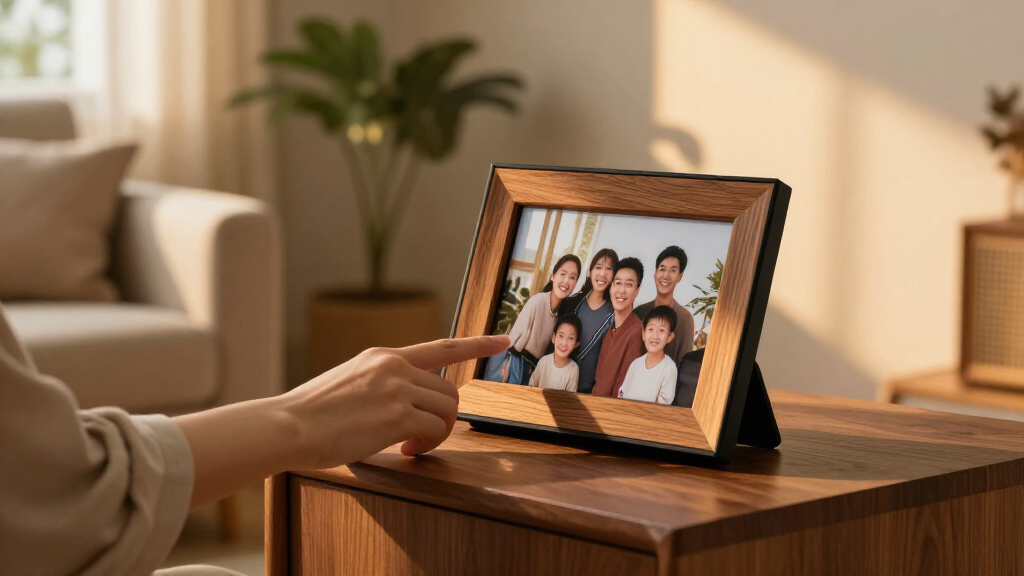
I compared these 15 smart photo frames around the choices that affect daily use: how photos reach the frame, how much screen area it offers, stated storage, setup demands, and whether its design fits a home or a gift recipient. I gave extra weight to products with a clearly described sharing route and a size suited to ordinary viewing, while treating large screens as an advantage only when the buyer has room for them. I also looked for useful differences such as touchscreen controls, auto-rotate, and higher stated capacity rather than treating similar 10.1-inch models as interchangeable.
The ranking favors ease of use, useful flexibility, and clear product information over a long feature list. Aura Carver earns the overall lead for buyers who value a polished, app-based experience; the larger Pastigio and 15.6-inch Frameo earn distinct consideration for display size. Frameo models remain strong alternatives, but repeated 10.1-inch listings are separated by the details provided rather than by brand name alone. Where a listing gives limited information, I treat that uncertainty as a drawback instead of assuming features that are not specified.
| smart photo frame | Power |
|---|---|
| Pastigio 15.6-Inch Wi-Fi Digit | Corded electric |
| Frameo 10.1-Inch Wi-Fi Digital | — |
| Frameo 10.1-Inch Wi-Fi Digital | Corded electric |
| 10.1-Inch Wi-Fi Digital Pictur | — |
| AEEZO 10.1-Inch Wi-Fi Digital | Corded electric |
| 10.1-Inch Wi-Fi Digital Pictur | Corded electric |
| BIGASUO Frameo 10.1-Inch Wi-Fi | — |
| Akimart 10.1-Inch WiFi Digital | — |
| Anna Bella 10.1-Inch Wi-Fi Dig | — |
| Aura Carver Fossil 10.1-Inch H | — |
| 15.6-Inch Frameo Wi-Fi Digital | DC |
| Aura Carver 10.1-Inch HD Digit | Corded electric |
| Skylight 10-Inch Wi-Fi Digital | Corded electric |
| Aura Carver Digital HD Picture | Corded electric |
| TIKVITO Frameo 10.1-Inch Wi-Fi | Corded electric |
Factors to Consider When Choosing Smart Photo Frames
Before choosing among smart photo frames, start with the household’s sharing habits, not the most impressive-looking specification. A frame that relatives can update easily may be more useful than a larger model with controls they rarely touch. These factors help narrow the field beyond the individual product differences above.
Choose a Sharing Setup the Whole Family Can Use
Think about who will send photos and whether they are comfortable installing or using an app. A shared frame can turn photo updates into a family activity, but only if invited contributors can follow the setup steps without repeated help. Check whether the product description names its app, explains invitations, and indicates how new images arrive. A recipient who prefers not to manage accounts may do better with a simpler setup than with a frame whose strengths depend on ongoing app use. Avoid assuming that every Wi-Fi frame handles sharing in the same way just because it connects to a network. When gifting, ask the recipient about their comfort with smartphones and home Wi-Fi before choosing a feature-rich model.
Match Screen Size to Viewing Distance and Room
A larger screen can make faces and group photos easier to see across a living room, while a 10.1-inch frame is often easier to place on a desk, side table, or shelf. Measure the intended spot, including clearance for the stand and any power cable, before selecting a larger model. Also consider viewing distance: a frame placed close by does not need the same display area as one viewed from across a shared room. Buyers sometimes focus on diagonal size and overlook glare, nearby light sources, or whether the frame will block other objects. If the frame will move between rooms, a more compact footprint can be more convenient even when a larger display looks attractive on paper. Choose for the location where it will spend most of its time.
Treat Storage and Cloud Features as Separate Questions
Stated internal memory tells only part of the story; it does not automatically explain how many photos fit, whether images can be added from a card, or what happens if Wi-Fi is unavailable. Before buying, look for clear details on supported transfer methods, offline playback, and whether the frame depends on an online account. A larger capacity can be useful for a frequently updated family album, but it may matter less if the frame rotates a smaller, curated selection. Do not assume that an app-based frame stores every image locally or that a listed memory figure describes usable photo space. If long-term access matters, check how photos can be backed up or moved elsewhere. These questions are especially useful when comparing otherwise similar Frameo listings.
Decide Whether Touch Controls or Automatic Rotation Matter
Touchscreen controls can make it easier to adjust settings directly on the frame, but they may also invite more interaction than a recipient wants. Auto-rotate can help when photos arrive in both portrait and landscape formats, though the feature is most useful when the frame’s orientation and placement support it. Ask whether the frame will be adjusted often or mainly left to display photos; that answer can steer you toward simpler controls or added flexibility. A common mistake is paying attention to a feature name without checking how it affects everyday use. For a gift, familiar phone-based sharing may be easier than asking someone to learn an on-device menu. Prioritize features that solve a real routine, not those that merely lengthen the specification list.
Check the Practicalities of Placement and Power
Smart frames usually need a reliable power source, and Wi-Fi models also depend on a usable wireless signal where they will sit. Plan the cable route before settling on a spot; a frame that looks good beside a sofa may be awkward if its cord crosses a walkway. Larger displays can be harder to reposition and may need more open surface area, while a smaller frame can fit naturally among existing décor. Consider whether the frame will be used in a bright room, near a window, or in a place where people approach it closely. Confirm the listing’s orientation and mounting information rather than assuming every model supports the same placement options. A quick room check can prevent a technically suitable frame from becoming an inconvenient one.
Pay More for a Better Fit, Not a Longer Feature List
A premium choice makes sense when its sharing experience, finish, or display scale directly suits the intended user. It is harder to justify extra spending for features that will remain unused, especially if the frame is meant to show a small set of family photos in one room. For a first-time recipient, clear setup and reliable everyday sharing may be more valuable than advanced controls. For a large household contributing photos, app access and a well-defined invitation process deserve closer attention. Compare the actual product details rather than assuming two frames with similar screen sizes offer the same software or support. The right frame is the one that keeps photos flowing with the least friction for the people who will use it.
Frequently Asked Questions
Is a 10.1-inch smart photo frame large enough for a living room?
It can work well on a side table or shelf when viewers are fairly close, but it may look small across a large room. The 10.1-inch models in this roundup favor easier placement over a more commanding display. If people will view photos from across a shared space, compare them with the 15.6-inch Pastigio or Frameo options. Measure the available surface and consider the usual viewing distance before deciding. A larger screen is not automatically better if it crowds the room or leaves the frame awkwardly placed.
Should I choose a Frameo model or an Aura Carver?
Start with the sharing experience you want rather than the brand name. The Aura Carver models are a strong fit for buyers who prefer a polished, app-centered frame, while the Frameo listings provide several options across standard and larger screen sizes. Check the exact listing for its app instructions, storage details, and supported controls because similar-looking models may not have identical specifications. If display size is your priority, the 15.6-inch Frameo models deserve a closer look. If you want a more streamlined connected experience, compare the Aura options and confirm that their sharing approach suits every contributor.
Does a smart photo frame need Wi-Fi all the time?
Wi-Fi is generally needed for connected sharing, but whether a frame can keep showing previously loaded photos offline depends on the specific model. Do not infer offline playback from the phrase “Wi-Fi digital frame”; check the product details for local storage and offline behavior. This matters if the frame will sit in a room with weak signal or in a home where the network is sometimes unavailable. A frame that has already received photos may still behave differently from one that needs a connection for core functions. If uninterrupted display is important, confirm this point before buying.
What should I check before gifting a smart photo frame to someone who is not tech-savvy?
Look for a clearly explained setup process, straightforward photo sharing, and a display size that fits the recipient’s home. Consider whether someone else can help with the initial Wi-Fi connection and app invitations, especially if multiple relatives will contribute images. A feature-rich touchscreen is not always simpler than a frame that can be managed from a phone. Ask whether the recipient is comfortable with smartphone apps and whether the frame’s power cable can reach a suitable spot. When product details are vague about setup, that uncertainty is a reason to choose a better-documented alternative.
Is higher internal storage worth prioritizing?
Higher stated capacity can help if you plan to keep a large collection on the frame, but it does not answer every storage question. Check whether the figure refers to internal memory, how photos can be transferred, and whether images remain accessible without a network connection. If the frame will display a rotating selection that contributors update often, the sharing workflow may matter more than capacity. A large library of photos can also make curation and organization more important, so storage alone will not solve that task. Prioritize a clear transfer and backup path when preserving family photos is a major concern.
Conclusion
For most buyers who want a connected frame with a polished, app-based approach, I recommend the Aura Carver 10.1-Inch HD Digital Picture Frame as the best overall choice. The Frameo 10.1-inch, 32GB models are the best value direction for shoppers comparing practical app-enabled options, while the 15.6-inch Pastigio is my pick for a larger viewing area and the 15.6-inch Frameo, 64GB suits buyers who want a large display with higher stated storage. For beginners and less tech-confident recipients, I would favor a model with clearly described setup and sharing steps, then confirm the recipient’s comfort with its app before gifting. Choose an Aura Carver for a streamlined connected experience, a larger model for a room where viewing distance matters, and a compact 10.1-inch frame when easy placement is the priority.