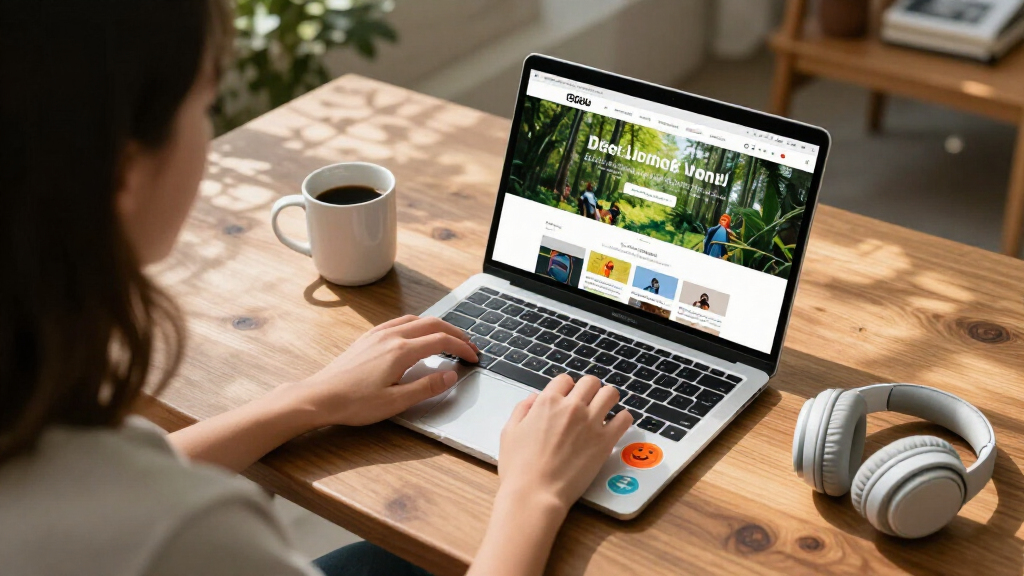

The best student-friendly laptop for most students is the Dell 15.6-inch with Intel Core i3 and 8GB RAM, because it is the only mainstream pick here with enough memory to stay smooth across browser tabs, documents, and video calls for a full school year. Close behind are the HP 14″ HD Chromebook with 14-hour battery life, ideal for all-day classes without a charger, and the HP Stream 14 with Intel N150 and 1.12TB of storage, which bundles generous cloud space for assignments. The big tradeoff in this category is price versus longevity: most laptops under $300 use 4GB of RAM and Celeron-class chips that work fine for note-taking but strain under heavier workloads. Renewed models like the Dell Chromebook 11 and Lenovo 300e cut prices further, but buyers accept cosmetic wear and shorter warranties. Keep reading for the full ranked breakdown and which model fits your student’s age, workload, and budget.

Get the latest gadgets delivered free — and shop member deals
- Fast, free delivery on millions of items
- Access to Prime Big Deal Days deals on October 6–7
- Prime Video, Amazon Music and more included
Complete the kit



Key Takeaways
- Only one laptop in this lineup — the Dell 15.6-inch i3 with 8GB RAM — clears the 8GB memory threshold that keeps Windows 11 responsive, which is why it takes the top spot despite a mid-range price.
- Chromebooks dominated the battery-life comparison: the HP 14″ Chromebook’s 14-hour rating and the Samsung Galaxy Chromebook Go’s lightweight ChromeOS approach outlast every Windows pick by several hours.
- Storage numbers are misleading in this category — the HP Stream 14’s ‘1.12TB’ is mostly OneDrive cloud storage, while the 64GB eMMC drives on several picks fill up fast once Windows updates land.
- Renewed models (the Dell Chromebook 11 3100, Lenovo 300e Gen 2, and ASUS 15″ Chromebook) are the cheapest path to a usable machine, but three of the fifteen picks being refurbished shows how thin new-laptop margins are at student prices.
- The 11.6-inch rugged-style Chromebooks make more sense for elementary and middle school students, while every 15.6-inch pick suits older students who value screen space over portability.


| student-friendly laptop | Processor | Display | RAM | Storage |
|---|---|---|---|---|
| Samsung 14" Galaxy Chromebook | Intel Celeron N4500 | 14 inches | 4GB | 64GB |
| HP 14" HD Chromebook | Intel Celeron N4120 quad-core, up to 2.6GHz | 14-inch HD (1366 x 768), anti-glare | — | 64GB eMMC |
| Lenovo Flagship Chromebook 14′ | MediaTek Kompanio 520 octa-core | 14-inch FHD IPS touchscreen | 4GB | 64GB eMMC |
| 15.6" FHD IPS Student Laptop w | Intel Celeron J4105 quad-core | 15.6-inch FHD IPS (1920×1080) | 12 GB | 256 GB SSD |
| Dell 15.6-inch Laptop with FHD | Intel Core i3 100U | 15.6-inch Full HD | 8 GB | — |
| HP 14" HD Student Laptop | Intel Celeron N4500 | 14 inches, 1366 x 768 | 4GB DDR4 | 64GB eMMC |
| Lenovo 300e Gen 2 11.6" Touchs | Intel Celeron N4020 1.1 GHz | 11.6-inch touchscreen, 1366 x 768 | 4GB LPDDR4 | 32GB SSD |
| HP Stream 14 Student Business | Intel N150 quad-core | 14-inch anti-glare HD | 4GB | 128GB UFS |
| HP 14" Laptop 2026 Edition | Intel N150 | 14-inch HD (1366 x 768) anti-glare | 4GB DDR4 | 128GB UFS |
| Dell Chromebook 11 3100 | Intel Celeron N4020 | 11.6 inches, 1366 x 768 | 4GB | 16GB flash |
| HP Stream 14-inch HD Student & | Intel N150 | 14-inch HD | 4GB DDR4 | 1.12TB total (128GB UFS + 1TB docking station) |
| Phantom 15.6" FHD Laptop with | 1.6GHz Dual-Core | 15.6-inch FHD IPS | 4GB (expandable to 16GB) | 128GB SSD |
| HP 14" Ultra-Light Laptop for | Intel Celeron N4500 | 14-inch micro-edge, anti-glare, 62.5% sRGB | 4GB DDR4 | 128GB (64GB eMMC + 64GB SD card) |
| HP 14-inch Ultra-Portable Lapt | Intel N150 Quad-Core, up to 3.6 GHz | 14-inch HD | 4GB | 128GB SSD + 500GB external drive (628GB total) |
| ASUS 2026 15" FHD IPS Chromebo | Intel, up to 2.80GHz | 15-inch FHD IPS, 1920×1080 | 4GB DDR4 | 128GB SSD |
More Details on Our Top Picks
Samsung 14″ Galaxy Chromebook Go
Samsung’s Galaxy Chromebook Go earns its place by solving the single biggest problem budget student laptops face: making it through a full school day without an outlet. The 12-hour battery rating and 14-inch footprint mean a student can leave the charger at home and still take notes, write papers, and stream lectures. Compared with the HP 14″ HD Chromebook, the Samsung trades a slightly shorter battery claim for a more polished, durable chassis — its military-grade build tolerates the backpack abuse that kills cheaper machines. The tradeoff is raw capability: the Celeron N4500 and 4GB of RAM keep this strictly a browser-and-docs machine. Anyone expecting to edit video or juggle twenty Chrome tabs will feel the ceiling quickly.
Pros:- 12-hour battery outlasts a full school day
- Military-grade durable build survives backpack life
- Lightweight and slim for easy carrying
- Fast Wi-Fi keeps video calls smooth
Cons:- Celeron N4500 struggles with heavy multitasking
- 64GB storage fills up fast without cloud reliance
Best for: Middle and high school students who need a tough, all-day laptop for Google Classroom work
Not ideal for: STEM or design students running specialized Windows software — ChromeOS and this processor can’t handle it
- Processor:Intel Celeron N4500
- RAM:4GB
- Storage:64GB
- Display:14 inches
- Operating System:ChromeOS
- Battery Life:12 hours
- Weight Class:Ultra-portable
Our verdict“This pick makes the most sense for younger students whose schoolwork lives entirely in Google’s ecosystem.”
HP 14″ HD Chromebook
This HP Chromebook is the value sweet spot of the ChromeOS lineup here. It outlasts the Samsung Galaxy Chromebook Go on paper with a 14-hour battery claim, and its quad-core N4120 handles multiple browser tabs more gracefully than dual-core rivals at this price. The anti-glare display is a practical touch — students working near a dorm window or outdoors will appreciate it compared with glossier panels. What holds it back from a higher slot is the 1366 x 768 resolution: the Lenovo 14″ FHD Touchscreen Chromebook in this roundup delivers noticeably sharper text for not much more, and anyone reading dense PDFs all day will notice. Still, for pure cost-per-hour-of-battery, this model is hard to beat.
Pros:- Up to 14 hours of battery life — the longest in this batch
- Quad-core processor handles everyday multitasking well
- Anti-glare display works in bright rooms
- Full port selection including HDMI and USB-C
Cons:- 1366 x 768 display is noticeably soft next to FHD rivals
- 64GB eMMC storage limits offline file storage
Best for: Budget-conscious college students who prioritize battery life and price over display sharpness
Not ideal for: Anyone reading textbooks or writing long papers on screen — the low-res panel causes eye strain over long sessions
- Processor:Intel Celeron N4120 quad-core, up to 2.6GHz
- Graphics:Intel UHD Graphics 600
- Display:14-inch HD (1366 x 768), anti-glare
- Memory:4GB LPDDR4x
- Storage:64GB eMMC
- Ports:2x USB-A 3.0, 1x USB-C 3.0, HDMI, headphone jack
- Battery Life:Up to 14 hours
- Weight:3.35 pounds
Our verdict“Buy this if battery life per dollar matters more to you than screen quality; skip it if you stare at text all day.”
Lenovo Flagship Chromebook 14” FHD Touchscreen
The screen is the story here. While the HP 14″ HD Chromebook settles for 1366 x 768, this Lenovo delivers a Full HD IPS touchscreen — sharper text, better colors, and wider viewing angles that matter for group study sessions or sharing notes. Touch input also makes it feel more flexible for younger students used to tablets. At 2.86 pounds, it’s the lightest machine in this batch, edging out both the Samsung and HP 14-inch models for campus carrying. The MediaTek Kompanio 520 is smooth for ChromeOS basics but doesn’t blow past Intel rivals, and the 4GB RAM ceiling means heavy tab-stackers will hit slowdowns. If reading comfort and portability top your list, though, this is the strongest ChromeOS pick here.
Pros:- Full HD IPS touchscreen beats every other Chromebook display in this batch
- Lightest laptop here at 2.86 pounds
- WiFi 6 for faster, more reliable campus networks
- Webcam privacy shutter for security-conscious users
Cons:- 4GB RAM limits heavy multitasking
- 64GB storage forces cloud dependence
- MediaTek chip is weaker for Linux apps or demanding extensions
Best for: Students who read and write on screen for hours and want the sharpest, most comfortable display under a tight budget
Not ideal for: Power multitaskers — 4GB of RAM caps how many apps and tabs run smoothly at once
- Display:14-inch FHD IPS touchscreen
- Processor:MediaTek Kompanio 520 octa-core
- RAM:4GB
- Storage:64GB eMMC
- Connectivity:WiFi 6, Bluetooth 5.1
- Webcam:720p HD with privacy shutter
- Ports:USB-A 3.2, USB-C 3.2, microSD, combo audio jack
- Weight:2.86 lbs
Our verdict“The best choice when display quality and portability matter more than raw power.”
15.6″ FHD IPS Student Laptop with Office 365
For students who need Windows rather than ChromeOS — because a course requires desktop Office, specific software, or file compatibility — this 15.6-inch model bundles real value: a one-year Office 365 subscription and an AI assistant built in, which alone offsets a meaningful chunk of the price compared with the Dell 15.6-inch i3 laptop, which includes neither. The 12GB of RAM and 256GB SSD also outspec everything else in this batch, so it handles more browser tabs and stores far more files locally than any Chromebook listed. The compromises are real: a ~6-hour battery is half the HP Chromebook’s endurance, and the aging Celeron J4105 is slower than Dell’s Core i3 despite the extra memory. It’s a desktop-replacement mindset, not an all-day carry.
Pros:- 12GB RAM and 256GB SSD beat every other spec sheet in this batch
- Includes 1-year Office 365 subscription
- 180° hinge and FHD IPS display for flexible, comfortable work
- Full Windows 11 compatibility for any required desktop software
Cons:- Celeron J4105 processor lags behind the Dell’s Core i3
- Battery life of roughly 6 hours is the shortest here
- Only two USB ports limits peripherals
Best for: College students who need Windows software, Microsoft Office from day one, and real local storage for coursework
Not ideal for: Students who move between classes all day — 6 hours of battery and 3.7 pounds demand carrying a charger
- Display:15.6-inch FHD IPS (1920×1080)
- Processor:Intel Celeron J4105 quad-core
- RAM:12 GB
- Storage:256 GB SSD
- Operating System:Windows 11 Home
- Battery:7000mAh, approx. 6 hours
- Ports:USB 3.2, USB-C, mini HDMI
- Weight:3.7 pounds
Our verdict“Pick this when bundled software and storage matter more than portability; skip it if you live out of a backpack.”
Dell 15.6-inch Laptop with FHD Display
Of the two Windows laptops in this batch, the Dell is the one that will feel faster over time. Its Intel Core i3 clearly outpaces the Celeron J4105 in the 15.6″ Office 365 laptop, which matters for the moments every student hits: large spreadsheet recalcs, video calls with documents open, Windows updates running in the background. The FHD display, blue light reduction, and comfortable keyboard make long writing sessions easier on the body, and 1-year onsite service is support no budget rival here offers — a genuine relief if the machine dies during finals week. The cost of that polish: it lacks the Office bundle, extra RAM, and SSD capacity of the other Windows option, so factor in those purchases separately.
Pros:- Core i3 processor is the strongest CPU pairing among affordable Windows options here
- 1-year onsite warranty support is unique in this batch
- FHD display with blue light reduction for long study sessions
- Express Charge tops the battery up quickly between classes
Cons:- Core i3 still struggles with demanding creative or engineering software
- No bundled software or extras compared with the Office 365 laptop
Best for: Students who want a dependable, faster Windows machine with real manufacturer support and don’t need bundled software
Not ideal for: Budget-limited buyers who need Office included — the separate subscription cost adds up compared to the bundled rival
- Display:15.6-inch Full HD
- Processor:Intel Core i3 100U
- RAM:8 GB
- Operating System:Windows 11 Home
- Battery:Energy-efficient with Express Charge
- Warranty:1 Year Onsite Service
Our verdict“The safer long-term Windows buy if you value processor headroom and support over included extras.”
HP 14″ HD Student Laptop, Intel Celeron N4500, 4GB RAM, 64GB eMMC, Windows 11 S, White (Renewed)
This renewed HP 14 is about as cheap as a full Windows laptop gets, and that’s exactly its appeal. The Celeron N4500 and 4GB of RAM keep it confined to note-taking, browsing, and streaming — but for a second machine tossed in a backpack, that constraint is acceptable. Compared with the Dell Chromebook 11 3100, this option trades the Dell’s smoother web-only experience for full Windows flexibility, which matters if a class requires specific desktop software. The 64GB of eMMC storage fills up fast once Windows updates land, so cloud storage is basically mandatory. The 1366 x 768 panel is serviceable for documents but mediocre for video. This pick makes sense for budget-constrained students who need Windows specifically and nothing more demanding than a browser and Word.
Pros:- Lowest-cost entry into full Windows 11 in this lineup
- Lightweight 3.2-pound body that travels well
- Modern Wi-Fi 6 and Bluetooth 5.4 connectivity
- Full port selection including USB-C and HDMI
Cons:- 64GB eMMC storage fills up after just a few Windows updates
- Celeron N4500 struggles with more than a few open tabs
- Low-resolution display is tiring for long reading sessions
Best for: Students on a tight budget who need a cheap secondary Windows machine for notes, browsing, and cloud-based coursework
Not ideal for: Anyone storing large files locally or running anything beyond light multitasking — the 64GB eMMC and Celeron processor will bottleneck quickly
- Display:14 inches, 1366 x 768
- Processor:Intel Celeron N4500
- RAM:4GB DDR4
- Storage:64GB eMMC
- Operating System:Windows 11 S
- Connectivity:Wi-Fi 6, Bluetooth 5.4
- Ports:1x USB-C 3.0, 2x USB-A 3.0, HDMI 1.4, headphone/mic combo
- Weight:3.2 pounds
Our verdict“Buy this only if you need the cheapest possible Windows laptop and can live almost entirely in the cloud.”
Lenovo 300e Gen 2 11.6″ Touchscreen Chromebook Laptop – Intel Celeron N4020, 4GB RAM, 32GB SSD, Japanese Keyboard, Chrome OS (Renewed)
The touchscreen is what separates this Lenovo from every other budget Chromebook in this roundup. For younger students — think middle school and below — tapping and swiping through educational apps feels far more natural than a trackpad, and the 11.6-inch size fits small hands and small desks. Compared with the Dell Chromebook 11 3100, the Lenovo doubles the storage to 32GB and adds touch input, though both share the same modest Celeron N4020. Chrome OS keeps things fast and frustration-free on modest hardware, which is why the weak processor matters less here than it does on the Windows-based HP Stream 14. One real caveat: this unit ships with a Japanese keyboard layout, which means remapped punctuation keys and a learning curve for touch typists. That quirk is the price of the savings.
Pros:- Touchscreen adds intuitive interaction for younger learners
- Very light and compact for backpack carry
- Chrome OS boots fast and stays smooth on modest specs
- 32GB SSD doubles the storage of the Dell 3100
Cons:- Japanese keyboard layout requires remapping and adjustment
- 1366 x 768 resolution on an 11.6-inch screen feels cramped
- Celeron N4020 handles only basic web tasks
Best for: Parents buying a first laptop for a K-8 student who will mostly use touchscreen-friendly web apps and Google Classroom
Not ideal for: Touch typists and older students writing long papers — the Japanese keyboard layout makes everyday typing awkward
- Display:11.6-inch touchscreen, 1366 x 768
- Processor:Intel Celeron N4020 1.1 GHz
- RAM:4GB LPDDR4
- Storage:32GB SSD
- Operating System:Chrome OS
- Keyboard:Japanese layout
Our verdict“A smart pick for elementary and middle schoolers, provided the family can adapt to the non-US keyboard.”
HP Stream 14 Student Business Laptop, Windows 11 Home, 4GB RAM, 128GB UFS, Intel N150, Willow Green
What earns the Stream 14 its spot is the military-grade drop resistance — a genuine differentiator when the laptop is getting shoved into lockers, dropped on lecture-hall floors, and carted between classes. No other 14-inch budget option here makes that claim. The quad-core Intel N150 is a step up from the Celeron chips in the Lenovo 300e and Dell 3100, so it copes with a few more browser tabs before stalling. The anti-glare HD screen is a practical touch for working near dorm windows or outdoors between classes. That said, 4GB of RAM is the real ceiling — heavy multitaskers should look at the Dell 15.6-inch with 8GB instead. And while 128GB of UFS storage doubles the cheap options, it still disappears quickly if you install more than a handful of programs.
Pros:- Military-grade drop resistance rare at this price
- Quad-core Intel N150 outperforms Celeron rivals
- Anti-glare display helps in bright classrooms and outdoors
- Pre-installed Office 365 and bundled AI tools save subscription cost
Cons:- 4GB of RAM caps multitasking hard
- 128GB UFS fills quickly with large course files
- No dedicated graphics rules out gaming or video editing
Best for: Clumsy or on-the-go students who need a laptop that survives drops and bumps while handling essays, slides, and streaming
Not ideal for: Students juggling many apps at once — 4GB of RAM will force constant tab management
- Display:14-inch anti-glare HD
- Processor:Intel N150 quad-core
- RAM:4GB
- Storage:128GB UFS
- Operating System:Windows 11 Home
- Weight:3.24 lbs
- Software:Office 365 pre-installed
Our verdict“The most sensible choice for accident-prone students who value survivability over raw power.”
HP 14″ Laptop 2026 Edition, Intel Processor, 4GB RAM, 128GB Storage
This 2026 Edition HP 14 stands out for one concrete reason: a free one-year Microsoft Office 365 Personal subscription in the box, worth roughly $70 on its own. For a student who needs Word, Excel, and PowerPoint for coursework, that bundled value effectively discounts the laptop before you power it on. Compared with the HP Stream 14, it shares the same N150 processor and 4GB of RAM but skips the Stream’s drop resistance — you’re trading ruggedness for the software bundle and a more current platform. The anti-glare HD display and full port spread (USB-C, USB 3.2, HDMI) mean it plugs into dorm monitors and projectors without adapters. The limitations are familiar: 4GB of RAM means patience with heavy tab counts, and the 1366 x 768 resolution won’t impress anyone editing photos. As an all-around campus workhorse for document-centric work, this pick makes the most sense for value-focused buyers.
Pros:- One-year Office 365 Personal subscription included
- Full port selection including USB-C and HDMI
- Anti-glare display reduces reflections in classrooms
- Wi-Fi 6 keeps campus network connections stable
Cons:- 4GB RAM limits multitasking to a handful of tabs
- 1366 x 768 display is dated for media consumption
- 128GB storage requires disciplined file management or cloud use
Best for: Budget-conscious students who need Office applications from day one and want the subscription cost baked into the laptop price
Not ideal for: Engineering or design students running specialized software — the RAM and processor won’t keep up
- Display:14-inch HD (1366 x 768) anti-glare
- Processor:Intel N150
- RAM:4GB DDR4
- Storage:128GB UFS
- Operating System:Windows 11 Home
- Connectivity:Wi-Fi 6, Bluetooth 5.0, USB-C, USB 3.2, HDMI
- Software:Microsoft Office 365 Personal (1-year)
Our verdict“The smartest pick for students whose coursework lives in Office apps and who want maximum value per dollar.”
Dell Chromebook 11 3100, 11.6-Inch, 4GB RAM, 16GB Flash, Chrome OS, Celeron N4020, Bluetooth, Renewed
At this price, the Dell 3100 is the cheapest functional laptop in the entire roundup, and for Google Classroom households that’s the whole story. Because Chrome OS leans on the browser rather than local horsepower, the aging Celeron N4020 feels less punishing here than the same chip would under Windows. Compared with the Lenovo 300e Gen 2, the Dell loses the touchscreen and half the storage, but gains a standard US English keyboard — which matters more than it sounds for students actually learning to type. The 16GB of flash storage is the tightest constraint anywhere on this list; it works only because Chrome OS expects files to live in Google Drive. This model is better suited to younger siblings, backup duty, or a dedicated testing machine than to a student’s only computer. Buyers wanting more headroom should step up to the HP Chromebook 14 with 64GB and longer battery life.
Pros:- Lowest price point in the roundup
- Chrome OS runs smoothly despite modest hardware
- Standard US keyboard avoids the Lenovo 300e’s layout issue
- Compact and light for young users
Cons:- 16GB storage is the smallest here and fills almost immediately
- 1366 x 768 screen is dim and low-resolution
- Basic specs can’t handle anything beyond web-based tasks
Best for: Families needing an ultra-cheap, low-risk laptop for a child’s Google Classroom work or as a household backup
Not ideal for: Students who need local file storage or any desktop applications — 16GB and Chrome OS rule both out
- Display:11.6 inches, 1366 x 768
- Processor:Intel Celeron N4020
- RAM:4GB
- Storage:16GB flash
- Operating System:Chrome OS
- Graphics:Intel HD Graphics
- Connectivity:Bluetooth
Our verdict“A deliberately minimal buy: perfect as a first laptop or spare, underpowered as anyone’s only machine.”
HP Stream 14-inch HD Student & Business Laptop with AI Copilot, Intel N150, 1.12TB Storage, Willow Green
Where most budget student laptops stop at 64GB or 128GB, this HP Stream configuration goes big on storage: 128GB of fast UFS onboard plus a docking station bundle that adds 1TB of external capacity. For a student juggling lecture recordings, project files, and a semester of photos, that headroom changes how you use the machine — no constant offloading to cloud drives. The included one-year Office 365 subscription sweetens the deal for anyone who doesn’t already have it. Compared with the HP 14″ Ultra-Light (product 13 in this guide), the Stream trades away battery life certainty and a brighter display for raw storage and connectivity, including Wi-Fi 6 and a full port selection with HDMI. The Intel N150 handles documents and streaming fine, but 4GB of RAM caps multitasking — keep browser tabs modest. The HD panel also lags behind the Phantom 15.6″ FHD for movie watching.
Pros:- Massive 1.12TB total storage with docking station included
- One-year Office 365 subscription bundled
- Full port selection including HDMI and USB-C
- Light 3.24 lb build in a distinctive Willow Green finish
Cons:- 4GB RAM limits heavy multitasking and demanding apps
- HD-only display looks soft next to FHD rivals like the Phantom 15.6″
Best for: Students who hoard large files — media students, gamers with big libraries, or anyone who hates managing storage space
Not ideal for: Multitaskers who live in 20+ browser tabs; 4GB of RAM will choke under that load regardless of storage
- Display:14-inch HD
- Processor:Intel N150
- RAM:4GB DDR4
- Storage:1.12TB total (128GB UFS + 1TB docking station)
- Wireless:Wi-Fi 6, Bluetooth 5.4
- Ports:USB-C, 2x USB-A, HDMI 1.4b, media card reader, headphone combo
- Weight:3.24 lbs
- Included:1-year Office 365, docking station accessory set
Our verdict“Pick this if storage capacity matters more to you than screen quality — it is the roomiest budget option in this lineup.”
Phantom 15.6″ FHD Laptop with Windows 11, 4GB RAM, 128GB SSD, HDMI
If screen real estate is the priority, this Phantom 15.6″ delivers a Full HD IPS panel at a price where rivals like the HP Stream offer only HD resolution. Wider viewing angles and sharper text make long reading sessions and lecture-slide work noticeably easier on the eyes — that alone justifies its place here. The clever move is the expandable RAM slot supporting up to 16GB, something none of the fixed 4GB HP options in this guide can match, which means this cheap laptop can actually grow with a student’s needs. The tradeoffs are real, though: the 1.6GHz dual-core processor is the weakest silicon in this batch, and battery life tops out around 4 hours, versus the 12 hours HP claims for its 14″ Ultra-Light. Treat it as a desk-and-outlet machine with a nice screen, not an all-day campus companion.
Pros:- Full HD IPS display with wide viewing angles, rare at this price
- RAM expandable to 16GB for future-proofing
- Lightweight for a 15.6-inch chassis at 3.8 lbs
- HDMI, USB-C, and microSD ports for peripherals
Cons:- Underpowered 1.6GHz dual-core processor struggles with intensive tasks
- Battery limited to roughly 4 hours of video playback
Best for: Budget-conscious students who mostly work near an outlet and want the biggest, sharpest screen per dollar
Not ideal for: All-day campus use — 4 hours of battery means carrying the charger everywhere
- Display:15.6-inch FHD IPS
- Processor:1.6GHz Dual-Core
- RAM:4GB (expandable to 16GB)
- Storage:128GB SSD
- Battery:38.5Wh, up to 4 hours
- Ports:USB 3.0, USB-C, HDMI, microSD
- Weight:3.8 lbs
- OS:Windows 11
Our verdict“The most screen for the money here, provided you can live tethered to a power outlet.”
HP 14″ Ultra-Light Laptop for Students & Home, Intel Celeron N4500, 128GB Storage
This is the pick for students whose schedule outlasts their outlet access. HP claims up to 12 hours of battery with fast charging — triple the Phantom 15.6″‘s endurance and comfortably ahead of anything else in this batch. Pair that with Wi-Fi 6E, the fastest wireless standard in this lineup, and a one-year Microsoft 365 subscription, and you have a genuine all-day campus machine for note-taking, research, and streaming between classes. Compared with the HP Stream (product 11), this model sacrifices the docking station and storage headroom in exchange for endurance and a slightly newer connectivity stack. Be realistic about the ceiling: the Celeron N4500 is entry-level silicon, and the display covers just 62.5% of sRGB, so colors look muted if you do any design-adjacent coursework. Storage also splits awkwardly across eMMC and an SD card.
Pros:- Up to 12 hours of battery life with fast charging
- Wi-Fi 6E for the fastest wireless in this roundup
- Microsoft 365 included for one year
- Anti-glare micro-edge display easier on the eyes in bright rooms
Cons:- Entry-level Celeron N4500 slows under heavy multitasking
- Storage split across 64GB eMMC and an SD card feels fragile long-term
- Dim color coverage at 62.5% sRGB
Best for: Students with full days of classes and no reliable charging spot who need a genuine all-day laptop
Not ideal for: Anyone doing photo, video, or design work — the 62.5% sRGB display and Celeron chip won’t keep up
- Processor:Intel Celeron N4500
- RAM:4GB DDR4
- Storage:128GB (64GB eMMC + 64GB SD card)
- Display:14-inch micro-edge, anti-glare, 62.5% sRGB
- Battery Life:Up to 12 hours
- Connectivity:Wi-Fi 6E, Bluetooth 5.4, USB-C 3.2, HDMI 1.4b
- OS:Windows 11 Home in S mode (switchable)
- Included:1-year Microsoft 365 subscription
Our verdict“The endurance champion of this batch — buy it for battery life, not raw power.”
HP 14-inch Ultra-Portable Laptop with Windows 11 Pro and Office 2024
What separates this HP from the near-identical Stream above is everything around the laptop. You get Windows 11 Pro — with BitLocker encryption and remote desktop, features that matter if your program requires secure network access — plus a perpetual Office 2024 license rather than a subscription that expires in a year. The quad-core Intel N150 boosting to 3.6GHz is the strongest CPU story among the fixed-config Windows machines here, and the box adds a docking station, wireless mouse, 500GB external drive, and HDMI cable. That is a complete desk setup out of the box, where the Phantom 15.6″ arrives bare. The compromises mirror the Stream’s: 4GB of RAM is the hard ceiling, and much of your 628GB total storage lives on an external drive you must remember to carry. The unspecified display resolution is likely HD, not FHD.
Pros:- Windows 11 Pro with business-grade security features
- Office 2024 pre-installed with no recurring subscription
- Quad-core N150 up to 3.6GHz is quick for everyday tasks
- Full accessory bundle: dock, mouse, 500GB external drive, HDMI cable
Cons:- 4GB RAM restricts multitasking and modern app demands
- Half the storage lives on an external drive, not internal
- Display resolution unspecified and likely HD only
Best for: Students who want a complete ready-to-work package — Pro OS, permanent Office license, and accessories — without shopping separately
Not ideal for: Power users and engineering students running heavier software; 4GB of RAM will not survive it
- Display:14-inch HD
- Processor:Intel N150 Quad-Core, up to 3.6 GHz
- RAM:4GB
- Storage:128GB SSD + 500GB external drive (628GB total)
- OS:Windows 11 Pro
- Camera:720p HD with dual-array microphones
- Included:USB-C dock, external drive, wireless mouse, HDMI cable, Office 2024
Our verdict“The best out-of-box completeness here — choose it when software and accessories matter more than internal specs.”
ASUS 2026 15″ FHD IPS Chromebook, Intel Processor, 4GB DDR4, 128GB, Chrome OS (Renewed)
Among the Chrome OS contingent in this roundup — the Samsung Galaxy Chromebook Go and the HP 14″ Chromebook with its 14-hour battery — this renewed ASUS stakes its claim on display quality and storage. The 15-inch FHD IPS panel outclasses both of those 14-inch HD rivals for movie nights and split-screen study sessions, and 128GB of local storage doubles what most Chromebooks offer, reducing dependence on Google Drive. Because Chrome OS is lighter than Windows, 4GB of RAM feels less cramped here than on the HP Stream or Phantom — the OS simply asks less of the hardware. Being a renewed unit, the savings come with caveats: cosmetic wear is possible and battery health may not match a new machine. It also can’t run Windows-only software, which rules out some course-specific applications. The port selection is thinner than the Windows picks too, with a single USB-A.
Pros:- 15-inch FHD IPS display beats rival Chromebooks’ HD panels
- 128GB storage is generous for a Chromebook
- Chrome OS keeps 4GB of RAM feeling responsive
- Intel processor up to 2.80GHz handles browsing and streaming smoothly
Cons:- Renewed condition means possible cosmetic wear and uncertain battery health
- No Windows software support limits course compatibility
- Sparse ports — only one USB-A and one USB-C
Best for: Students already living in Google’s ecosystem — Docs, Drive, Classroom — who want a big sharp screen on a tight budget
Not ideal for: Students whose courses require Windows-only software like SPSS, SolidWorks, or full Excel macros
- Display:15-inch FHD IPS, 1920×1080
- Processor:Intel, up to 2.80GHz
- RAM:4GB DDR4
- Storage:128GB SSD
- OS:Chrome OS
- Ports:USB-C, USB-A, HDMI, headphone/mic combo
- Condition:Renewed
Our verdict“The sharpest screen in the Chromebook group at a renewed price, ideal if your coursework lives entirely in the browser.”
How We Picked
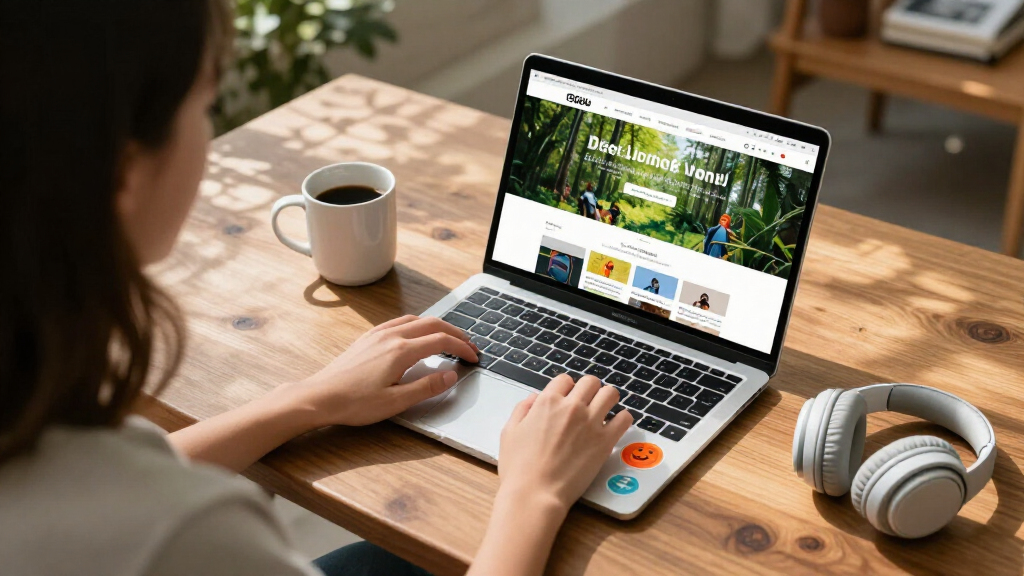
My ranking logic starts with one question: will this laptop survive a semester of real student work without becoming frustrating? That means I weighted RAM and processor class heavily, because 4GB Windows machines slow down the moment a student opens a browser with multiple tabs alongside a document. I then scored battery life, since outlets are scarce in classrooms and lecture halls, and build quality, because laptops get shoved into backpacks daily. Storage type mattered too — eMMC and small SSDs behave very differently once an operating system eats half the space.
Beyond the specs, I factored in operating system fit: ChromeOS machines are simpler and more secure for younger students and Google Classroom schools, while Windows picks handle specialized software like full Office desktop apps. Renewed models were judged on a stricter curve — they only earn a recommendation when the savings are large enough to justify the wear and shorter warranty. Finally, I balanced everything against price to separate true value from merely cheap.
| student-friendly laptop | Operating System |
|---|---|
| Samsung 14" Galaxy Chromebook | ChromeOS |
| HP 14" HD Chromebook | — |
| Lenovo Flagship Chromebook 14′ | — |
| 15.6" FHD IPS Student Laptop w | Windows 11 Home |
| Dell 15.6-inch Laptop with FHD | Windows 11 Home |
| HP 14" HD Student Laptop | Windows 11 S |
| Lenovo 300e Gen 2 11.6" Touchs | Chrome OS |
| HP Stream 14 Student Business | Windows 11 Home |
| HP 14" Laptop 2026 Edition | Windows 11 Home |
| Dell Chromebook 11 3100 | Chrome OS |
| HP Stream 14-inch HD Student & | — |
| Phantom 15.6" FHD Laptop with | — |
| HP 14" Ultra-Light Laptop for | — |
| HP 14-inch Ultra-Portable Lapt | — |
| ASUS 2026 15" FHD IPS Chromebo | — |
Factors to Consider When Choosing Student-friendly Laptops
Before picking a specific model, it helps to understand what actually separates a laptop that lasts four years from one that frustrates a student by midterms. These are the factors I weighed most heavily, plus the mistakes I see buyers make most often in this price bracket.RAM: The Spec That Decides Everything
The single most common mistake in this category is buying a Windows laptop with 4GB of RAM. Windows 11 alone can consume most of that before a student opens anything, which is why 4GB Windows machines feel slow within months. 8GB is the realistic floor for Windows, and it is why the Dell i3 model ranks first despite costing more than the Chromebooks. ChromeOS is far lighter — 4GB is genuinely usable there, though 8GB still future-proofs a Chromebook for Android apps and Linux tools. If budget forces a 4GB Windows machine, plan on it serving as a document-and-browser device only, with no multitasking expectations.
ChromeOS or Windows: Match the School, Not the Brand
Check what platform the student’s school actually uses before buying anything. Schools running Google Classroom manage Chromebooks natively, and students get a consistent experience with automatic updates and no antivirus upkeep. Windows is the safer call for college students or anyone needing desktop Office, specific engineering software, or exam-proctoring apps that only run on Windows. A common error is buying a cheap Windows laptop ‘for flexibility’ when the student never uses that flexibility and suffers the slowdowns instead. Neither OS is objectively better — the mismatch with school requirements is what causes regret.
Read Storage Numbers Carefully
Marketing in this price range blurs the line between local and cloud storage, and buyers get burned by it. A laptop advertised with ‘1.12TB’ may have under 128GB physically inside, with the rest being a OneDrive subscription that expires or depends on internet access. Windows updates alone can consume 20–30GB over a year, which is brutal on a 64GB eMMC drive. Chromebooks get away with small storage because they lean on Google Drive, but even then, students who edit video or work offline need more local space. Always find the physical storage figure before comparing prices.
Renewed Versus New: When Refurbished Makes Sense
Three of the fifteen picks here are renewed, and the math can genuinely favor them — a refurbished business-class Chromebook often outbuilds a brand-new budget laptop at the same price. The tradeoffs are real, though: shorter warranty windows, visible cosmetic wear, and batteries that may already have lost capacity. I only recommend renewed units for younger students who are rough on laptops anyway, or as a second household machine. For a primary college laptop carrying four years of coursework, a new unit with a full warranty is worth the premium. If you do buy renewed, stick to sellers with explicit return policies of 30 days or more.
Screen Size and Weight: The Portability Tradeoff
Screen size is a bigger daily-experience factor than most specs on the box. A 15.6-inch display is comfortable for research and writing, but these machines weigh noticeably more and rarely fit small classroom desks well. The 11.6-inch rugged Chromebooks swing the other way — extremely portable, but cramped for high schoolers writing long essays. The 14-inch size hits the sweet spot for most students, which is why so many picks here land there. Also check resolution: an HD (1366×768) panel is tolerable at 11.6 inches but visibly fuzzy at 15.6, where FHD should be the minimum.
Battery Life and Classroom Reality
A laptop that dies at 2 PM is a liability regardless of how fast it is, so battery ratings deserve more attention than processor marketing. Chromebooks consistently outperform Windows machines here because ChromeOS is lighter on the hardware. Be skeptical of manufacturer maximum-life figures — real-world use with brightness turned up typically lands 20–30% lower. Students with packed schedules and no reliable outlet access should prioritize the 12+ hour claims; anyone commuting with a charger in the bag can trade battery for performance. Also note that renewed laptops may have degraded batteries the listing never mentions.
Frequently Asked Questions
Is a Chromebook enough for college, or do I need Windows?
For most coursework — writing papers, research, email, streaming, and Google Workspace — a Chromebook handles everything, and several picks here do it with better battery life than any Windows option. The exceptions matter, though: if the degree program requires specific software like SPSS, MATLAB, full desktop Office features, Adobe creative apps, or exam-proctoring tools that only run on Windows, a Chromebook becomes a problem by sophomore year. Check the department’s software requirements list before buying, not after. A practical middle path is the Dell i3 Windows laptop for majors with software demands, and a Chromebook for everyone else. Many students also pair a Chromebook with free cloud-based versions of specialized tools their school licenses.
Can a 4GB RAM laptop actually work for schoolwork?
On ChromeOS, yes — 4GB is genuinely functional for browsing, docs, and streaming, and most Chromebook picks here use it acceptably. On Windows 11, 4GB is a daily frustration: the system idles near capacity, so opening a video call alongside a document triggers lag and frozen tabs. If a Windows laptop with 4GB is the only budget option, students can cope by keeping one app open at a time and using browser tab discipline, but it requires habits most students won’t maintain. The realistic advice is that 4GB Windows machines suit light home use or as a backup device, while 8GB — like the Dell i3 offers — is the minimum for a primary Windows school machine.
Are renewed student laptops worth the risk?
They can be, when the discount is deep and the buyer knows what to expect. Renewed business Chromebooks like the Dell 11 3100 were built to survive years of classroom abuse, so a refurbished unit often has a sturdier chassis than a new budget laptop at the same price. The risks are battery degradation, cosmetic wear, and shorter warranty coverage — typically 90 days instead of a full year. For a young student who may damage the laptop anyway, that tradeoff usually favors renewed. For a college student relying on one machine for four years, I would pay more for new, or buy renewed only from a seller with a 30-day return window and test the battery immediately.
What does ‘1.12TB storage’ on the HP Stream actually mean?
Almost all of it is cloud storage, not physical space. These bundles typically combine roughly 128GB of internal storage with a one-year Microsoft 365 subscription that includes 1TB of OneDrive space. Once the subscription lapses, the cloud portion disappears unless renewed, and the laptop reverts to its small internal drive. There is also a catch many listings bury: signing into a Microsoft account can consume a large chunk of the internal 128GB for system files and updates within the first year. Treat the physical number — not the marketing total — as the real storage, and plan on keeping large files in the cloud while the subscription lasts.
Should I buy now or wait for back-to-school sales?
The best discounts on budget laptops cluster between July and September, when retailers clear inventory ahead of the school year, and again around Black Friday. If a student needs a machine before those windows, waiting usually costs more in lost productivity than the savings deliver — especially in this under-$400 bracket where discounts run $30–80 rather than hundreds. One smarter strategy is buying the previous year’s configuration during a sale, since budget laptops change little generation to generation. Renewed inventory also fluctuates: business fleets get refreshed in waves, so refurbished stock often improves in late summer. If the timing works, waiting for a sale on an 8GB model beats paying full price for a 4GB one.
Conclusion
The right pick depends on who is carrying it. For best overall, the Dell 15.6-inch with Core i3 and 8GB RAM is the only machine here built to stay fast through multiple years of real schoolwork, making it my default recommendation for high school and college students. For best value, the HP 14″ HD Chromebook delivers all-day battery and a reliable classroom experience at the lowest sensible price for a new unit. The HP Stream 14 with N150 and 1.12TB bundle works as the best premium-leaning value pick for students tied to Windows and Microsoft 365.
For younger students and beginners, the Lenovo 300e Gen 2 and Dell Chromebook 11 3100 — both renewed — offer rugged, spill-tolerant designs that forgive the abuse kids dish out, at prices that hurt less to replace. The Samsung Galaxy Chromebook Go earns the lightweight-carry spot for students prioritizing portability above all. Whatever the choice, avoid the one trap this roundup exposed repeatedly: a 4GB Windows laptop bought on price alone is the most common way a student ends up hating their machine by November. Spend for the 8GB Dell if Windows is required, or let ChromeOS do the heavy lifting at a lower price.
Fall Picks
fall essentials
As an affiliate, we earn on qualifying purchases.