

The biggest mistake that quickly ruins your posture at a standing desk is setting it too high or too low without considering ergonomic guidelines. When the desk isn’t at the right height, it strains your neck, shoulders, and back, causing discomfort and poor alignment. Many focus on appearance rather than proper adjustment, leading to long-term issues. To avoid this, you’ll want to learn how to properly set your desk and monitor for peak comfort and health.

Get the latest gadgets delivered free — and shop member deals
- Fast, free delivery on millions of items
- Access to Prime Big Deal Days deals on October 6–7
- Prime Video, Amazon Music and more included
Key Takeaways
- Setting the desk height too high or low causes neck and shoulder strain, quickly ruining posture.
- Focusing on desk appearance over ergonomic adjustments leads to improper height and discomfort.
- Ignoring monitor eye level results in head tilting, accelerating poor posture development.
- Not aligning keyboard and mouse height with elbows creates tension and long-term musculoskeletal issues.
- Failing to incorporate movement breaks exacerbates posture problems caused by improper desk height.
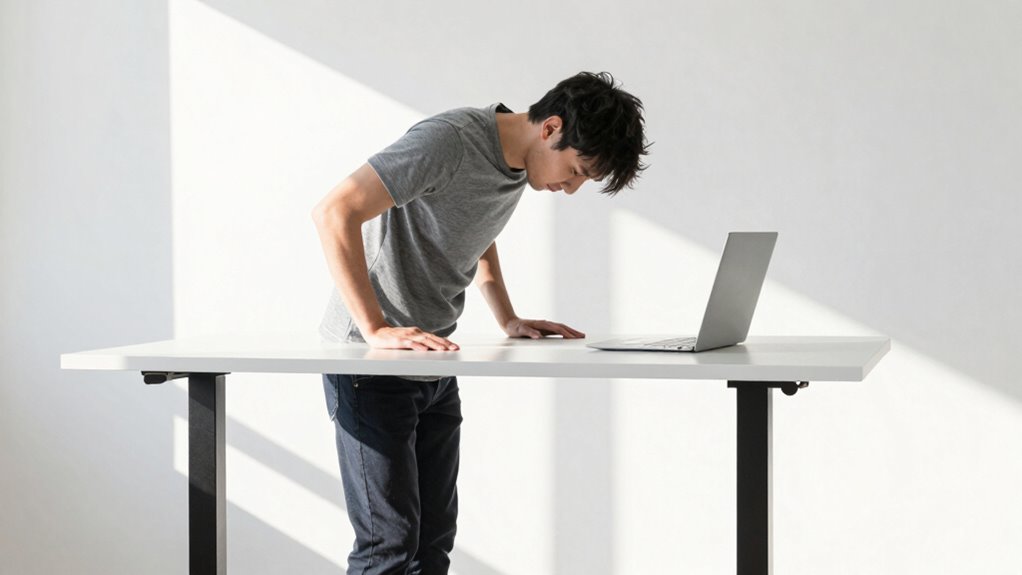
Many people make a common mistake when setting up their standing desk: choosing the wrong height. It’s easy to focus on the desk’s surface or the overall look, but ignoring proper ergonomic adjustments can lead to discomfort and poor posture in no time. The key to a healthy standing desk experience is making sure your workspace is tailored to your body. When you neglect this, you risk straining your neck, shoulders, and back, which can quickly become chronic issues.
Proper ergonomic setup is essential to prevent discomfort and promote healthy posture at your standing desk.
The right desk height isn’t just about eyeballing the surface level or setting it at a standard height. Instead, it requires you to pay attention to your body’s natural alignment. Your elbows should be close to a 90-degree angle or slightly more open when your hands rest on the desk. If your desk is too high, you’ll end up shrugging your shoulders or reaching upward, which strains your neck and shoulders. If it’s too low, you’ll hunch forward, putting unnecessary pressure on your lower back and compromising your posture. Additionally, proper ergonomics can help prevent long-term health issues related to poor workstation setup.
To avoid this, focus on ergonomic adjustments that make your standing setup comfortable. Use adjustable desks or add monitor risers if needed so the top of your screen is at eye level. This prevents you from tilting your head downward or upward, which can cause neck pain over time. When considering desk setup tips, think about your entire workspace—your keyboard, mouse, and monitor should be positioned to keep your wrists straight and your eyes level. This minimizes the risk of repetitive strain injuries and guarantees your posture remains natural and balanced. Ensuring proper desk height adjustment is a fundamental step for long-term comfort. Additionally, understanding the importance of ergonomics can help you optimize your workspace for health and productivity.
It’s also wise to take frequent breaks to move and stretch. Standing still for long periods, even at the perfect height, isn’t healthy either. Incorporating movement into your routine with simple stretches or short walks can significantly improve circulation and reduce muscle tension. Recognizing the importance of ergonomic principles can further enhance your setup and prevent discomfort. This helps reduce tension in your muscles and keeps your circulation flowing. Remember, the goal of a standing desk isn’t just to stand, but to do so ergonomically and comfortably.
Getting your standing desk height right is vital, but it takes conscious effort. Take the time to make ergonomic adjustments and follow desk setup tips so that your workspace supports your posture rather than undermines it. When set up correctly, your standing desk can boost your productivity and comfort, preventing the quick deterioration of your posture and making sure you stay healthy in the long run.
As an affiliate, we earn on qualifying purchases.
Frequently Asked Questions
How Do I Adjust My Standing Desk for Different Tasks?
To adjust your standing desk for different tasks, first set the desk height so your elbows are at a 90-degree angle. Use ergonomic accessories like a monitor stand or keyboard tray for better comfort. Many desks have a desk height memory feature, so you can easily switch between settings. Remember to adjust your monitor to eye level and take breaks to maintain good posture and prevent strain.
What Signs Indicate My Desk Height Is Incorrect?
You’ll notice discomfort, like neck strain or shoulder pain, if your desk height is off. Your elbows should be at a 90-degree angle and close to your sides, not stretched out. If you’re hunching or unable to keep proper posture, it’s a sign. Avoid desk height myths and use ergonomic accessories like adjustable stands to find the right height. Proper setup helps prevent long-term pain and improves your work comfort.
Can Desk Height Affect Overall Health Beyond Posture?
Ironically, a poorly adjusted desk can secretly sabotage your health beyond just your posture. When your desk height is off, you might rely on ergonomic accessories that only mask discomfort, not fix it. This can lead to muscle strain, fatigue, or even headaches. Staying aware of your posture helps prevent these issues, but you must also guarantee your desk’s height promotes proper alignment, or you risk long-term health consequences.
How Often Should I Change Desk Height During the Day?
You should change your desk height every 30 to 60 minutes to prevent strain and maintain good posture. Use ergonomic accessories, like adjustable monitor stands, to support this. A desk height calculator can help you find the perfect position quickly. Regular adjustments keep your muscles engaged and reduce fatigue, ensuring you stay comfortable and healthy throughout your workday. Remember, consistency is key for long-term benefits.
Is There an Ideal Desk Height for Different Body Types?
Yes, there’s an ideal desk height for different body types, but it varies. You should aim for your elbows to be at a 90-degree angle when typing, with wrists straight. Use ergonomic accessories like adjustable monitor stands and keyboard trays to customize your setup. Don’t fall for desk height myths—adjust your desk to fit your body, not the other way around, for better posture and comfort throughout the day.
monitor riser for ergonomic setup
As an affiliate, we earn on qualifying purchases.
As an affiliate, we earn on qualifying purchases.
Conclusion
If you keep overlooking the subtle cues of your standing desk setup, you might find your posture slowly slipping away. Small misjudgments in height can quietly undermine your comfort and health without you realizing it. Remember, the right adjustment isn’t just a detail—it’s the foundation of good posture. Pay close attention, fine-tune your desk, and you’ll keep your workspace supportive and your body happy, avoiding the quiet pitfalls that come with neglect.
As an affiliate, we earn on qualifying purchases.
As an affiliate, we earn on qualifying purchases.
Halloween Picks
halloween
As an affiliate, we earn on qualifying purchases.