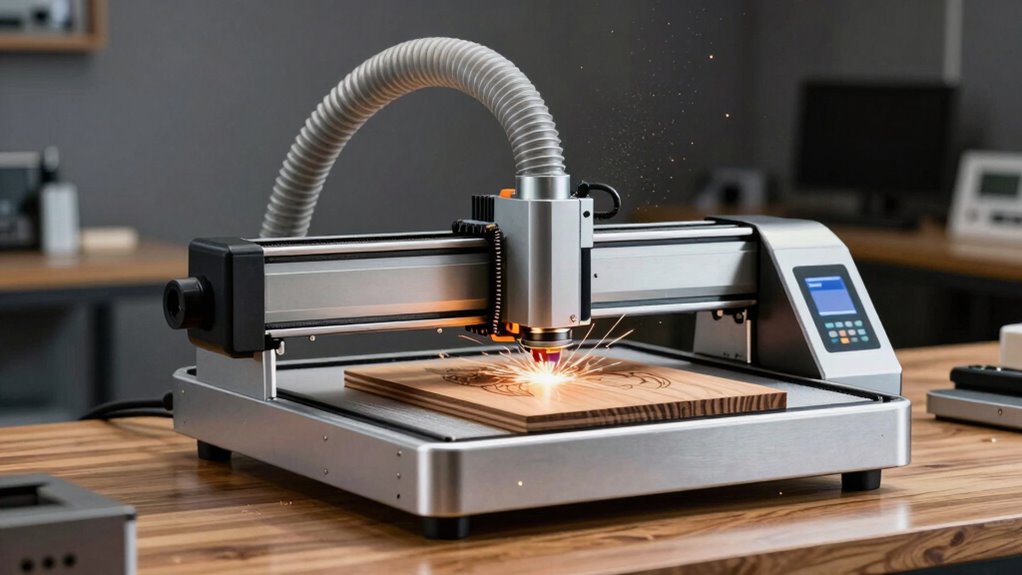

Laser engravers may seem simple and plug-and-play, but without proper ventilation, fumes from engraving can quickly build up and harm your health. Many users overlook the importance of capturing fumes at the source, relying only on small fans or open windows. Poor ventilation can cause headaches, respiratory issues, and long-term health risks. To stay safe and maintain air quality, you need a proper exhaust system. Keep going to discover how to guarantee your workspace stays safe and compliant.

Get the latest gadgets delivered free — and shop member deals
- Fast, free delivery on millions of items
- Access to Prime Big Deal Days deals on October 6–7
- Prime Video, Amazon Music and more included
Key Takeaways
- Many laser engravers appear user-friendly but lack integrated, effective fume extraction systems needed for safe operation.
- Plug-and-play designs often overlook the importance of proper ventilation, risking fume buildup and health hazards.
- Inadequate ventilation can cause fumes to linger, reducing air quality and increasing long-term health risks.
- Regular maintenance of external ventilation systems is crucial, even if the machine seems easy to operate.
- Monitoring air quality ensures fumes are properly exhausted, preventing dangerous exposure despite the machine’s simple appearance.
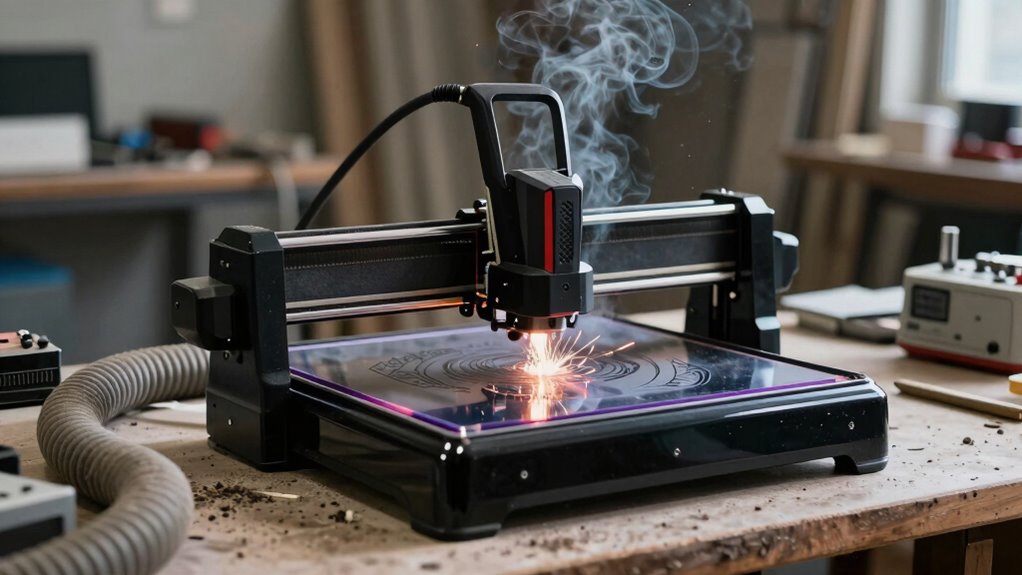
If you operate a laser engraver without proper ventilation, you risk exposing yourself and others to harmful fumes and smoke. While these machines often appear straightforward and easy to set up, neglecting ventilation can quickly turn a seemingly simple task into a serious health hazard. Poor air quality created by laser engraving fumes can cause headaches, respiratory issues, and long-term health problems if left unaddressed. That’s why implementing effective safety protocols is essential to protect everyone in your workspace.
Most laser engravers are designed with convenience in mind, but they don’t automatically account for the fumes generated during operation. Without adequate ventilation, these fumes linger in the air, reducing air quality and creating an unsafe environment. Over time, this buildup can compromise your health and that of anyone nearby. It’s tempting to think that a window or a small exhaust fan is enough, but effective ventilation requires a well-planned system that captures fumes at the source and expels them outside. This not only improves air quality but also ensures compliance with safety standards.
Safety protocols should include regular maintenance and inspection of your ventilation system. You need to verify that filters are clean, fans are functioning properly, and airflow is strong enough to carry fumes away from the work area. Additionally, establishing clear procedures for operating the laser engraver can minimize risks. For example, always run the machine in a well-ventilated space, and never ignore the importance of using certified exhaust systems. When fumes are properly vented, you prevent the accumulation of hazardous particles that could otherwise settle on surfaces or be inhaled. Ensuring proper ventilation systems are in place is a critical step in maintaining a safe workspace.
Many users overlook the importance of monitoring air quality in their workshop, but doing so can alert you to potential issues before they become serious. Air quality monitors can detect dangerous levels of fumes and provide real-time feedback, prompting you to adjust your ventilation or stop engraving if necessary. Incorporating these tools into your safety protocols ensures a proactive approach to health and safety.
Ultimately, the convenience of plug-and-play laser engravers can mask the importance of proper ventilation. It’s easy to focus on the engraving process itself, but neglecting ventilation compromises air quality and safety. You must prioritize safety protocols that include robust ventilation solutions, regular system checks, and air quality monitoring. Only then can you enjoy the benefits of your laser engraver without risking your health or the health of others in your workspace.
As an affiliate, we earn on qualifying purchases.
Frequently Asked Questions
What Are the Best Ventilation Systems for Small Laser Engravers?
The best ventilation systems for small laser engravers prioritize airflow optimization and easy filter maintenance. Look for compact, efficient exhaust units with adjustable airflow settings to match your workspace needs. Make sure they have accessible filters for quick replacement and regular cleaning. Proper ventilation reduces fumes, improves air quality, and keeps your machine running smoothly. Investing in a reliable system makes your engraving safer and more efficient without complicating your setup.
How Often Should Filters Be Replaced in Laser Engraver Vents?
Think of your filters as the lungs of your laser engraver’s ventilation system—they need regular care to keep everything running smoothly. You should replace air filters every 6 to 12 months, depending on usage and material types. Regular air filter maintenance prevents clogging and improves air quality. When your system starts showing strain, consider ventilation system upgrades to guarantee peak performance and safety, saving you headaches down the line.
Can Poor Ventilation Affect Engraving Quality or Machine Lifespan?
Poor ventilation can definitely impact both your engraving quality and machine lifespan. When air quality isn’t maintained, fumes and debris build up, which can cause overheating or damage parts. This also poses safety risks. By following safety protocols and ensuring proper ventilation, you protect your equipment and maintain consistent engraving results. Regularly checking and replacing filters helps keep the air clean, safeguarding both your machine and your health.
Are There Portable Ventilation Options for Mobile Laser Engraving Setups?
Yes, you can use portable fans and DIY exhaust systems for mobile laser engraving setups. These options help vent fumes and heat effectively, even on the go. Portable fans are easy to carry and set up, while DIY exhausts can be tailored to your space. Both solutions improve air quality, protect your equipment, and guarantee consistent engraving quality, making mobile engraving safer and more practical.
How Do I Troubleshoot Persistent Fumes Despite Ventilation Improvements?
Did you know poor air circulation is responsible for about 60% of ventilation issues? To troubleshoot persistent fumes, focus on enhancing fume absorption and air circulation. Check if your exhaust system is functioning correctly, clean or replace filters, and make sure vents aren’t blocked. Adding an air purifier with activated carbon can also help absorb lingering fumes. Regularly inspect your setup to maintain ideal airflow and safety during engraving.
air quality monitor for workshop
As an affiliate, we earn on qualifying purchases.
As an affiliate, we earn on qualifying purchases.
Conclusion
Think of your laser engraver as a delicate plant. It might seem sturdy and easy to care for at first, but without proper ventilation, it’s like leaving it in a stuffy, stagnant room. Just as plants need fresh air to thrive, your machine needs good airflow to perform its best. When ventilation falters, problems grow unseen—so guarantee your setup isn’t just plug-and-play, but a revitalizing breeze for your equipment’s health.
As an affiliate, we earn on qualifying purchases.
ventilation system for laser cutter
As an affiliate, we earn on qualifying purchases.
As an affiliate, we earn on qualifying purchases.
Halloween Picks
halloween
As an affiliate, we earn on qualifying purchases.