
TL;DR

Get the latest gadgets delivered free — and shop member deals
- Fast, free delivery on millions of items
- Access to Prime Big Deal Days deals on October 6–7
- Prime Video, Amazon Music and more included
Amazon Echo devices range from compact Alexa speakers to premium audio models and touchscreen Echo Show displays, so choose by room and daily use rather than by name alone. Compare sound, screen size, smart-home compatibility, and privacy controls, then check Amazon’s current listings because model availability and features change over time.
The right Echo can answer a kitchen timer over the hiss of a frying pan—or sit quietly on a shelf while you use your phone instead. That gap between what a device can do and what you’ll actually use is the key to choosing among the latest Amazon Echo devices.
Echo is a family of Alexa-powered products, not one speaker in different colors. You’ll find small speakers, larger audio models, and Echo Show screens for video calls and shared household information. Features, prices, and model availability can change, so check Amazon’s current product pages before buying; the model examples here describe product types and reported features, not a live retail inventory.
This guide compares the main options, explains which features matter in everyday rooms, and gives you questions to help you craft a sensible shortlist. You’ll also get a practical way to check compatibility and privacy before an Echo becomes part of your home.
Match the Echo to its room and main job: timers and podcasts need less than a shared recipe or calendar screen.
Compare compact Dot-style speakers, larger Echo speakers, and Echo Show displays by sound, space, and daily use.
Check the exact generation’s specifications; smart-home radios, cameras, and screen features differ across models.
Confirm that your lights, plugs, and other smart-home devices support the Echo model and setup method you plan to use.
Find the microphone mute control and review Alexa privacy settings before placing an Echo in a shared or private room.
Start with the room, not the model name
The latest Amazon Echo devices are Alexa-powered speakers and displays designed for different rooms and routines; the best fit depends on whether you need a compact voice assistant, stronger sound, or a screen. Start with the job you want the device to do, then match the form factor to the space. A small speaker can be a better buy than a premium model if all you need is a timer and a bedside alarm.
Think of your home as a set of workstations. A kitchen Echo needs to hear you above running water, while a bedroom device should be easy to mute and quiet enough not to dominate the room. In a family room, a screen may earn its space by showing recipes, calendars, or compatible camera feeds. The right tool belongs where the routine happens.
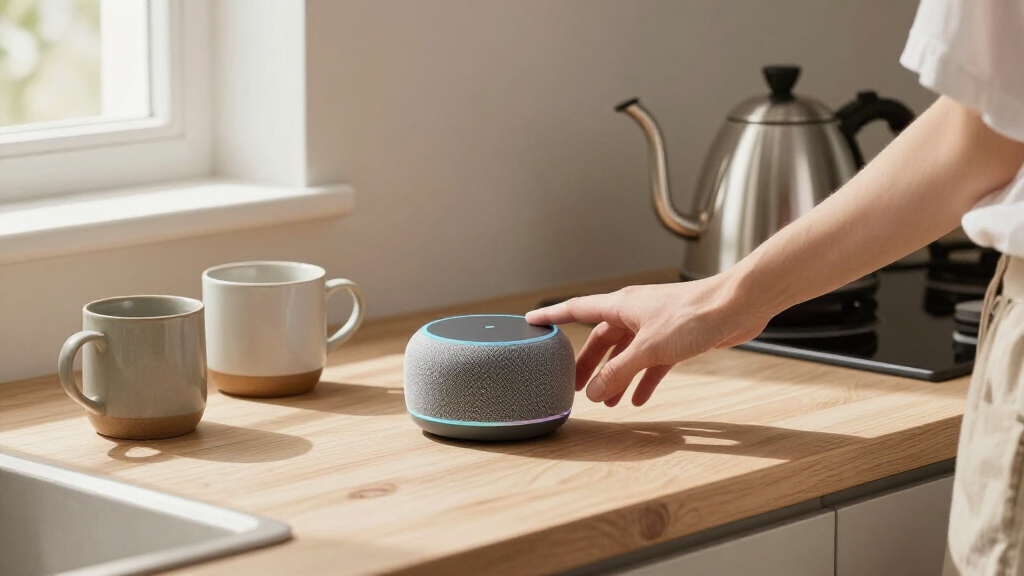
For example, if you ask for a weather report while pulling on your coat, a compact Echo Dot may cover the basics. If you want to follow a recipe with flour on your hands, an Echo Show’s touchscreen can keep the next step visible. A household that streams music most evenings may care more about speaker performance than a display.
Amazon’s product descriptions and availability change over time, so treat “latest” as a moving label, not a guarantee that every model is new or sold in your region. Check the listed generation, supported features, and current price before comparing. That simple habit prevents an appealing product name from doing the thinking for you.
As an affiliate, we earn on qualifying purchases.
Compare speakers and screens before you spend
The latest Amazon Echo devices differ most in sound, screen, and room fit. A Dot-style speaker handles everyday voice requests in a small space; a larger Echo speaker is a stronger choice when music matters; an Echo Show adds a display for video and visual information. Those differences affect more than convenience: they determine whether the device gets used daily, feels intrusive, or duplicates something you already own. Compare those practical differences before you compare colors or promotional prices.
| Device type | Best fit | What you gain | What to weigh |
|---|---|---|---|
| Compact Echo Dot | Bedroom, desk, small kitchen | Small footprint for timers, alarms, and Alexa requests | Less room-filling sound than a larger speaker |
| Standard Echo speaker | Living room or open kitchen | More substantial audio for everyday listening | Costs and occupies more space than a compact model |
| Echo Show 15 | Shared kitchen or family area | 15.6-inch screen for visual information and compatible controls | Needs a suitable place and may show more than you want |
| Other Echo Show models | Countertop or desk | Touchscreen features in different sizes | Screen size and features vary by generation |
Imagine comparing two devices for a kitchen. One offers better music playback; the other shows a shopping list and recipe directions. If you already keep a tablet on the counter, the stronger speaker may add more value. If you routinely wipe sticky hands before touching your phone, a glanceable display could make the extra space worthwhile. In other words, a screen is most valuable when it replaces a repeated phone lookup, while better audio matters more when listening is the main activity.
Do not assume every Echo speaker includes the same smart-home radio or every Show has the same camera and display features. Check the specifications for the exact generation. Feature names are not a substitute for model numbers, especially when a retailer lists older stock alongside newer products. A lower price on an older generation can still be a good deal, but only if it supports the features you need and its tradeoffs are acceptable.
As an affiliate, we earn on qualifying purchases.
Choose sound that suits your listening habits
The latest Amazon Echo devices can play music, but a small speaker and a larger model will not fill a room in the same way. If you mostly listen to spoken news, podcasts, and short timers, clear speech may matter more than deep bass. If you play music while cooking or hosting friends, prioritize fuller sound and a placement that gives the speaker room. This distinction matters because paying for stronger audio brings little benefit if the device is mainly used for brief voice replies, while choosing the smallest model for a big shared space can leave music sounding weak.
Sound behaves like light in a room: walls, corners, and soft furnishings change what reaches you. A speaker tucked behind a vase may sound muffled, while one placed on an open shelf can carry more clearly. Before buying a second Echo for music, test the first one in the spot where you plan to use it. Your ears are a better guide than a feature checklist. Placement can sometimes improve the experience more cheaply than upgrading, though a small speaker cannot always overcome the limits of its size in a large room.
For a real-world example, a Dot on a nightstand can make a gentle alarm and deliver a short podcast without taking over the bedroom. The same device may feel thin in a large living room during a dinner with several people talking. A bigger Echo can provide a more satisfying everyday music experience, though it still does not replace a dedicated stereo setup for listeners who care deeply about sound. The sensible choice depends on how demanding your listening is: background music calls for a different standard than sitting down to focus on an album.
Amazon’s supplied product information may describe audio processing or speaker components, but marketing terms do not guarantee that a particular model will suit your room. Look for the exact device’s audio details, read current independent reviews, and listen in person if possible. For multi-room listening, check that your chosen devices support the group features you want; compatibility can vary by model and service. Also consider whether you need synchronized playback across rooms or simply want a speaker in each one—those goals can affect which models and services make sense.
As an affiliate, we earn on qualifying purchases.
Pick an Echo Show only if the screen earns its space
An Echo Show earns its counter or wall space when you regularly use visual information, video calls, or touchscreen controls. The Echo Show 15 has a 15.6-inch screen intended for a larger, shared display, while smaller Show models suit desks and counters. A screen is useful when you look at it often; otherwise, it can become another glowing rectangle to dust. Its value is not just screen size: it depends on whether the display makes information easier to share or act on than the phone or tablet you already reach for.
Consider a busy weekday morning: one person checks a family calendar, another asks for the weather, and a child follows a breakfast recipe. A large display can make those details easier to share than a phone passed from hand to hand. It may also provide controls for compatible smart-home devices. The benefit depends on whether your household actually gathers where the display sits. If family members enter through different rooms or keep their schedules in apps they rarely check on a shared screen, the dashboard may not change the routine as much as its feature list suggests.
Displays bring tradeoffs. They need power, a useful viewing angle, and a place where their camera and screen feel comfortable. Before buying, check which streaming services and video-call features the specific generation supports. Do not assume every app available on a tablet appears on an Echo Show, or that every Show includes the same camera features. A large display can make information easier to see, but it also occupies more visual space and may be less welcome in a room where people prefer fewer screens.
If you live alone and mainly ask Alexa to set timers, a screen may add little beyond visual weather and a clock. If you cook from recipes, make frequent video calls, or want a common family dashboard, it can be much more useful. Picture the screen at 7:30 a.m., not just in a polished product photo: will anyone stop to read it while the kettle clicks and the school bags are being packed? That imagined moment is a practical test of whether the display supports a real habit or merely looks useful in theory.
As an affiliate, we earn on qualifying purchases.
Check smart-home compatibility before buying
An Echo can control only the smart-home devices and features its software and radios support. Alexa can work with many compatible lights, thermostats, plugs, cameras, and other products, but compatibility is not universal. Check the exact product listing and your device’s app before assuming a voice command will work. This matters because compatibility affects the whole routine: a device that needs a separate hub, account, or app may still work, but setup and everyday control can be less straightforward than a single voice command implies.
- Write down what you own. Note the brands and model numbers of your lights, thermostat, doorbell, and plugs. “Smart bulb” is too broad to confirm support.
- Check the connection method. Review whether each accessory uses Wi-Fi, Bluetooth, Zigbee, Matter, or a manufacturer hub, then confirm the Echo model supports the connection you need.
- Look up Alexa support. Search the accessory maker’s current instructions for Alexa pairing and any required skill, account, or hub.
- Pick one routine to test. For example, ask Alexa to switch off a supported living-room light before adding more devices.
This checklist avoids a common frustration: buying a smart plug and an Echo, then discovering the plug needs a separate hub or account. Some Echo models include smart-home connectivity features that others lack, and standards support can vary by generation. Read the product specifications rather than relying on a family name. If a hub is required, include its cost and setup in your comparison; the Echo’s purchase price alone may not reflect the total cost of making your routine work.
Protocols such as Matter are meant to make smart-home setup more consistent across compatible products, but “Matter” on a box does not mean every feature works identically in every app. A light might support basic on-and-off control while advanced scenes remain in its manufacturer’s app. Start with one device, test the command in your actual room, and expand only when the routine feels reliable. This small trial reveals whether the connection is dependable and whether voice control is genuinely easier than the app you already use.
Set privacy controls before Alexa joins the room
Echo privacy controls help you manage when the device listens and what voice recordings you keep, but they do not remove every privacy tradeoff. Many Echo devices have a microphone-off control and a visible indicator that signals microphone activity; exact controls vary by model. Find the physical mute button and review Alexa privacy settings during setup, not after an unexpected response. The practical implication is that privacy depends on both the device’s controls and its placement: a convenient kitchen speaker may be a poor fit beside private conversations.
It helps to treat privacy like a set of window blinds. You can decide when to close them, what information to keep, and which rooms deserve the most privacy. If you place an Echo in a shared family area, explain the mute control to everyone who uses the room. For a bedroom, you may prefer a model with a clearly accessible button—or no voice assistant at all. These choices involve a tradeoff between hands-free convenience and how comfortable people feel speaking freely near a connected microphone.
For example, if guests stay overnight, show them how to mute the microphone before they settle in. If your Echo includes a camera, review its camera controls and decide whether the device belongs in that room. You can also review available voice-history and data controls in the Alexa app; menu labels and options can change as Amazon updates its software. Taking a minute to explain these controls can prevent guests from having to guess whether the device is active or how to pause it.
A microphone mute button is a useful control, not a complete privacy policy. Check the device settings, review Amazon’s current privacy information, and choose a placement that suits the people who share your home.
Privacy comfort is personal. Some people welcome hands-free timers and smart-home control; others prefer to use an app and keep microphones out of private spaces. Make the choice deliberately, and revisit settings when household needs change. A small speaker should make your routine easier—not leave you wondering what it heard. If no setting makes a room feel comfortable, moving the device or choosing not to put one there is a reasonable solution.
Use a five-step shortlist to find your best fit
Choose an Echo by matching one daily task, one room, and one realistic budget to the device’s documented features. This keeps you from paying for a large screen you rarely glance at or buying a compact speaker that cannot handle the room. Treat the purchase as a small home upgrade, not a race to own the newest name. The sequence below is useful because it narrows the choice in the order that matters: first establish the need, then check whether a particular product can meet it without unwanted compromises.
- Name the main job. Choose music, timers, video calls, family information, or smart-home control. Pick the one you’ll use most days.
- Choose the room. A bedside table, kitchen counter, and open living room each ask for different size, sound, and screen choices.
- Set a price ceiling. Compare current prices and discounts, but check the generation and features rather than assuming a low price means a bargain.
- Confirm compatibility and privacy. Check smart-home support, microphone controls, cameras, and the settings you want to manage.
- Read current specifications. Verify what is included, what needs a subscription or separate hub, and whether the model is available in your country.
Suppose you want an Echo for a small apartment kitchen. You already own compatible smart bulbs, use a phone for video calls, and mostly listen to podcasts. A compact speaker may make more sense than a large Show, even if the display looks impressive on a product page. You avoid paying for a screen that duplicates your phone, while still getting hands-free timers and voice control where you need them.
Reverse the example and the answer changes: a family that keeps its calendar on the wall and cooks from online recipes may get daily value from a screen. The shortcut is to ask, “What will I ask this device to do tomorrow?” If you can name a frequent task and a sensible place for it, you have a stronger buying case than “it’s the latest.” If the answer is only an occasional novelty, a less expensive model—or waiting until a clearer need appears—may be the better use of your budget.
Frequently Asked Questions
What is the difference between an Echo Dot and a standard Echo?
An Echo Dot is a compact speaker suited to smaller rooms and everyday Alexa requests such as alarms, timers, and podcasts. A standard Echo speaker is generally the better direction if you want more substantial music playback, but compare the exact generations because features change.
Is the Echo Show 15 a good choice for a kitchen?
The Echo Show 15’s 15.6-inch display can suit a shared kitchen where people check calendars, recipes, or compatible smart-home controls. It needs a practical mounting or placement spot, and it may be unnecessary if you already use a tablet or mainly want voice commands.
Can an Echo control the smart-home devices I already own?
Often, but not automatically. Check each accessory’s model and current Alexa compatibility instructions, including whether it needs a separate hub, app, or account; smart-home support varies by Echo generation and accessory.
How can I protect my privacy with an Echo?
Learn where the microphone-off control sits, review voice-history and privacy settings in the Alexa app, and check camera controls on models that have cameras. Place the device where its microphone and display feel appropriate for the people who share the room.
Should I buy the newest Echo model?
Not necessarily. Buy the model that fits your room, budget, sound needs, screen use, and smart-home setup; then verify current specifications and availability before placing an order. A device with fewer features can be the better choice if it handles your everyday task well.
Conclusion
Choose the Echo that solves a routine you already have: clearer music in the living room, hands-free timers in the kitchen, or a shared screen where your household can see the day’s plan. Check the specific model’s features, compatibility, and privacy controls before you buy, because the Echo name alone does not tell the whole story.
A good smart speaker should fade into the rhythm of your home, like a kettle you reach for without thinking. Start with one room, one useful job, and one device that earns its place.
Halloween Picks
halloween
As an affiliate, we earn on qualifying purchases.