
TL;DR

Get the latest gadgets delivered free with Prime
- Fast, free delivery on millions of items
- Prime Video, Amazon Music and more included
- Member-only deals all year
BetterWispr has introduced a free, open-source dictation app for macOS 14 and later, with speech models that run on the Mac and no required account or cloud transcription service. The app supports multiple speech models, per-app writing styles and optional meeting notes; language coverage and performance depend on the model and hardware.
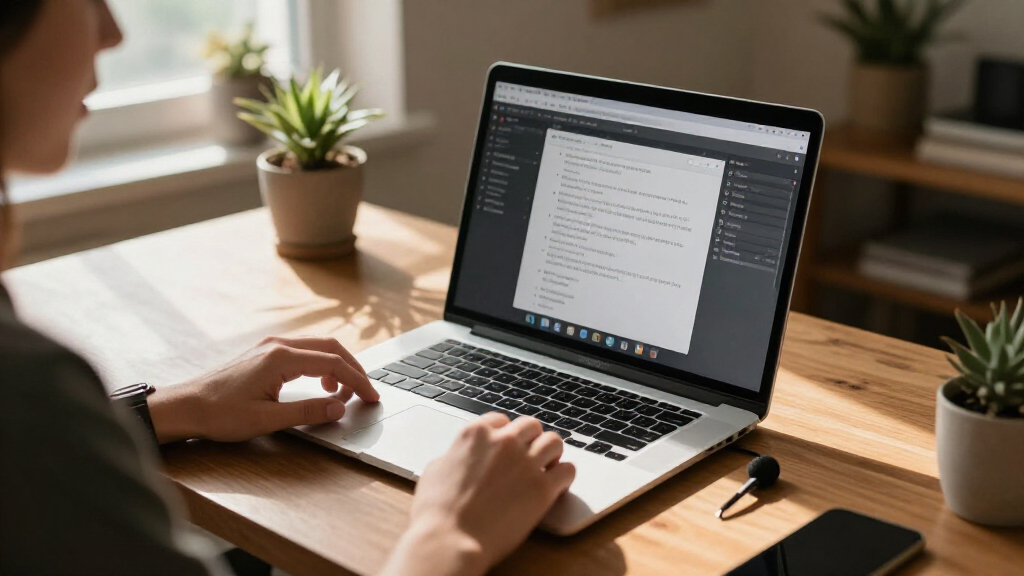
BetterWispr has introduced a free, open-source dictation app for macOS 14 and later, letting users speak into a shortcut and insert a cleaned transcript into the app they are using. The developer says speech is processed on the Mac using local models, with no account or cloud transcription fallback required.
The app uses a press-and-hold shortcut, Option + Space by default: users focus a text field, hold the keys while speaking and release to transcribe. BetterWispr says text is inserted into the active app; if an app blocks automatic insertion, the transcript can be copied from the app. Transcription begins after recording stops, rather than appearing word by word as the user speaks.
BetterWispr lists nine built-in models from Apple Speech, Parakeet and Whisper. The company says Parakeet includes English, Japanese and 25 European languages, while Whisper supports a wider range. Users can also configure Sarvam AI, Smallest AI or an OpenAI-compatible API. Those external connections are optional; the service says they may send dictation to the selected provider.
Optional tools include meeting notes, which separate the user’s microphone audio from audio captured from other apps, and summaries of decisions and action items. The site says those summaries can be generated using Apple Intelligence or Ollama on the Mac. Cleanup settings range from removing English fillers and repeated words to editing for clarity, or keeping the spoken words unchanged.
Local Dictation Across Mac Apps
BetterWispr packages dictation, text cleanup and app-specific writing preferences into a single Mac workflow. Its local-processing approach may appeal to people who do not want to send routine speech to a transcription service, while the option to keep every word unchanged gives users more control over how much the software edits.
The privacy description has practical limits: users must install model files, and language support and speed depend on the chosen model and Mac. Features using an external API are not equivalent to local processing. The app therefore offers a choice of workflows, rather than a guarantee that every feature and configuration operates offline.
For people who dictate frequently, the app’s ability to place text in other applications could reduce the need to switch between a recorder and a writing tool. BetterWispr also says it keeps raw and corrected transcripts in local history, which can be turned off. That makes its handling of saved history, permissions and optional providers relevant alongside the headline promise of on-device transcription.
As an affiliate, we earn on qualifying purchases.
How the Dictation Workflow Works
The product is presented through a Show HN launch, a format used to introduce projects to Hacker News readers. BetterWispr describes itself as free and licensed under Apache 2.0; its site directs users to the project’s GitHub repository to review the code, report issues or build it themselves.
Setup requires granting permissions for functions such as microphone access and inserting text into other apps. The site says Accessibility permission supports automatic insertion, while Apple Speech requires Speech Recognition permission. Users can choose a model during setup; downloadable model files take storage on the Mac and need to be installed before offline use.
The app’s cleanup, styles and voice commands are described as working in English. Other language capabilities depend on the selected speech model and, for Apple Speech, the user’s locale and installed system assets. The developer’s page also labels its typing-speed illustration as simulated, not a benchmark, so it should not be treated as independent performance evidence.
“Speech stays on your Mac.”
— BetterWispr, on its product website
As an affiliate, we earn on qualifying purchases.
Performance and Privacy Conditions
The available source is the developer’s product website; it does not include independent testing of transcription accuracy, latency, privacy practices or performance across Mac models. BetterWispr recommends Apple Silicon, but does not provide comparative speed or accuracy results in the supplied material.
It is also not clear from the launch material how each model performs across accents, noisy environments or specialized vocabulary. Language support varies by model, and the site advises users to test their chosen model with their own speech. Its simulated typing illustration is explicitly not a benchmark.
The local-processing description applies to compatible on-device models and features configured to use them. A user who selects an external API may send dictation to that provider. The material does not provide a full technical audit of data handling, and the exact behavior of particular apps or secure text fields may vary; the site says some fields block automatic insertion.
As an affiliate, we earn on qualifying purchases.
Installation and Project Updates
Users can download BetterWispr, follow the setup guide, grant the needed permissions and install a compatible local model. The developer says updates are distributed through GitHub Releases using Sparkle and are installed only when an EdDSA signature matches.
The project’s GitHub repository is the stated route for reviewing source code, filing issues or building the app. The launch material does not announce a release schedule, future features or independent evaluations. Those details, along with user feedback on model quality and Mac compatibility, will help clarify how the app performs beyond the developer’s description.
As an affiliate, we earn on qualifying purchases.
Key Questions
Is BetterWispr free to use?
Yes. BetterWispr says it is free and open source under Apache 2.0, with no dictation subscription, account or API key required for its local workflow. Model files use storage on the Mac.
Which Macs can run BetterWispr?
The stated minimum is macOS 14. The developer recommends Apple Silicon for local model processing; available models and performance depend on the computer and the language selected.
Does it work offline?
BetterWispr says it can work offline after a compatible local model and its required files have been installed. There is no cloud transcription fallback. Downloading models requires an internet connection, and Apple Speech depends on supported languages and installed system assets.
Does BetterWispr change what I say?
Cleanup is configurable. The default Light setting removes English fillers, repeats and false starts; None keeps the spoken words unchanged. Medium can edit English for clarity using a selected notes model. The developer says Apple Intelligence and Ollama can perform that processing locally, while chosen external APIs send dictation to the provider.
What happens if text cannot be inserted into an app?
The developer says some apps or secure fields may block automatic insertion. In that case, users can retrieve the transcript from BetterWispr and copy it themselves.
Source: hn
Evergreen bestsellers Picks
bestsellers
As an affiliate, we earn on qualifying purchases.