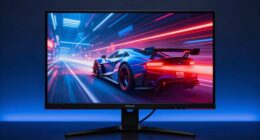
To make your desk feel bigger with dual monitors, position them symmetrically, placing edges close together for a cohesive look. Keep the main monitor directly in front at eye level, and angle the secondary inward for balance. Use adjustable mounts to customize height and angle, reducing clutter and eye strain. This setup creates visual harmony and an open, organized space. Stick around to discover more tips that’ll boost your workspace’s feel and efficiency.
Key Takeaways
- Align monitors symmetrically with edges nearly touching to create a seamless, unified appearance.
- Position the main monitor directly in front at eye level for a balanced focal point.
- Angle secondary monitors inward to enhance visual cohesion and reduce perceived clutter.
- Use adjustable mounts to optimize height and angle, maximizing space efficiency.
- Maintain a neat, organized workspace with monitor placement that promotes openness and reduces visual congestion.

Setting up your dual monitors efficiently can considerably boost your productivity and streamline your workflow. The key lies in a layout that maximizes space while promoting comfort and visual harmony. When you position your monitors correctly, you not only enhance your ergonomic benefits but also create a sense of visual symmetry that makes your desk appear larger and more organized. This trick isn’t just about aesthetics; it’s about working smarter and feeling better while doing it.
Start by placing your monitors close together, ideally with the edges nearly touching. This reduces the visual gap between screens, making switching between tasks seamless and less tiring on your eyes and neck. When your monitors are aligned in a way that minimizes the distance your eyes need to travel, you lessen strain and improve overall ergonomic benefits. Keep the monitors at eye level so that your neck remains in a neutral, relaxed position. This setup prevents fatigue, especially during long work sessions, and helps maintain good posture.
Place monitors close together at eye level to reduce strain and improve ergonomic comfort during long work sessions
To achieve visual symmetry, position your main monitor directly in front of you, with the secondary monitor slightly angled inward on one side. This creates a balanced, cohesive look that tricks your brain into perceiving a larger, more unified workspace. The symmetry not only contributes to a clean aesthetic but also allows your eyes to move smoothly from one screen to the other. When your monitors are aligned and balanced, your desk feels more open, reducing clutter perception and giving the illusion of extra space. Additionally, considering monitor placement can help optimize your workflow and comfort further. Proper monitor positioning ensures your monitors are set up in a way that reduces neck and eye strain, making your workspace more ergonomic. Paying attention to monitor size and arrangement can also further enhance the sense of spaciousness and functionality. Incorporating adjustable mounts or stands can further customize your setup for improved comfort and space utilization.
Incorporating these layout principles makes your desk feel more spacious and organized, even in tight spaces. The visual symmetry created by well-aligned monitors fosters a sense of order and balance, helping your workspace feel less cramped. When your monitors are positioned thoughtfully, you’ll notice an immediate improvement in comfort and efficiency, transforming your desk into a more inviting and functional environment. This simple trick leverages spatial perception and ergonomic principles to make any desk look and feel bigger, ultimately enhancing your work experience.

HUANUO FlowLift™ Dual Monitor Stand, Fully Adjustable Gaming Monitor Desk Mount for 13–32″ Computer Screens, Full Motion VESA 75×75/100×100 with C-Clamp & Grommet Base, Each Arm Holds 4.4 to 19.8 lbs
Compatible with Wide Screens – To ensure compatibility with the dual monitor mount, your each monitor must meet…
As an affiliate, we earn on qualifying purchases.
As an affiliate, we earn on qualifying purchases.
Frequently Asked Questions
Does This Trick Work With Different Monitor Sizes?
Yes, this trick works with different monitor sizes, but you might need to adjust your desk organization and color calibration for ideal results. Larger monitors can be seamlessly integrated by aligning their edges and balancing the visual weight, making your workspace feel more spacious. Proper color calibration ensures clarity and reduces eye strain, while organized cables and accessories keep the setup tidy, enhancing the illusion of a larger, more open desk area.
How Do I Set up the Monitors for Optimal Viewing?
Think of your monitors as a well-choreographed dance duo. To set them up for ideal viewing, position the screens at eye level and keep them directly in front of you to promote ergonomic posture. Adjust their height and angle for comfort, and manage cables neatly to avoid clutter. This setup not only reduces strain but also creates a sleek workspace, making your dual monitors feel like a seamless extension of your desk.
Can This Layout Reduce Eye Strain?
Yes, this layout can reduce eye strain. By positioning your monitors correctly, you minimize eye movement and neck strain. Using ergonomic accessories like adjustable stands guarantees ideal height and angle, while ambient lighting reduces glare and contrast issues. Combining these elements helps your eyes stay comfortable during long work sessions, preventing fatigue. This setup promotes healthier viewing habits and makes your workspace more pleasant overall.
Is This Setup Suitable for Gaming or Just Work?
This setup is suitable for both gaming and work because it offers ergonomic benefits like better posture and reduced neck strain. The dual monitors provide more screen space, making multitasking easier during work, and they can enhance your gaming experience with a wider field of view. Plus, the aesthetic appeal creates a sleek, organized look that boosts your overall workspace ambiance, whether you’re gaming or working.
What Are the Best Cables and Mounts for This Setup?
For your setup, choose adjustable mounts like VESA arms to keep cables organized with cable management sleeves or clips, reducing clutter. Use quality HDMI or DisplayPort cables for reliable connection and minimal signal loss. Prioritize monitor calibration tools or settings to guarantee color accuracy across both screens. These choices make your workspace cleaner, more efficient, and visually balanced, enhancing both work productivity and gaming experience.
HUANUO FlowLift™ Dual Monitor Stand, Fully Adjustable Gaming Monitor Desk Mount for 13–32″ Computer Screens, Full Motion VESA 75×75/100×100 with C-Clamp & Grommet Base, Each Arm Holds 4.4 to 19.8 lbs
Compatible with Wide Screens – To ensure compatibility with the dual monitor mount, your each monitor must meet…
As an affiliate, we earn on qualifying purchases.
As an affiliate, we earn on qualifying purchases.
Conclusion
By mastering this dual-monitor layout trick, you’ll transform your entire workspace into a sprawling, limitless universe. Suddenly, your desk will feel twice as big—like you’ve opened a secret portal to productivity and space. No more cramped corners or cluttered chaos; instead, you’ll harness the power of two screens to conquer tasks with ease and confidence. Prepare to feel unstoppable, as your tiny desk becomes a vast, empowering command center—your new favorite place to work.

Kado Dual Gaming Monitor Setup – 2-Pack 34" Curved 1500R 165Hz 1ms Ultrawide 21:9 3440×1440 WQHD Computer Monitor, Stacked Gaming AMD FreeSync Premium, VESA Mount HDMI DisplayPort Built-in Speakers
DUAL 34" CURVED SCREENS – Immersive 1500R curvature for a panoramic gaming experience.
As an affiliate, we earn on qualifying purchases.
As an affiliate, we earn on qualifying purchases.

SPANSEE 2 PCS Monitor Connectors Compatible with Sim Racing Monitor, Monitor Alignment Tool, Monitor Hinge (Includes Sticky Strips)
PACKAGE CONTENTS: You will receive 2 pieces black monitor connectors for monitor alignment, and comes with sticky strips.
As an affiliate, we earn on qualifying purchases.
As an affiliate, we earn on qualifying purchases.